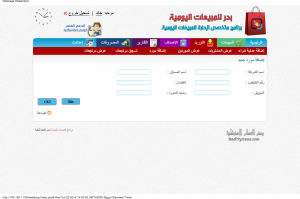
How to Record a New Purchase from a Supplier
This is how to add a new purchasing process from a supplier in “Al Badr Program for Sales”, you can follow your business from anywhere easily and safely.



This is how to add a new purchasing process from a supplier in “Al Badr Program for Sales”, you can follow your business from anywhere easily and safely.
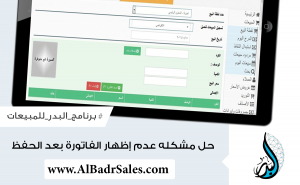
There is an explanation supported by images to show how to solve the problem of non-appearing the invoice after saving in “Al Badr Program for Sales” the best sales program for management of stores, cashier and point of sales which will help you to run all your business activities professionally without mistakes as it’s an easy use program with an easy distinctive modern interface
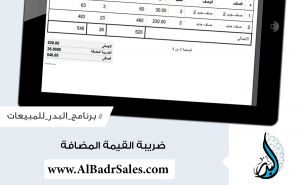
The value added tax (VAT) is a tax which added to items and products in some countries such as (Egypt – Saudi Arabia – Emirates….) and not all institutions or products submit to this tax, so you must first make sure that your institution submits to this tax.
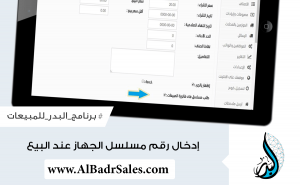
This feature is very useful for the stores of electronics and mobile phones or any devices that have a serial number. When you sell one of these devices, you add its serial number to the invoice, and in case of returning this device back to your store, you can make sure that this is the sold device by the serial number that you added to the invoice before
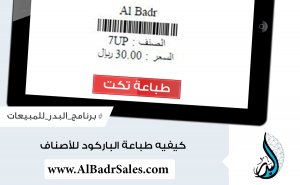
On adding a new purchasing invoice, you can print barcode tickets as much as the products number which are registered by the purchases invoices through “Al Badr Program for Sales” by clicking on “print a ticket” button on the daily purchases page.
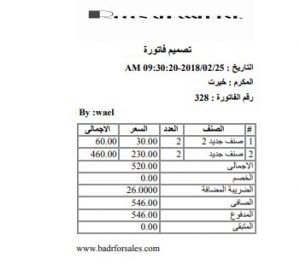
“Al Badr Program for Sales” helps you to manage your accounts in easy and simple way, you can control your accounts with one click only. Just register and manage your business easily, issue your sales invoices and open accounts for customers.
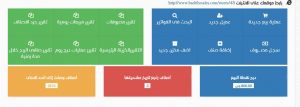
“Al Badr Program for Sales” is a very important program for all stores owners as (clothing store – supermarkets – restaurants – electrical appliances….).

The most important thing that helps you to increase your sales is your knowledge of your customers’ behavior and knowing the most sold products to do new purchases processes of these products continuously, so in “Al Badr Program for Sales” we have added a statistic which shows the most ten sold products accurately.
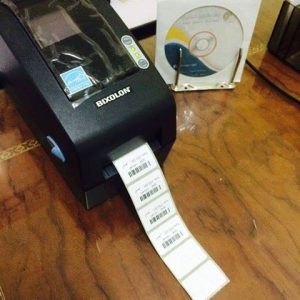
“Al Badr Program for Sales” and institution management is an easy use program which enables you to follow up your business from anywhere at any time easily and safely. It’s the first point of sale and E-trade in one system. It enables you to register your daily sales and purchases.
“Al Badr Program for Sales” is not only a point of sales to register invoices but it’s also designed at first to serve the trader or the business owner in improving their trade by using the latest technology and its quick developing without changing the systems but by one system than can be developed at the same time as technology.