


Your project security begins from within, and leaving your system open to all employees exposes your accounts and profits to serious risk. To manage your business professionally, you need a smart system that accurately defines each person’s role. This is precisely what Al-Badr Pro offers: structuring your operations and protecting your confidential sales and financial data with complete flexibility and total ease.
Why Are User Permissions Essential in Sales Systems?
When you start your commercial project alone, you are responsible for everything: selling, purchasing, taking physical inventory, and calculating profits. However, once your business expands and you hire staff, leaving your entire system exposed without strict controls or User permissions becomes extremely dangerous.
Protecting Project Data and Commercial Secrets
Every commercial business possesses proprietary trade secrets that differentiate it in the market, such as supplier purchase prices, actual profit margins, and regular customer databases. The absence of structured User permissions means any junior worker or cashier can access these sensitive details, exposing your business secrets to external leaks or competitive exploitation.
The primary role of establishing proper User permissions is ensuring that Sales data protection remains uncompromising across all departments. Implementing robust User management creates a safe operating environment that safeguards confidential records.
Preventing Unauthorized Modifications to Accounts and Invoices
Without digital controls, an employee might alter an old invoice or change a product price without management’s knowledge to cover a financial deficit or human error. Defining User permissions eliminates these infractions completely; the system closes backdoors and blocks any modification or deletion of financial operations without direct, documented authorization from the owner.
Maintaining rigorous Sales data protection prevents untracked overrides. Comprehensive User management ensures that every invoice change is logged, audited, and strictly restricted to authorized administrators.
Organizing Employee Roles Within the Enterprise
Successful business management relies on delegating tasks and responsibilities; a cashier’s role differs completely from a corporate accountant or a warehouse worker. A system that enforces User permissions ensures that every staff member focuses strictly on their assigned dashboard and specific duties, creating an organized, clear workplace free from administrative chaos.
Through effective User management, businesses achieve total operational clarity. Combining role-based access with Sales data protection keeps all internal departments synchronized and fully accountable.
How Al-Badr Pro Permissions Help Reduce Errors?
Al-Badr Sales Pro is engineered to be the easiest and most secure tool for guiding your retail business. It minimizes daily human errors by applying strict yet simplified security policies.
Accurately Defining What Each Employee Can Access
Al-Badr Pro gives you a full control panel that allows you to lock or unlock any screen within the system with a single click. You can customize the system so workers only see their assigned screens; this prevents curiosity and protects general accounting records. Configuring User permissions serves as your first line of defense to protect assets and capital.
Restricting system views enhances overall Sales data protection. Structured User management ensures that critical financial insights remain strictly within executive hands.
Separating Cashier Duties from Financial Management
A cashier’s core function is operating the point-of-sale screen, scanning product barcodes, issuing customer receipts, and collecting payments. Cashiers should never have access to total shop profits or purchase invoices. Al-Badr Pro separates these responsibilities by distributing User permissions professionally and intelligently.
Isolating terminal operations strengthens Sales data protection. Dedicated User management protocols prevent operational staff from accessing sensitive backend numbers.
Reducing Overlap and Employee Conflicts
When every employee understands their job boundaries and permitted computer screens, mutual accusations disappear whenever a cash register discrepancy or inventory shortage occurs. Software enforcement via User permissions keeps everyone within their specified domain, raising daily operational efficiency across stores and enterprises.
Clear operational boundaries bolster Sales data protection during daily shifts. Systematized User management establishes clear accountability for every registered team member.
Managing Users Within a Professional Sales Software
Generic or outdated software lacks the flexibility required to control your workforce. Al-Badr Pro provides a complete, dedicated section titled User management, serving as your primary guide to internal control.
Adding Multiple Users with Independent, Encrypted Accounts
The software allows you to create independent accounts with unique usernames and passwords for every employee in your company. This digital separation eliminates shared account usage, representing a fundamental step toward successful User management and guaranteeing the confidentiality of daily accounting transactions.
Individual credentials reinforce overall Sales data protection. Properly configured User permissions ensure that every system entry is tied to a specific profile.
Distributing Tasks According to Actual Work Requirements
Through the User management module, you can build pre-configured functional groups, such as Cashiers Group, Accountants Group, or Warehouse Keepers Group. When onboarding a new employee, simply assign them to the appropriate group to grant the exact User permissions defined for that job title automatically.
Automating job profiles simplifies administrative User management. Precise access control enforces continuous Sales data protection across all organizational tiers.
Monitoring User Activity and System Actions
The software logs a detailed, hidden activity record for every user. This audit log tracks every invoice issued, receipt created, and exact timestamp of system logins or logouts. This feature grants management full visibility to track workflows decisively through professional User management tools.
Auditing system interactions guarantees long-term Sales data protection. Custom User permissions make tracking individual transactional histories effortless and precise.
Permissions Breakdown Across Cashiers, Warehouse Managers, and Management
To illustrate this practically, let us review how Al-Badr Pro distributes roles across different personnel categories to guarantee maximum protection and productivity.
Cashier Permissions (Fast, Restricted Sales Interface)
Cashiers receive a simplified selling interface enabling them to open daily shifts, issue e-invoices, and process returns under specific conditions. Restrictive User permissions prevent cashiers from modifying product prices, viewing total sales reports, or deleting financial entries, ensuring absolute register discipline.
Restricting point-of-sale screens maintains solid Sales data protection. Applying structured User management keeps daily register operations secure and streamlined.
Warehouse Manager Permissions (Controlling Inward and Outward Goods)
Warehouse management screens focus entirely on physical inventory and assets. Managers possess permissions to record incoming supplier invoices, enter new stock quantities, and execute inter-branch transfers. Thanks to targeted User permissions, warehouse personnel cannot view corporate bank accounts or primary management safes.
Isolating inventory tools guarantees proper Sales data protection across stockrooms. Systematic User management keeps asset records accurate and protected from unauthorized adjustments.
Business Owner Permissions (Absolute Control and Full Visibility)
The business manager or owner holds the “Admin” account, the single profile with absolute authority to open and close all system screens, adjust prices, view net profit reports, and modify other User permissions, ensuring full security control remains in executive hands.
Executive account settings establish maximum Sales data protection. Comprehensive User management empowers business owners to maintain absolute oversight over every operational branch.
Protecting Sales Data From Tampering or Deletion
The primary objective of software restrictions is providing a secure environment that guarantees Sales data protection against tampering attempts that could cause hidden financial losses.
Controlling Invoice Adjustments After Saving and Printing
One of the most dangerous vulnerabilities in business operations is allowing employees to modify an invoice’s quantity or price after a customer receives their receipt and leaves. Al-Badr Pro eliminates this flaw entirely; strict User permissions block adjustments to saved invoices unless approved by an admin password, directly enhancing Sales data protection.
Locking printed transactions ensures complete Sales data protection. Structured User management prevents fraudulent register edits across all shifts.
Minimizing Data Deletion and Historical Record Loss
Data deletion, whether intentional or accidental, represents an accounting and tax catastrophe. Al-Badr Pro prevents standard users from deleting invoices, ledger accounts, or product files, hiding sensitive buttons from employee screens to achieve the highest level of Sales data protection.
Hiding critical system controls safeguards Sales data protection indefinitely. Admin-only User permissions preserve historical financial logs without risk of erasure.
Auditing Sensitive Operations and Financial Transactions Easily
The system provides a dedicated audit dashboard showing managers all rejected access attempts made by staff. This screen offers clear insights into employee behavior and detects tampering attempts early, facilitating swift administrative decisions to ensure total Sales data protection.
Monitoring system alerts protects corporate Sales data protection. Centralized User management helps management maintain tight security over all daily activities.
The Role of User Permissions in Safeguarding Customer and Supplier Accounts
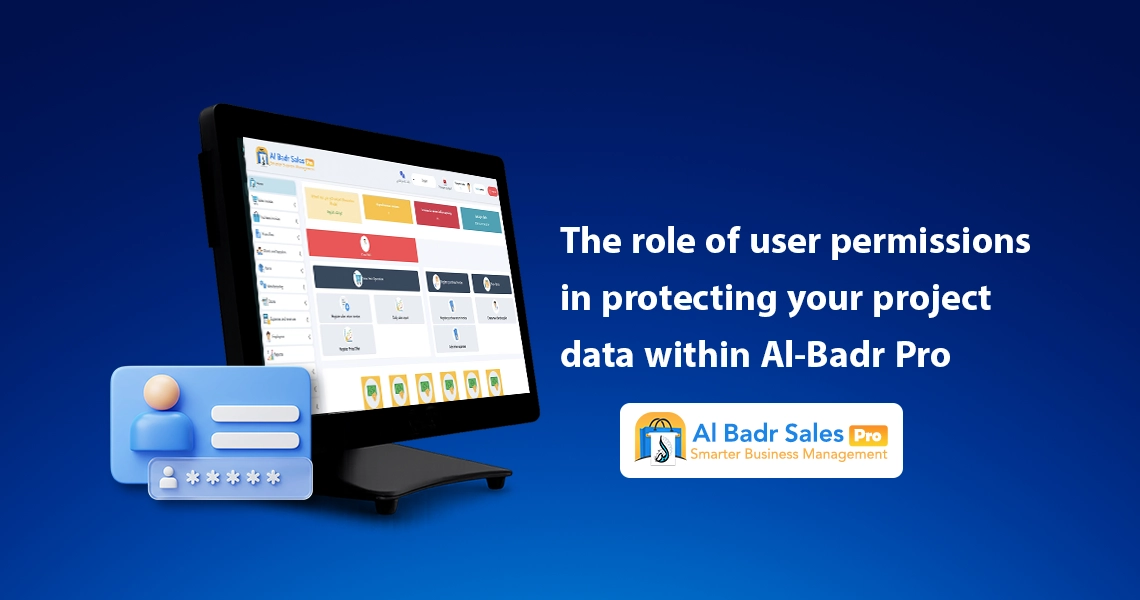
Securing financial relationships with contractors, customers, and suppliers requires protecting their financial statements and credit balances from unauthorized edits.
Restricting Access to Account Statements and Receivables
If you operate on credit or deferred payment terms, exposing account statements to everyone can lead to accidental balance modifications or debt deletions. Restricting these screens via User permissions ensures that only designated accountants or owners can access contractor and supplier ledgers.
Securing customer receivables supports overall Sales data protection. Dedicated User management prevents unauthorized staff from modifying critical ledger entries.
Protecting Payment Records and Financial Vouchers
Every financial payment received from a customer or paid to a supplier must be documented with an unalterable receipt. The software prevents unauthorized staff from adding or editing payment vouchers, guaranteeing that digital ledger sheets match real bank balances and physical cash registers.
Securing cash vouchers reinforces reliable Sales data protection. Custom User permissions ensure that financial documentation remains accurate and tamper-proof.
Preserving Financial Data Privacy for Businesses and Clients
Maintaining client privacy is essential for corporate professionalism. Employees have no need to inspect client debt levels or commercial payment terms. The software restricts and hides sensitive private data from standard screens using advanced User permissions.
Hiding client records strengthens Sales data protection across all customer touchpoints. Advanced User management upholds strict confidentiality standards throughout your organization.
How User Permissions Drive Business Growth?
Some believe software restrictions hinder operations, but the opposite is true: a strict system is the primary engine allowing businesses to expand safely.
Effortless Onboarding for New Employees
With a system protected by User permissions, onboarding new staff or cashiers causes no worry or stress. You know the system is locked, preventing new employees from viewing or editing anything outside their designated screen, simplifying immediate training and operation.
Streamlined onboarding relies on structured User management. Enforcing strict User permissions ensures new hires work safely without risking critical data.
Organizing Work Across Expanding Operations and New Branches
When opening new branches or warehouses, personally supervising every detail becomes impossible. Distributing digital roles enables you to build an organized administrative hierarchy that operates efficiently; the system monitors branch activities automatically based on specified User permissions.
Multi-branch expansion requires centralized User management. Uniform Sales data protection policies guarantee consistent security standards across all commercial locations.
Reducing Owner Dependence and Creating a Self-Operating System
Professional sales software frees business owners from daily operational constraints so they can focus on growth. Implementing User permissions helps build a self-monitoring business structure that processes transactions, issues invoices, and generates accurate reports even during your absence.
Building an autonomous enterprise requires disciplined User management. Relying on User permissions keeps operations running smoothly without constant owner intervention.
Common Pitfalls of Running a Sales System Without Permissions
Running your business with an open system or a single shared account leads to repeated errors and heavy financial losses.
Universal Access to Financial and Profitability Metrics
Allowing staff or cashiers to view net profit margins or wholesale purchase prices creates unnecessary sensitivity or prompts unearned wage demands. Worse, it may tempt dishonesty. Setting strict User permissions eliminates this vulnerability entirely.
Hiding profit metrics guarantees internal Sales data protection. Proper User management prevents unauthorized staff from browsing sensitive executive figures.
Unmonitored Price Edits and Unauthorized Discounts
Without restrictions, cashiers might grant large discounts to acquaintances or sell items below cost to boost personal volume at the store’s expense. The software blocks this loophole completely; User permissions require an admin password to change product prices.
Restricting price edits protects Sales data protection and profit margins. Automated User management enforces strict pricing policies across all sales counters.
Difficulty Tracing Mistakes and Unclear Employee Accountability
When cash shortages or missing inventory occur on an open system, employees often disclaim responsibility. This loss of accountability disappears when you define User permissions, as every transaction is locked to the specific account holder who performed it.
Individual transaction logging ensures accurate Sales data protection. Precise User management eliminates ambiguity regarding operational mistakes.
Best Practices for Distributing User Permissions in Al-Badr Pro
To maximize software efficiency and protect your business assets, follow these simple organizational steps during initial system setup.
Defining Roles and Responsibilities Before Live Operations
Before entering invoices or assigning cashier terminals, list your employees and their specific operational duties on paper. Pre-planning makes translating these roles into active User permissions within the software simple and organized.
Structured planning accelerates system setup and User management. Aligning User permissions with real-world job roles prevents security gaps.
Granting Minimum Necessary Access (Least Privilege Policy)
The golden rule in information security is: “Never give an employee access they do not strictly need for their daily tasks.”
If a worker’s job is limited to inventory counts, do not grant them access to invoicing screens. Applying this rule within your User permissions framework minimizes error margins and maximizes internal security.
Following the least privilege rule underpins robust Sales data protection. Granular User management prevents accidental overrides by unauthorized personnel.
Periodically Reviewing and Updating User Permissions
Staff roles change continuously as employees receive promotions or lateral transfers. Periodically review and update User management profiles to revoke obsolete permissions and grant new access rights aligned with an employee’s current position.
Regular administrative reviews maintain effective Sales data protection. Updating User permissions ensures access rights continuously match active job responsibilities.
Why User Permissions Make Al-Badr Pro More Secure?
The true value of Al-Badr Sales Pro lies in its flexibility and capability to provide complete protection, giving business owners total peace of mind and financial security.
Streamlining Daily Operational Processes for Stores and Companies
The software guards your capital and inventory around the clock, ensuring daily operations run strictly according to your defined rules. It prevents personal guesswork and operational mistakes through intelligent User permissions.
Automated operational rules enhance Sales data protection. Comprehensive User management ensures that all store activities strictly follow management guidelines.
Protecting Project Data From Internal and External Leaks
The software combines cloud encryption with strict internal access controls, creating a secure fortress that shields sales records, supplier pricing, customer accounts, and profit reports from unauthorized access or data tampering.
Advanced security safeguards Sales data protection against external threats. Enforcing internal User permissions ensures complete data confidentiality.
Supporting Professional Management and Scalable Growth
Successful enterprises are managed with robust systems and intelligent oversight. Utilizing Al-Badr Pro and activating User permissions places your business on a solid accounting foundation, providing the readiness required to open new branches and expand confidently.
Scalable enterprise growth relies on structured User management. Integrating Sales data protection into daily workflows ensures long-term business stability.
FAQ About User Permissions
What is meant by user permissions?
User permissions are advanced security settings that allow business owners or system admins to control accessible screens and data for each employee, enabling restricted operational views while blocking sensitive financial reports, invoice deletion, or profit metrics.
Do permissions help protect sales data?
Yes, absolutely. Setting permissions ensures complete Sales data protection by preventing unauthorized employees from altering prices, applying unapproved discounts, or editing saved invoices, effectively eliminating financial leakage and human errors.
Does every employee require a different permission level?
Yes. Cashiers only require access to shift setups, fast electronic invoicing, and payment collection. Warehouse managers need stock entry and branch transfer tools, accountants handle journal entries, and the Admin retains total control over system configurations and overall User management.
Absolute Control and Complete Security Over Your Accounts with Al-Badr Pro
Al-Badr Sales Pro is the premier management solution for securing your business branches, sales terminals, and inventory warehouses with speed and flexibility.
If you want to protect your trade secrets, prevent invoice tampering, and track cashier activities in real time from your smartphone, Al-Badr Sales Pro is your ideal solution. It delivers a comprehensive platform featuring advanced User permissions, cashier controls, inventory tracking, and full compliance with ZATCA electronic invoicing mandates within an easy-to-use, cost-effective cloud system.