


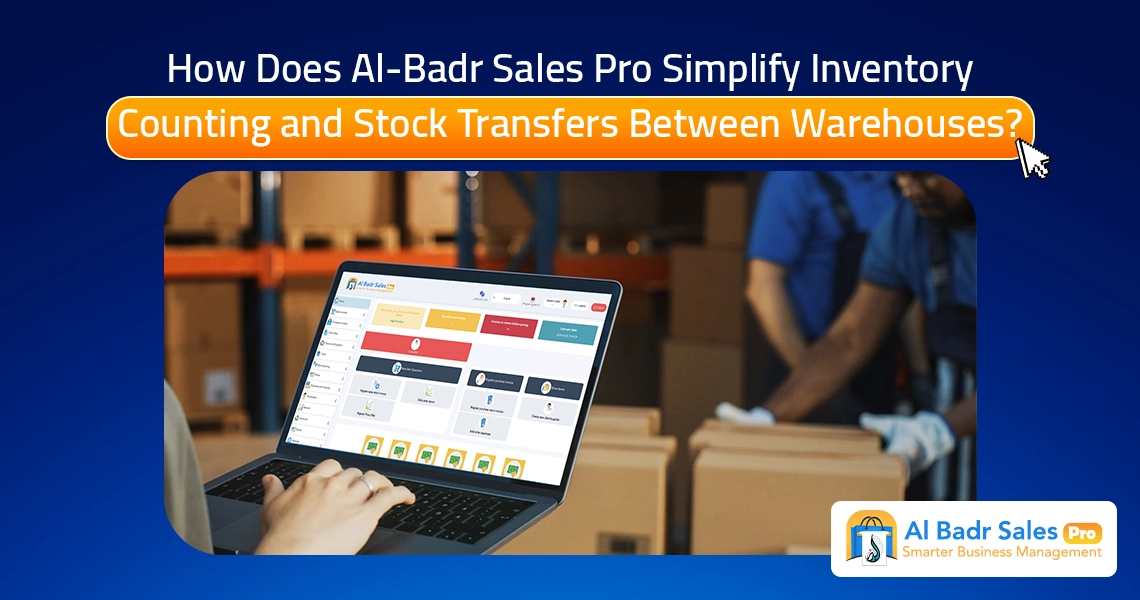
Inventory management and item control form the bedrock of business success, protecting you from sudden losses. When your warehouses expand and item types multiply, paper-based counts become impossible.
Al-Badr Sales Pro organizes your operations, offering a simple, secure framework that guarantees stock accuracy across every branch and warehouse with ultimate flexibility.
Why Are Stocktaking and Goods Transfer Critical for Any Enterprise?
Unmanaged inventory creates major financial leaks where business capital drains away unnoticed. To secure commercial stability and sustain profit growth, you need continuous visibility over stock quantities and exact branch locations.
Maintaining Inventory Accuracy and Preventing Losses or Tampering
Operating without strict electronic oversight leads to unaccounted inventory shortages and stock leaks. Implementing stocktaking and goods transfer protocols aligns physical counts with registered ledgers, protecting assets from theft or damage and safeguarding business capital.
Regular warehouse auditing (stocktaking) ensures ledger records match shelf availability. Structured goods transfer between warehouses eliminates untracked stock movement between locations.
Preventing Essential Product Shortages and Ensuring Uninterrupted Sales
When a customer requests an item that is out of stock, you lose both the transaction and customer trust. Executing systematic warehouse auditing (stocktaking) identifies stock drops early, allowing timely reordering to keep checkout lines moving without interruption.
Organizing Smart Product Distribution Between Warehouses to Boost Sales
Overstocking in one branch while another suffers shortages leads to stagnant inventory and lost profit opportunities. Coordinating goods transfer between warehouses balances product availability based on actual regional demand.
How Does Al-Badr Sales Pro Support Stocktaking and Goods Transfer?
Al-Badr Sales Pro is built as a complete point-of-sale system that offers comprehensive accounting and administrative tools, suited for accountants, business owners, and cashiers alike.
Complete Multi-Warehouse and Multi-Branch Support Within One System
The system allows you to set up independent profiles for all warehouses and branches within a single database. This integration simplifies stocktaking and goods transfer, enabling real-time stock tracking from mobile devices without requiring physical site visits.
Managing warehouse auditing (stocktaking) across multiple locations ensures consistent stock control. Executing goods transfer between warehouses updates balances across all regional hubs.
Documenting Stock Transfers to Prevent Item Loss
Flexible screens let you log every shipment moving between warehouses alongside complete transfer details. Digitally documenting goods transfer between warehouses tracks item movement, ensuring accountability at every stage.
Reviewing Product Balances Accurately Anytime, Anywhere
Check stock quantities and current balances with a single click. Quick record lookups support sound managerial decisions, improving stocktaking and goods transfer routines while eliminating manual oversight.
Simple Warehouse Auditing Inside Al-Badr Pro
Digital warehouse organization replaces tedious traditional counting that once forced businesses to close for days.
- Open a new auditing session
- Scan items using barcode readers
- Compare actual quantities against system records
- Automatically reconcile variances
Comparing Registered Quantities with Actual Shelf Stock
Cashiers and warehouse managers can access dedicated reconciliation screens displaying expected system totals. The warehouse auditing (stocktaking) feature simplifies verification, allowing staff to input actual physical counts so the system calculates variances instantly.
Using Barcode Scanners During Audit Sessions to Accelerate Workflows
Skip manual item searches in long product lists. Scanning a barcode identifies products and adds them directly to audit sheets. This feature speeds up operations, completing stocktaking and goods transfer tasks in hours without disrupting store activities.
Discovering Stock Variances and Identifying Shortages or Surpluses
At the end of an audit, the system generates reports detailing discrepancies between recorded and physical figures. Clear reporting uncovers stock shortages, establishes accountability based on digital proof, increases stocktaking and goods transfer efficiency, and protects net margins.
Inventory Counting and Stock Transfers Across Multiple Warehouses
Managing multiple branches requires smart product distribution to prevent capital from getting locked in slow-moving stock.
Checking Individual Warehouse Balances and Ending Guesswork
Al-Badr Sales Pro features dynamic dashboard screens displaying exact item quantities for each branch and warehouse separately. Clear reporting replaces guesswork, providing management with full visibility over stock locations, simplifying stocktaking and goods transfer, and maintaining ledger accuracy.
Conducting warehouse auditing (stocktaking) per site keeps local store records precise. Planning goods transfer between warehouses balances stock levels based on real inventory data.
Determining Branch Needs Based on Actual Sales Velocity
Demand varies by region. The system analyzes branch-specific sales trends to identify high-demand products, helping you organize goods transfer between warehouses to route items where they sell fastest rather than letting them sit in unused storage.
Reducing Unmanaged Storage and Freeing Up Wasted Warehouse Space
Excess storage ties up working capital and wastes warehouse space that could house higher-margin inventory. Intelligent oversight of stocktaking and goods transfer maintains safe, calculated inventory thresholds, reducing holding expenses and improving stock turnover rates.
Transferring Goods Between Warehouses Without Losing Control
Moving funds or inventory between branches requires documented workflows to prevent item loss during transit or delivery.
Registering Source Warehouses and Outgoing Quantities Accurately
Initiating a transfer requires selecting the source warehouse and entering outgoing quantities into the system. Instant stock deductions from the primary location support stocktaking and goods transfer accuracy, preventing accounting conflicts between corporate branches.
Documenting outgoing items ensures reliable warehouse auditing (stocktaking). Confirming destination receipts completes goods transfer between warehouses without missing items.
Registering Destination Warehouses and Confirming Complete Deliveries
Transfers in Al-Badr Sales Pro complete only after receiving staff inspect incoming shipments and confirm delivery in the system. Mutual confirmation during goods transfer between warehouses prevents disputes between drivers and floor workers regarding transit damage or shortages.
Automatic Dual-Warehouse Balance Updates Upon Transfer Completion
Saving a transfer transaction and confirming receipt updates inventory balances across both warehouses automatically. Real-time balance adjustments maintain accurate ledgers, allowing destination cashiers to begin selling new stock immediately.
The Role of Barcodes in Simplifying Stocktaking and Goods Transfer
Modern tools like barcode scanning distinguish efficient digital management from slow manual operations.
Rapid Item Scanning to Save Time and Effort
A quick barcode scan identifies items and logs them directly onto active screens. Rapid input removes manual lookup delays, speeds up stocktaking and goods transfer routines, and lets team members finish large tracking tasks in minutes with minimal effort.
Implementing barcode-assisted warehouse auditing (stocktaking) cuts manual logging errors. Using barcodes during goods transfer between warehouses speeds up shipment processing.
Minimizing Manual Counting Errors and Human Mistakes
Manual entry and reading similar product titles often cause errors that distort financial accounting. Reading numeric barcodes processes correct items with complete accuracy, producing warehouse auditing (stocktaking) documentation that matches actual shelf stock without financial discrepancies.
Matching Physical Items with System Records to Avoid Mix-Ups
Items with multiple colors or sizes often share similar titles. Barcodes differentiate between product variants, tracking each unit individually to prevent accounting overlap during stocktaking and goods transfer workflows.
Inventory Reports Following Stocktaking and Goods Transfer
Accurate data gives business leaders a distinct advantage, and system-generated inventory reports provide clear insights to guide your operations toward consistent profitability.
Identifying Low-Stock Items and Generating Supplier Purchase Orders
Al-Badr Sales Pro delivers detailed reports showing products that have reached reorder points or are close to running out. Generating lists after warehouse auditing (stocktaking) simplifies purchase order creation, keeping store shelves consistently stocked with high-demand products.
Reviewing post-audit reports highlights critical warehouse auditing (stocktaking) metrics. Analyzing stock distribution helps organize targeted goods transfer between warehouses before reordering.
Pinpointing Slow-Moving Products to Launch Targeted Promotions
Movement reports highlight items that remain on shelves for months without sales. Identifying slow-moving inventory through stocktaking and goods transfer data lets you launch targeted discount campaigns, clearing stock and releasing tied-up capital back into your business.
Supporting Purchasing Decisions with Real Performance Data
Instead of relying on guesswork, the software provides historical sales data for every product. Clear analytics enable management to purchase stock based on actual market demand, preventing capital from getting trapped in excess inventory.
Common Mistakes in Manual Stocktaking and Goods Transfers
Relying on traditional paper ledgers slows business growth and introduces costly operational gaps that can hurt your market standing.
Recording Incorrect Quantities in Paper Ledgers
Under busy store conditions, staff can make mistakes when writing down numbers or counting items manually. Minor counting errors compound over time, throwing off warehouse auditing (stocktaking) sheets and forcing management to make decisions based on inaccurate figures.
Correcting paper records distorts warehouse auditing (stocktaking) accuracy. Unrecorded transfers complicate goods transfer between warehouses, leaving balance totals unreliable.
Delayed Balance Updates Leading to Out-of-Stock Sales
Without automated syncs, accountants may delay logging sold or transferred stock for days. Lags cause out-of-stock items to appear available on checkout screens, creating customer friction and harming store credibility.
Missing Transfer Records Between Branches
Relying on verbal agreements or loose paper notes to move items leads to lost merchandise and internal disputes. Without digital systems governing stocktaking and goods transfer, tracking missing inventory and protecting corporate assets becomes nearly impossible.
How Can Regular Inventory Counts Help Increase Profitability?
Real profit stems from reducing operational costs and eliminating inventory leakage across your storage network, not just increasing top-line sales.
Reducing Scrap and Waste by Monitoring Expiration Dates
Periodic warehouse inspections identify products nearing expiration or risking damage from improper storage. Systematic stocktaking and goods transfer routines let you discount these items quickly or move them to higher-volume branches, recovering their value before they turn into total losses.
Regular warehouse auditing (stocktaking) highlights items approaching expiration dates. Coordinating goods transfer between warehouses moves at-risk stock to high-demand locations for quick clearance.
Avoiding Unnecessary Purchases and Preserving Cash Flow
Clear visibility over stock levels prevents duplicate product orders. Disciplined purchasing preserves cash reserves for vendor settlements or acquiring fast-selling merchandise that customers want.
Improving Stock Availability to Fulfill Customer Orders Faster
Shoppers prefer merchants who consistently have products in stock. Accurate stocktaking and goods transfer operations keep top-selling items on shelves, building your reputation as a reliable business.
Why Is Al-Badr Pro a Practical Choice for Stocktaking and Goods Transfer?
Selecting the right management software is the primary step toward building an expandable retail operation that stands out against competitors.
Ideal for Multi-Warehouse Networks Across Different Locations
Whether your warehouses are in the same city or spread across multiple regions, Al-Badr Sales Pro brings them into a central control dashboard. Centralization gives you complete command over stocktaking and goods transfer, making it easy to track balances and transfers with confidence.
Centralized control simplifies warehouse auditing (stocktaking) across distributed branches. Structured workflows streamline goods transfer between warehouses regardless of physical distance.
Supporting Sales, Auditing, and Inventory Control with Total Flexibility
You do not need separate software for every operation. Al-Badr Sales Pro provides an integrated solution connecting POS terminals, cash registers, warehouses, ledgers, and tax compliance, ensuring sales, billing, warehouse auditing (stocktaking), and inventory updates work together smoothly.
Minimizing Operational Errors Through Automation
When stock movements run through a digital platform with mutual logging and receiving confirmations, routine administrative errors disappear. The stocktaking and goods transfer features inside Al-Badr Sales Pro offer professional inventory management, leaving you free to focus on growing your business.
Get your free trial version today
FAQ About Stocktaking and Goods Transfer
Does Al-Badr Sales Pro support inventory stocktaking?
Yes, fully and professionally. The software includes dedicated screens to execute warehouse auditing (stocktaking) with high accuracy, automatically comparing physical counts against recorded figures at the click of a button and removing the need for error-prone manual calculations.
Can goods be transferred between warehouses and tracked in the system?
Absoloutely. Al-Badr Sales Pro supports officially documented product transfers between warehouses and branches. The stocktaking and goods transfer module logs source and destination locations, updating balances across both sites automatically upon receipt confirmation to prevent item loss during transit.
Is barcode scanning better during audit routines?
Yes, barcode scanning is significantly faster and more accurate. It lets staff scan and record items into the system in seconds without manual entry errors, saving time and ensuring warehouse auditing (stocktaking) results match physical shelf stock completely.
Superior Stocktaking and Goods Transfer – Al-Badr Sales Pro
To modernize operational workflows, eliminate manual accounting errors, and stop stock loss during branch transfers, Al-Badr Sales Pro gives you total control over stocktaking and goods transfer with complete flexibility.
Al-Badr Sales Pro serves as a complete administrative and accounting platform, operating online or offline to let you monitor your business from your smartphone anytime.
Easily register products, manage POS operations, issue compliant electronic invoices, and access detailed financial reports to calculate total sales, track profit margins, and manage your inventory with ease.