


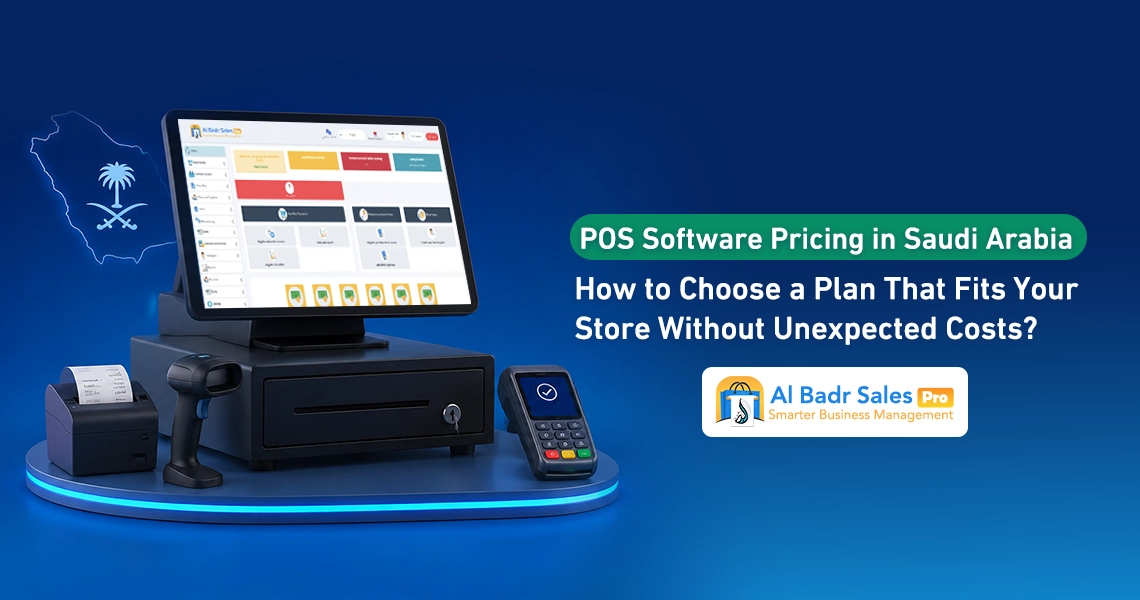
Planning to establish a new store or upgrade your current checkout counter requires clear visibility over operational costs. Studying POS Software Prices thoroughly helps merchants and business owners set proper budgets and select packages that serve daily sales activity, ensuring financial stability and avoiding unexpected expenses that could strain store profits.
What Factors Determine POS Software Prices in Saudi Arabia?
The financial investment required to acquire specialized sales systems varies based on a set of core elements. Analyzing POS Software Prices begins with understanding system components and attached services to ensure you choose what meets your field requirements.
The Impact of Business Type and Operation Volume
Technical requirements for a basic grocery store differ from restaurants, cafes, or auto parts shops. High-volume retail stores require fast servers and databases capable of handling thousands of daily invoices without interruption, which increases POS Software Prices for these sectors compared to quieter businesses relying on simple sales screens.
For example, a small grocery store issuing fifty daily invoices needs a lightweight system focusing on barcode scanning, whereas a busy restaurant requires a system linking kitchen display screens to dining tables and splitting orders, demanding deeper software processing that reflects on overall costs.
The Impact of Branches, Users, and Point of Sale Terminals
Expenses related to POS Software Prices depend directly on the number of screens and operators utilizing the system simultaneously. Expansion impacts cost across the following points:
- Increasing direct cash register screens operating within a single branch.
- Opening new branches requiring direct network linkage to central management and warehouses.
- Adding new users such as staff, accountants, and enterprise managers with independent permission screens.
- Increasing primary and sub-warehouses requiring monitoring of inbound and outbound stock movements.
- The need to store financial records and sales data for years on secure cloud servers.
As these requirements grow, the need for higher-tier packages covering this expansion increases, causing POS Software Prices to vary based on the scale of expansion required within your commercial enterprise.
The Difference Between Software Pricing and Total POS System Costs
A common mistake when evaluating POS Software Prices is confusing software licensing value with the total expense of a comprehensive point of sale system. Software represents only the intelligent core that should be supported by proper hardware to operate within a store.
Software Subscriptions Versus Hardware and Equipment
Software subscriptions cover the right to use screens, databases, and system updates, whereas the cost of an integrated POS system includes screens, thermal receipt printers, barcode scanners, cash drawers, and electronic scales if applicable. Conscious selection ensures you separate software licensing expenses from physical hardware costs.
Installation, Training, and Data Migration
Comprehensive costs sometimes include field service and assistance fees provided by technical teams. Understanding these details ensures you read financial proposals clearly and know whether quoted POS Software Prices include these services or bill them separately, summarized across the following points:
- Field visit fees for delivering equipment and configuring internal store networks.
- Costs for migrating historical items and old prices from Excel files and encoding them onto the new system.
- Training fees for cashiers, workers, and store managers on sales screen operation and report generation.
- Tax invoice template configuration fees incorporating corporate logos and tax numbers.
- Costs for direct technical support services and resolving emergency operational glitches during initial months.
Monthly Subscriptions, Annual Billing, or License Purchase?
Payment methods offered by software vendors vary to suit diverse budgets, with POS Software Prices options distributed between recurring payments and full ownership to satisfy merchant preferences.
Comparing Costs, Flexibility, and Renewal Terms
Relying on Monthly Subscription Sales Software grants high flexibility to test services without straining initial project capital, while annual subscriptions offer excellent financial discounts reducing total costs for upcoming years. Permanent license purchases require a significant initial investment alongside periodic maintenance fees.
Your choice depends on available liquidity; startup projects prefer light recurring subscriptions, whereas established enterprises favor annual renewals to secure optimal pricing and maximum investment value.
Read also: POS Software Prices from Al-Badr
What Continues and What Stops When a Subscription Expires?
When utilizing recurring payment systems, renewal terms must be reviewed precisely to prevent cash registers from halting abruptly while customers are waiting. You can review all pricing plans and detailed options available via POS System Cost structures to understand payment and renewal methods. You can also visit Al-Badr pricing pages to select packages matching your financial capacity and commercial activity.
Typically, companies grant grace periods for arrangements and payments upon subscription expiry without shutting down services immediately, fully preserving all historical data and sales on servers so you can resume work immediately upon renewal.
Al-Badr offers you lifetime software ownership
How to Read POS Package Details Before Purchasing
Before signing contracts or paying subscription fees, terms and conditions written inside packages must be reviewed carefully to ensure real alignment with your store’s operational needs and POS System Cost realities.
User, Warehouse, and POS Terminal Limits
Ensure your selected package allows opening required in-store screens and supports adding all staff and cashiers under dedicated user profiles, while reviewing available warehouse storage capacity to prevent mandatory upgrades to higher tiers shortly after deployment.
Included Features Versus Paid Add-Ons
Ensure you understand basic advantages included in proposals versus external added features, typically structured to show what you pay for as follows:
- Included Core Features: Tax invoice issuance, barcode stocktaking, customer account statements, and inventory updates.
- Potentially Paid Add-Ons: E-commerce store integration, WhatsApp invoice dispatch, and dedicated manager mobile apps.
- External Integration Services: Synchronization with banking payment gateways, complex accounting systems, and loyalty point activation.
Comprehending these service layouts helps determine true POS Software Prices and ensures no essential features require undisclosed extra fees.
POS Hardware Costs and Device Compatibility
Desktop physical equipment forms an integral part of cashier workspaces, and selecting economical, proven hardware clearly optimizes your overall budget without wasting POS System Cost allocations on unhelpful items.
Computers, Printers, Barcode Scanners, and Cash Drawers
Purchasing new equipment requires budgeting for thermal touchscreen displays or integrated Android units, fast thermal receipt printers, barcode scanners for code capture, and sturdy metal cash drawers protecting cash. Selecting original equipment extends operational lifespans and protects against high repair expenses.
When Can You Use Your Existing Equipment?
If you already own screens, computers, or printers in your shop, choosing flexible software compatible with diverse devices and operating systems saves significant funds. Technicians simply install software onto current hardware, letting you begin operations immediately without purchasing new equipment.
Additional Fees to Inquire About
Transparency in financial dealings starts by asking software vendors direct questions to identify any fees that might arise during system use in the future.
Branch Fees, Integrations, and Customization Costs
Always inquire about future branch addition costs and custom modification fees if you desire specific invoice designs or custom reports tailored to your management style, ensuring quoted POS Software Prices do not multiply upon requesting minor modifications.
Taxes, Currency, and Support Fees
Verify whether advertised package pricing includes Value Added Tax applicable in Saudi Arabia or adds it to final figures, while inquiring about complimentary technical support services to ensure telephone consultations and assistance are available without extra expenses.
Calculating Total Annual Costs
Estimating comprehensive annual budgets guarantees financial stability and prevents abrupt disruptions in sales and cash register services.
Cost Calculation Model for Single-Counter Stores
In small grocery stores and single-counter shops, total costs are calculated by summing annual software values, one-time basic POS hardware expenses, and thermal paper roll consumable costs, revealing exact funding needed for your first and subsequent years.
Cost Calculation Model for Multi-Branch Businesses
For enterprises operating three branches alongside a main warehouse, total values are calculated by summing branch subscriptions, hardware distribution costs across counters, and cloud synchronization fees, delivering comprehensive visibility for cost management and fair profit distribution across branches.
How to Fairly Compare POS Software Price Quotes
Market proliferation of companies and options warrants establishing standardized comparison criteria to reach the most profitable and beneficial decision for your store.
Standardizing User Counts and Features in Comparisons
When receiving diverse financial proposals, ensure all offers contain identical branch counts, screen counts, and core features like stocktaking and taxation, enabling fair price comparisons based on matching capabilities.
Comparing Support, Training, and Service Terms
Do not treat lower POS System Cost figures as the sole purchasing criterion; compare technical support responsiveness, complimentary staff training, and screen simplicity. Simpler, more stable software saves downtime and daily checkout errors.
Testing Software Before Committing to Packages
Testing screens firsthand and verifying workflow fluidity represents the decisive step to guarantee appropriate service for your activity when determining your POS System Cost.
Testing Sales, Returns, Stocktaking, and Reports
Access trial versions and have cashiers and floor staff execute mock sales transactions, print receipts, log product returns, and generate profit reports to confirm layouts are clear and screens are easily understood by everyone.
Verifying Trial Version Limits
During testing, ensure features experienced during free trial periods match those available inside intended subscription packages, preventing important screens or reports from vanishing after subscription payments.
Get your free trial version now
How to Choose the Al-Badr Package Matching Your Store Budget
Delivering flexible, proven software services ensures maximum benefit and return on investment for your store, with Al-Badr Sales Pro emerging as the optimal choice offering multiple packages tailored for small shops and large enterprises at balanced prices.
Defining Your Needs for Detailed Price Quotes
Communicate with specialized teams to define your commercial activity, screen counts, and branch counts to receive clear financial proposals covering all requirements without hidden fees, alongside complete technical guarantees for your work.
Reviewing Expansion Costs Before Confirming Subscriptions
Al-Badr lets you start with economical packages matching your beginnings, with upgrade options to add screens and branches later at fixed, suitable prices, empowering your enterprise to grow and expand steadily and successfully without technical obstacles.
FAQ About POS Software Prices
Do POS Software Prices include hardware?
Offers vary according to policies adopted by service providers. Software subscriptions and licenses are typically sold independently from physical hardware and equipment, allowing merchants to purchase software alone and install it on existing devices, whereas professional companies offer comprehensive packages integrating software licenses with screens, receipt printers, and barcode scanners at bundled savings pricing, simplifying full store setup from a single source.
Does the subscription include training and technical support?
Yes, certified companies regarding POS Software Prices provide essential training services for all staff, cashiers, and store managers within initial subscription packages to guarantee screen comprehension, correct invoicing, and proper stocktaking. They also provide continuous technical support via phone or direct connection to resolve technical challenges or sudden glitches, protecting your enterprise against downtime and ensuring sales continuity flexibly and securely.
Are there extra fees for adding branches or users?
Yes, pricing packages generally scale according to field usage volume and active screen counts. Economic packages typically cover a single branch and a specified user count. When your trade expands to open new branches or add cashiers and accountants with independent permission screens, specific, studied additional fees apply, incorporated into annual or monthly subscriptions based on requested expansion scale.
Is advertised pricing inclusive of Value Added Tax?
Numerical displays vary according to software vendor presentation policies. Some companies quote prices before adding tax and note it separately, whereas others present prices inclusive of the 15% Value Added Tax in Saudi Arabia. Reviewing issued financial proposals to confirm final sums inclusive of official taxes before confirming payments is always recommended.
Can packages be changed or subscriptions canceled?
Yes, modern software features high flexibility enabling upgrades to higher packages featuring more advanced properties as your business grows and branches increase, or adjusting payment structures from monthly to annual systems to leverage available discounts. You can also decline subscription renewals or cancel at period end without extra financial obligations while fully preserving registered data and sales records.
Best POS Software in Saudi Arabia
Organizing financial operations and facilitating in-store sales requires adopting digital systems combining simplicity, power, and balanced costs. Al-Badr Sales Pro stands as the best POS software in Saudi Arabia and the Arab world, owing to flexible pricing packages tailored for supermarkets, apparel boutiques, electrical appliance shops, restaurants, and large commercial enterprises.
Al-Badr Sales Pro enables tax invoice management, barcode stocktaking, profit tracking, and customer and supplier accounts via simple interactive screens understood by cashiers, small merchants, floor staff, and enterprise managers easily without complexity. Integrated technical services and options include:
- Fast and compliant invoice issuance
- Precise inbound and outbound stock movement tracking
- Cross-platform operation across desktop devices, smartphones, and mobile apps
- Direct live financial and statistical reporting
- Continuous technical support
- Flexible pricing packages ensuring total control over your trade and steady profit growth around the clock.
Comprehending the nature and details of POS Software Prices and selecting packages matching your store represents the initial step toward building successful, stable commerce. Balancing total costs with technical quality ensures sales operations continue without interruption, sparing your shop maintenance expenses and hidden fees.
Adopting flexible, user-friendly software saves staff time and effort, granting complete control over accounts, inventory, and profits steadily and successfully throughout the year.