


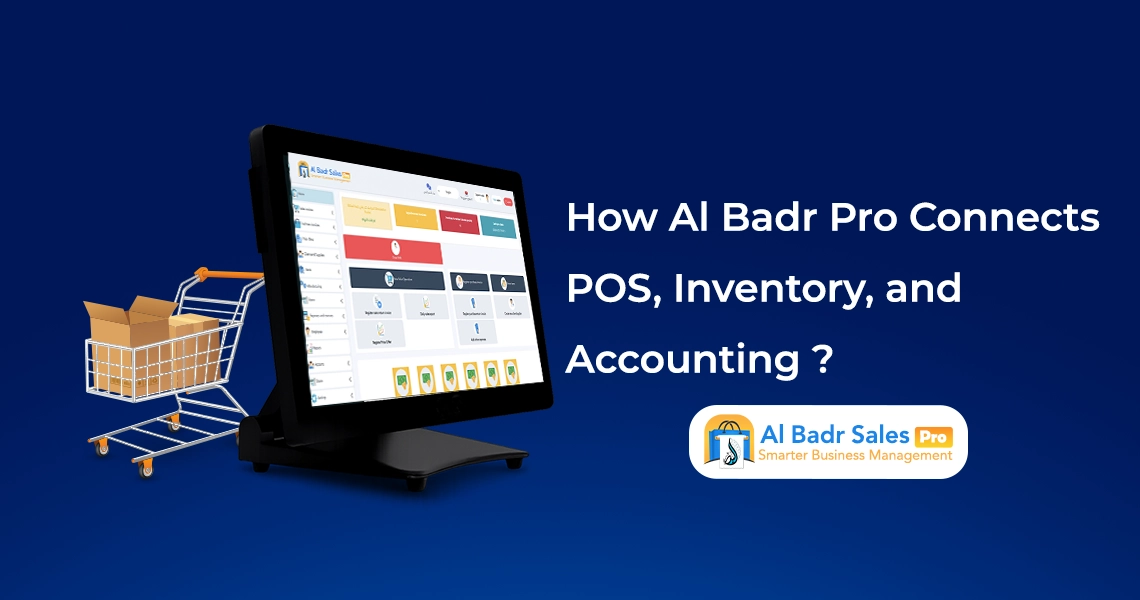
Managing a commercial enterprise successfully requires a direct link between daily checkout velocity, shelf stock levels, and cash drawer balance. Operating disjointed software modules leads to administrative friction, whereas an integrated management ecosystem delivers total operational oversight, protecting net earnings and preserving business capital through a unified POS, Inventory, and Accounting infrastructure.
Why is linking POS, inventory, and accounts into a single system important?
Eliminating redundant, labor-intensive data entry
Lacking integration between cash registers, stockrooms, and accounting departments forces employees to record sales transactions manually across multiple logbooks, inventory ledgers, and ledger sheets.
This duplication wastes staff time, whereas combining POS, Inventory, and Accounting completes data logging in a single step, distributing financial outcomes across all enterprise departments automatically.
Automated stock deductions after every sale
Every transaction completed at the checkout counter must update remaining stock quantities immediately. Relying on integrated POS, Inventory, and Accounting tools updates warehouse counts automatically without physical stockroom visits, allowing managers to monitor shelf availability in real time and avoiding overselling out-of-stock items.
Simplifying daily profit tracking and cash flows
Tracking incoming revenue alongside operational overhead, rent, and utility expenses distinguishes profitable merchants from disorganized operations.
Seamless coordination across POS, Inventory, and Accounting displays net cash flows in an intuitive dashboard, showcasing total daily revenue and net margins at a single glance without requiring full-time accountants or month-end delays.
How does Al-Badr Pro link POS, inventory, and accounts?
Rapid, effortless invoice logging at checkout
Daily operational cycles begin when a customer approaches the cash register. Cashiers scan item barcodes or select product names, instantly populating invoice fields with approved unit prices. This initial step in POS, Inventory, and Accounting generates customer receipts while triggering automated coordination across all connected software modules.
Instant stock deductions from warehouse inventory
Clicking the save and print button triggers automated warehouse updates without manual intervention, decreasing available item stock by the exact quantities sold. Real-time updates within POS, Inventory, and Accounting maintain precise inventory records, eliminating discrepancies between physical shelf stock and system logs.
Immediate financial entries across accounts and profit calculations
Within seconds of issuing invoices and deducting inventory, financial ledgers update automatically. Sales values deposit directly into cash drawer balances or bank accounts, while Linking sales to accounts calculates gross profit margins by evaluating the spread between purchasing costs and retail prices, displaying net earnings instantly per transaction.
POS, inventory, and accounts within an integrated cashier software
An all-in-one platform consolidates complex operational modules into a single, accessible user interface that store owners, cashiers, and warehouse managers can navigate effortlessly.
Streamlined daily sales interface for cashiers and retail staff
Designed for speed and ease of use, the point-of-sale interface enables counter staff to handle customer orders proficiently from day one. Robust integration across POS, Inventory, and Accounting processes multi-item transactions in seconds, delivering fast, organized checkout experiences to your retail shoppers.
Tracking product movements and daily inventory velocity
Modern Cashier and warehouse software extends beyond receipt printing to deliver total visibility over product movement. Identifying high-velocity bestsellers alongside slow-moving inventory helps structure promotional discounts, turning POS, Inventory, and Accounting into a strategic tool that accelerates capital turnover and business growth.
Logging miscellaneous daily expenses and indirect revenue
Complete financial control requires tracking operational overhead, such as electric bills and hospitality costs, alongside direct store sales. Synchronization across POS, Inventory, and Accounting deducts overhead expenses from total incoming revenue, presenting accurate net figures reflecting real business performance.
The role of POS terminals in accelerating daily operations
Point-of-sale terminals serve as the front line of your enterprise. Speed and accuracy establish a professional brand image that builds long-term customer loyalty.
Rapid invoice generation to eliminate customer queue delays
Lengthy checkout queues frustrate shoppers and drive customers toward competitors. Direct integration across POS, Inventory, and Accounting saves and prints receipts with a single click, accelerating customer throughput during peak shopping seasons and busy holiday hours.
Leveraging barcode scanners to eliminate human error
Scanning product barcodes eliminates manual price entry and item lookup errors, pulling verified system prices into customer invoices instantly. Integration across POS, Inventory, and Accounting ensures scanned goods deduct accurately from warehouse counts while registering correct monetary values into register drawers without cashier error.
Reducing customer wait times and elevating service quality
Providing organized receipts and accurate order fulfillment in record time elevates customer satisfaction. Utilizing connected POS, Inventory, and Accounting tools delivers professional checkout service, encouraging shoppers to return to your store continuously.
How do daily sales and purchases impact inventory?
Immediate stock deductions upon transaction completion
Assigning dedicated staff to log sold goods manually in warehouse registers is unnecessary. Automated synchronization across POS, Inventory, and Accounting handles product deductions the moment invoices are saved, maintaining system inventory counts that match physical store shelves accurately.
Automated stock increases upon logging supplier purchases
When receiving new inventory shipments from suppliers, recording purchase invoices within the platform elevates available warehouse counts immediately and adjusts average item cost figures. Coordinated POS, Inventory, and Accounting workflows allow cashiers to sell newly arrived goods instantly without operational delays.
Monitoring stock shortages, damaged goods, and working capital
Smart software alerts management when item quantities reach reorder thresholds, preventing out-of-stock scenarios. Additionally, logging damaged or expired goods deducts losses from accounting files, using POS, Inventory, and Accounting as a protective safeguard for your financial capital.
Linking sales to accounts and monitoring business profits
The primary goal of commercial enterprise is generating sustainable profits and expanding working capital through precise financial oversight.
Calculating gross revenue with absolute accuracy
The platform consolidates cash, deferred credit, and card payments into unified dashboards. Implementing Linking sales to accounts displays cash drawer deposits alongside outstanding customer balances clearly, delivering total visibility over incoming cash flows.
Identifying net profits free from hidden expenses
True profit consists of remaining funds after subtracting purchasing costs and operational expenses from total revenue. Relying on Linking sales to accounts handles complex calculations automatically, displaying true net earnings available for business reinvestment.
Logging overhead expenses to balance business budgets
The software captures granular financial transactions, allowing managers to log indirect revenue alongside minor petty cash expenses. Utilizing Linking sales to accounts ensures end-of-period balance sheets reflect real operational figures without accounting discrepancies.
POS, inventory, and accounts in managing customers and suppliers
Direct integrations across client and supplier accounts establish sustainable business relationships built on trust and complete financial transparency.
Linking sales invoices directly to deferred customer accounts
When clients purchase goods on credit, linking invoices to specific customer profiles posts financial debits to their personal ledgers automatically. Integration across POS, Inventory, and Accounting prevents forgotten debts, safeguarding receivables and streamlining payment collection on scheduled due dates.
Tracking supplier payments and settlement schedules clearly
Logging purchasing invoices links received merchandise costs directly to supplier accounts. Total control within POS, Inventory, and Accounting displays paid installments alongside remaining supplier liabilities, helping organize financial obligations and maintain vendor credibility in commercial markets.
Generating detailed statement of accounts for all parties
When clients or suppliers request ledger reviews, printing itemized statements takes a single click, detailing historical invoices, payments, and timestamps. Structured accounting through POS, Inventory, and Accounting resolves billing disputes and reflects professional operational management.
How Do Reports Help You See the Bigger Picture?

Comprehensive reports act as an operational compass, guiding daily choices and showing where your business stands in competitive markets.
Itemized sales reports across custom timeframes
The system generates clear reports summarizing daily, weekly, and monthly sales movement. Coordination within POS, Inventory, and Accounting highlights peak revenue periods and top-performing item classes, helping you plan commercial growth based on concrete facts.
Comprehensive inventory reports and asset valuation
Warehouse reporting showcases total current stock valuation evaluated at purchase costs and retail values. Utilizing POS, Inventory, and Accounting presents clear inventory valuations without closing store doors or pausing retail operations for manual stock counts.
Profit and loss statements alongside financial balance sheets
Profit and loss reports present comprehensive business summaries over selected periods. The system consolidates POS, Inventory, and Accounting metrics onto a single page detailing gross sales, purchasing costs, overhead, and net margins for clear financial evaluation.
Common Mistakes to Avoid When Managing Customer Debt

Discrepancies between checkout data and physical shelf counts
Operating standalone cash register terminals disconnected from warehouse records creates numbers mismatched with actual physical stock. Resolving these operational friction points requires adopting unified Cashier and warehouse software that consolidates all screens into a single ecosystem.
Difficulty identifying true business net profit
Operating without synchronization between sales data and overhead expenses leaves business owners assuming profitability while unintentionally consuming capital on unrecorded expenses. Utilizing Linking sales to accounts eliminates financial guesswork, showcasing accurate net profits.
Delayed discovery of cash drawer shortages and errors
Under manual workflows, cash discrepancies or stock shrinkage remain undetected until annual stocktaking audits. Direct coordination across POS, Inventory, and Accounting exposes financial variances instantly, allowing swift corrective action to protect business assets.
Why is Al-Badr Pro the ideal solution for linking your business operations?
A single unified system for all daily operations
Eliminate the expense of maintaining multiple software subscriptions. The platform delivers integrated Cashier and warehouse software with built-in accounting on a single accessible system, managing all daily transactions smoothly.
Simplified sales and stock management without complexity
Designed for clarity, the user interface allows store owners, clerks, and counter staff to navigate system modules proficiently without complex training courses, bringing simplicity to POS, Inventory, and Accounting.
Fast, confident decision-making for business growth
Accurate reporting and real-time data provided by POS, Inventory, and Accounting give business owners the confidence to take expansion steps, such as opening new branches, stocking profitable items, or launching targeted promotions.
FAQ about POS, inventory, and accounts
What is the benefit of linking POS terminals to warehouse inventory?
Automated integration deducts sold item quantities from warehouse ledgers the moment an invoice is generated, providing precise shelf counts, preventing stockouts, and eliminating overselling.
Does linking sales to accounting help calculate net profits accurately?
Yes, the system deducts product purchasing costs and administrative overhead from total invoice figures automatically, revealing actual net earnings without manual accounting calculations.
Is Al-Badr Pro suitable for small retail shops?
Yes, absolutely. The software features an accessible layout designed for small and large businesses alike, combining simplified navigation with comprehensive control.
Premier sales and inventory management software
If you aim to elevate your business organization and boost profitability while eliminating ledger confusion between checkout terminals and stockrooms, Al-Badr Sales Pro is your ideal solution.
We deliver premier management software engineered to streamline daily commercial workflows, providing real-time synchronization between checkout registers, warehouse stock counts, and financial accounting ledgers to keep your business running smoothly and profitably.