


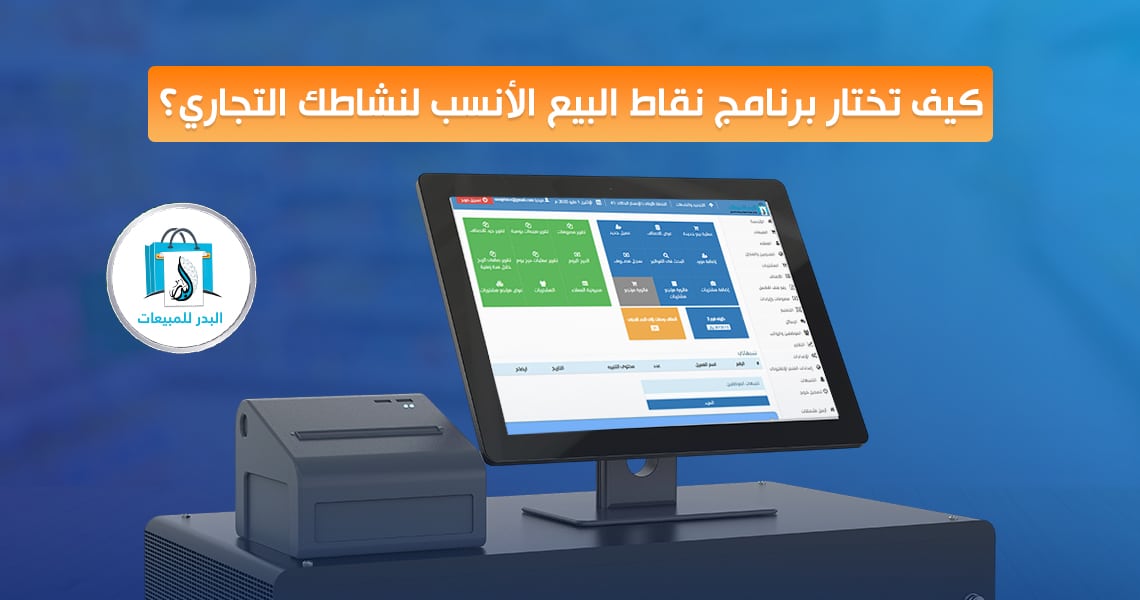
When running a business, choosing POS software (Point of Sale software) is a major factor driving operational success. Whether managing a pharmacy or a retail store, your POS software (Point of Sale software) must streamline daily transactions with high speed. Modern retail technology does much more than just process standard financial checkouts cleanly.
The Importance of POS Systems in Business Success: How It Boosts Efficiency
An advanced POS software (Point of Sale software) has become an essential element for any successful business, whether it is a small retail storefront or a massive multi-branch corporate chain.
A modern cashier system for shops is no longer just a basic clerical utility used for recording daily checkout logs; it has evolved into a comprehensive integrated sales program that supervises everything happening within your storefront from the exact moment a customer enters until final administrative reports are compiled.
When deploying a professional cashier system for shops, human calculation errors are drastically minimized because all operations are registered automatically. Local sales taxes and promotional discounts are computed with absolute precision, while your retail warehouse counts are modified in real time.
This directly accelerates checkout speeds within the establishment, slashes customer waiting queues, improves the consumer experience, and drives up satisfaction rates.
Furthermore, a robust POS software (Point of Sale software) enhances the productivity of your employees by making it simple for them to handle sales invoices, log item returns, accept diverse digital payment methods, and link retail counters straight to the warehouse.
Backed by a clean control dashboard and live analytics, commercial business owners can make accurate strategic decisions rooted in real-time metrics rather than speculative estimates.
Understanding the Nature of Your Commercial Activity: A Pharmacy’s Requirements Differ from a Restaurant’s
When picking a new POS software (Point of Sale software), the system features must align perfectly with the core nature of your commercial activity. For instance, the specific features built into a POS software (Point of Sale software) for restaurants might not suit a busy medical pharmacy or a standard retail outlet.
Pharmacies require specialized utilities to monitor complex pharmaceutical batch numbers and medicine expiration dates, whereas restaurants require a fast order dispatch layout to process food and beverage tickets rapidly.
Every business type has custom requirements, making it crucial to choose a tailored POS software (Point of Sale software) that can handle your distinct workflows, such as:
- Restaurants: They require rapid ticket entry setups, kitchen display routing, and employee shift tracking via an integrated sales program.
- Pharmacies: They demand absolute precision in medicine stock tracking, batch control, and barcode logging.
- Small Retail Stores: They need an intuitive cashier system for shops that supports multi-item variations and simple pricing configurations.
Benefits of a POS System in Optimizing Inventory Control and Smart Reports
One of the greatest competitive advantages of deploying an advanced POS software (Point of Sale software) is achieving absolute control over your warehouse.
Instead of relying on exhausting manual inventory counts, a professional POS software (Point of Sale software) updates stock quantities automatically with every single customer sale or order return, providing a live picture of your inventory status at any moment.
A smart POS software (Point of Sale software) helps management rapidly identify top-selling items versus dead stock, allowing you to forecast upcoming market demands based on historical data.
This integration cuts down on inventory waste, protects your storefront from unexpected out-of-stock crises, and directly optimizes your working capital allocation.
When it comes to analytics, this type of integrated sales program delivers comprehensive financial summaries tracking daily, weekly, and monthly revenues. It details net profit margins, employee sales quotas, and peak checkout hours. These automated insights do not just serve as historical records; they act as a powerful engine for planning expansion and boosting overall organizational efficiency.
Core Essentials You Cannot Do Without: Speed, Printing, and Advanced Reports
When looking for the ideal POS software (Point of Sale software), there are three vital capabilities you must always prioritize to ensure the system serves your business effectively and yields rapid success: speed, precise printing, and advanced reporting layouts that elevate your operational capacity.
First: Speed
Processing speed within your POS software (Point of Sale software) is the most critical factor in optimizing the customer experience. Over time, if your checkout software becomes sluggish when running data updates or processing transactions, it slows down your counters and increases customer wait times, leading to a poor user experience and lost clients.
In fast-paced retail environments like restaurants or supermarkets, speed is vital. A POS software (Point of Sale software) that executes checkouts rapidly and smoothly allows your staff to deliver exceptional customer service and secure high satisfaction.
Second: Printing Receipt Documents
Printing clear bills is an essential pillar of any retail workflow. Whether you need to print standard itemized receipts or formal digital statements, your chosen POS software (Point of Sale software) must support fast and precise receipt printing hardware.
When you operate a reliable system, you can guarantee that every distributed invoice clearly breaks down key information like retail prices, applied discounts, and calculated taxes.
Furthermore, the underlying software must remain fully compatible with top-tier thermal receipt printers to deliver crisp, legible layouts.
Third: Comprehensive Business Reports
Analytical reporting is one of the most powerful utilities offered by a modern POS software (Point of Sale software). Smart reports grant your administration the ability to monitor retail sales velocity, employee output, and stock movements in real time. Accessing daily, weekly, or monthly summaries helps you understand shifting consumer behaviors.
From these data pools, you can quickly determine which items generate the highest revenue, which slow-moving stock needs promotional clearance, and track your operational costs and net profits precisely.
Hardware Integration: Supporting Printers, Barcode Scanners, and Cash Drawers
System compatibility is incredibly important; a professional POS software (Point of Sale software) does not operate in a vacuum, nor is it just a basic calculator for processing simple retail payments. Instead, it must offer full hardware integration with the various point-of-sale peripherals used within your storefront, including:
- Thermal Printer Support: A thermal printer is an indispensable piece of retail hardware. Your POS software (Point of Sale software) must connect smoothly with these devices to output clean payment summaries quickly, speeding up checkouts and maintaining transactional accuracy.
- Barcode Scanners: A barcode scanner is a fundamental tool for any retail storefront, pharmacy, or supermarket. It enables rapid item scanning, accelerates checkout speeds, minimizes human input errors, and instantly updates your integrated sales program database the moment an item is purchased.
- Secure Cash Drawers: A secure cash drawer is essential for organizing physical currency at the counter. Your POS software (Point of Sale software) must integrate perfectly with this hardware so that the drawer triggers automatically only upon closing a valid transaction, safeguarding your revenue.
Prioritizing User-Friendly Interfaces: How It Elevates Employee Productivity
The user dashboard of your chosen POS software (Point of Sale software) must be intuitive and easy to navigate. The more straightforward and user-friendly the software layout is, the faster and simpler employee onboarding becomes.
- When a platform features a clean interface, staff can process transactions quickly and accurately, eliminating hours wasted on complex software training.
- Simple interaction paths for adding items to a cart, modifying prices, applying discounts, or toggling between languages (such as full Arabic and English support) heavily improve your store’s overall performance.
- Training your personnel rapidly on an approachable interface accelerates transaction speeds at the counter.
- Customizing data fields is also a major administrative benefit, which is why your company needs a specialized POS software (Point of Sale software) that can be tailored to your precise workflows—allowing you to add or remove tools as needed to optimize speed.
Electronic Invoicing Support: Tailored for the Saudi Arabian Market
A vital requirement within the Saudi commercial market is full compliance with mandatory electronic invoicing protocols. The Kingdom of Saudi Arabia requires all emerging startups and established enterprises to deploy a certified system that satisfies regulatory tax standards.
Choosing a compliant POS software (Point of Sale software) protects your business from costly compliance violations and positions your brand for sustainable growth.
Our specialized integrated sales program is engineered to fully satisfy all technical guidelines set by the Zakat, Tax and Customs Authority (ZATCA) in Saudi Arabia. Through this integrated environment, you can seamlessly issue compliant tax invoices that detail accurate sales lines, computed VAT rates, and all necessary cryptographic data required by government portals.
Technical Support and Maintenance: Reassurance When You Need It Most
No business platform is complete without a reliable technical assistance framework behind it. When managing an active POS software (Point of Sale software), having access to a dedicated support team to resolve system questions is critical for maintaining uninterrupted workflows.
A reliable maintenance service provides total peace of mind. Whether you encounter a setup question, need help configuring hardware peripherals, or want to deploy the latest system updates, technical specialists must be available to resolve the issue quickly.
Our team provides comprehensive onboarding guidance, phone consultations, live chat support, and online training modules to ensure your staff masters the system.
Choosing the Best POS Software Based on Your Niche: Pharmacy, Restaurant, or Retail Store
Selecting a new system is never a one-size-fits-all decision, because the operational workflows of different business models vary significantly. For instance, a specialized POS software (Point of Sale software) built for pharmacies must manage medical classifications, track batches, log expiration dates, and monitor high-velocity pharmaceuticals alongside real-time stock notifications.
Conversely, food and beverage venues require a dedicated cashier system for shops and restaurants that focuses on table management, kitchen ticket routing, takeaway tracking, and delivery app integrations. In this space, high processing speed and order organization take priority over traditional inventory workflows.
For standard retail storefronts, your chosen integrated sales program must excel at managing complex product variations, multi-buy promotional discounts, customer rewards, and multi-branch tracking. Ultimately, choosing the best system depends on identifying your specific operational needs rather than just selecting a famous brand name.
What Are the Essential Factors for Selecting the Ideal System for Your Store?
When searching for the perfect solution, there are several key criteria you cannot ignore. First among them is Ease of Use; a complicated platform slows down your checkout counters and leads to employee calculation errors, especially during peak hours. This is why you should always look for a cashier system for shops that features a clean, fast user interface.
The second factor is total alignment with your specific industry niche.
Because not every platform fits every business type, verify that the system natively supports robust inventory tracking, automated reports, multi-branch syncing, and diverse digital payment processing.
Additionally, choosing a cloud-based POS software (Point of Sale software) allows you to supervise your entire business performance remotely from any location.
Finally, access to ongoing technical updates and reliable assistance channels is vital. A strong system is one that expands alongside your business, supporting future growth without requiring a complete platform replacement. Prioritizing these factors ensures you deploy a comprehensive integrated sales program that serves your brand successfully over the long term.
Comparing Sales Platforms: How to Pick the Perfect Fit for Your Commercial Goals
When evaluating the different point-of-sale options available on the market, look past the basic price tag and focus on the overall value the system delivers to your business. Some cheap applications might save you upfront capital but lack advanced reporting tools or inventory controls, leading to hidden losses over time.
Executing an accurate comparison between alternative systems involves analyzing core feature lists, customization options, long-term scalability, and data security protocols. Does the platform support multi-branch networks? Does it output precise sales analytics? Can it link smoothly with your bookkeeping software or e-commerce storefront? Answering these questions clarifies your best path forward.
Ultimately, the best POS software (Point of Sale software) for your brand—such as Al Badr Sales Pro—is the one that handles your current operational workflows seamlessly, supports your future expansion goals, and gives you absolute control over your transactions, inventory, and reports without unnecessary complexity.
FAQ About Point of Sale Technology
What exactly is a point of sale platform?
It is the centralized digital system that allows you to execute daily retail transactions smoothly within your store—handling customer checkouts, printing receipts, and logging sales data rapidly.
Can I run my chosen checkout software across multiple devices simultaneously?
Yes, a premium system allows you to run your platform across multiple terminal screens at the same time without needing to buy separate software licenses, maximizing counter efficiency.
Does the platform support regional electronic invoicing laws?
Yes, our system fully complies with electronic invoicing frameworks in the Saudi market, meeting all tax guidelines set by local regulatory authorities.
How can I train my retail staff to master the new system?
The Al Badr Sales Pro team provides comprehensive, step-by-step training modules alongside ongoing technical assistance to ensure your employees master the interface quickly.
Is it possible to test the platform before committing to a purchase?
Yes, you can explore a dedicated demo version of our software to evaluate its features, customize configurations, and ensure it fits your needs perfectly prior to purchase.
Why Choose Al Badr Sales Pro?
If you are looking for a premium platform to boost your daily business performance and maximize warehouse productivity, Al Badr Sales Pro delivers the ultimate solutions to manage your transactions and inventory flawlessly.
Stop wasting time on fragmented applications; we provide the perfect point-of-sale ecosystem tailored to your brand, engineered to maximize profitability through high processing speed and absolute accuracy. Contact our team today to elevate your storefront efficiency.
Final Strategic Tip
Invest your capital in a comprehensive partnership rather than just searching for the cheapest application on the market. A premium system will optimize your workflows, elevate customer satisfaction, and support your commercial growth successfully over the long term.