


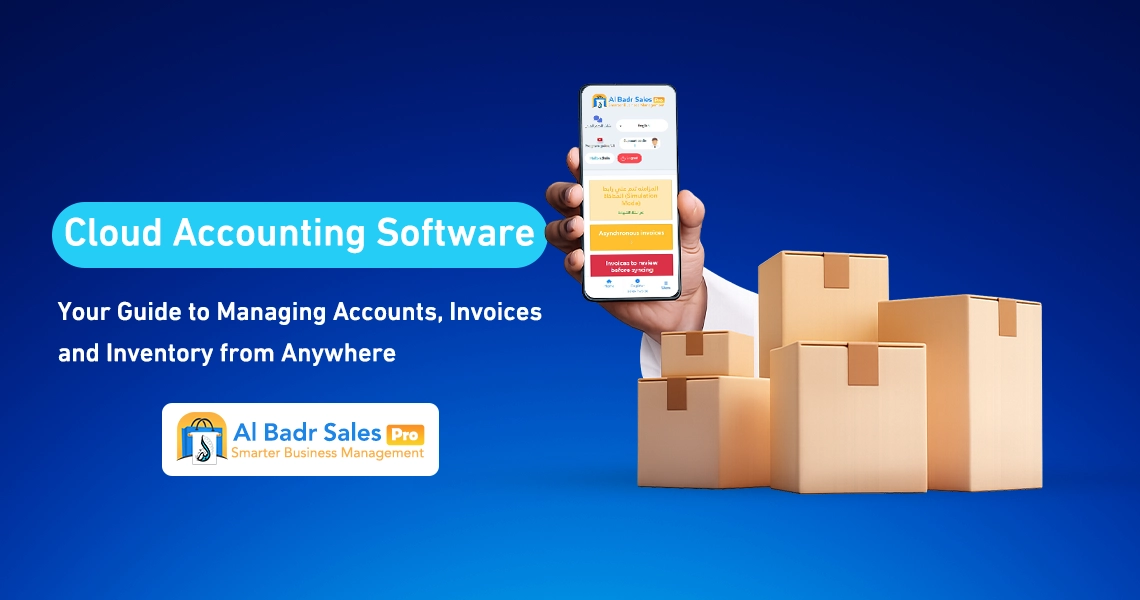
Managing accounts, sales, and inventory is essential for any successful commercial enterprise. Traditional methods and paper ledgers can no longer keep pace with market demands and consume valuable time. In this guide, we explore how to run your business safely and effortlessly using an exceptional cloud accounting software that seamlessly integrates all your operations from anywhere.
What Is Cloud Accounting Software and How Does It Work?
When you hear the term cloud accounting software, you might imagine a complex system requiring a technical expert to master. However, the reality is far simpler.
Cloud accounting software is a complete management and financial platform that operates over the internet rather than being installed locally on store computers. Consequently, you do not need to purchase high-spec hardware or call a maintenance technician whenever a system issue arises.
Concept of Cloud-Based Accounting
The core concept involves transferring all your financial records—sales invoices, purchase orders, inventory levels, and customer or supplier balances—from paper ledgers or legacy single-device programs into a flexible, online accounting software environment.
A cloud accounting software manages all complex calculations behind the scenes. As soon as a cashier or employee enters an invoice, the system automatically posts the amounts to the profit accounts, deducts items from inventory, and updates the cash balance without any friction or manual effort.
Where Is the Data Stored?
All data and transaction records for your commercial business are stored on powerful central servers secured with high-grade international encryption standards.
This means that if you leave your laptop at the shop, or if your device suffers damage, breakage, or theft, all your financial accounts, inventory records, and profit figures remain completely intact and secure on the cloud.
You will never lose a single byte of data, and you can regain full access simply by logging into your account from any other device using cloud-based accounting software.
Accessing Accounts from Various Devices
One of the key benefits of cloud accounting software is absolute operational flexibility. You can log into the system and manage your store using any internet-connected device. Whether you use a smartphone, an iPad, a tablet, or a laptop, simply open your web browser or application, enter your username and password, and instantly access your store’s live data as if you were physically present on-site.
Why Do Businesses Need Cloud Accounting Software?
Many business owners ask: if my operations are running adequately with paper books or legacy software, why should I transition to cloud accounting software?
The answer lies in the speed, accuracy, and operational convenience delivered by modern systems. This transition allows you to focus on growing your business and maximizing profit margins rather than spending endless hours reviewing invoices and reconciling discrepancies.
Eliminating Manual Bookkeeping
Manual entries in paper ledgers consume hours of your workday while increasing the likelihood of missing invoice entries or customer debts. Relying on cloud accounting software eliminates this burden entirely. Every sales or purchase transaction takes only seconds to record, and the online accounting software automatically creates journal entries and updates balance sheets without requiring manual handwriting.
Real-Time Business Tracking
In commercial business, time is money. When you rely on cloud accounting software, you can instantly check real-time sales volume, available cash flow in the register, and top-selling items for the day. This real-time oversight keeps you fully informed about your store’s activity even while traveling or attending off-site meetings through cloud-based accounting software.
Reducing Accounting Errors
Human errors are bound to happen during manual calculations, tax deductions, or discount computations. Using cloud accounting software eliminates these errors completely. The system automatically reconciles figures and calculates totals and variances with extreme accuracy, protecting your bottom line from simple math mistakes.
Seamless Operation Across Branches
If you operate multiple branches or warehouses, manual bookkeeping quickly turns into an operational nightmare. By leveraging cloud accounting software, you can connect all branches and storage locations within a single unified dashboard.
You can review first-branch sales figures while sitting in your second branch, transfer inventory between locations, and pull consolidated multi-branch reports at the click of a button using online accounting software.
Top Features of Cloud Accounting Software for Business Management
A robust cloud accounting software provides an integrated suite of daily operational tools that empower cashiers, accountants, and general managers alike, creating a smooth and transparent workflow across the organization.
Financial Management
Cloud accounting software provides comprehensive coverage of all financial aspects of your business, ranging from recording daily operational expenses such as rent, utility bills, and payroll to tracking client accounts receivable and vendor accounts payable. You can effortlessly track who owes you money and which supplier payments are due.
Sales and Purchase Management
A modern cloud accounting software organizes complete sales and procurement lifecycles. You can generate customer price quotes and convert them into sales invoices with a single click, track purchase orders sent to suppliers, and maintain historical cost records to secure the best procurement pricing available in the market via cloud-based accounting software.
Inventory Control
Inventory represents a merchant’s tied-up capital. Deploying cloud accounting software to manage this inventory intelligently ensures that no stock item is unaccounted for. The system directly links point-of-sale transactions with remaining stock, displaying unit costs and profit margins per item while categorizing inventory into easy-to-navigate departments.
Invoicing Capabilities
Cloud accounting software empowers you to design and issue professional sales and purchase invoices featuring your store logo and official business details. Invoices support barcode printing, high-speed thermal printing for cashiers, and full compliance with e-invoicing standards and tax authority regulations to keep your business fully compliant.
Financial Reporting
One of the primary advantages of cloud accounting software is its smart, simplified reporting engine. Instead of spending days auditing spreadsheets, the online accounting software provides ready-made profit and loss statements, daily and monthly sales summaries, expense tracking reports, and income statements formatted in clear terms that merchants, staff, and store managers can readily understand.
How Does Cloud Accounting Software Manage Sales and Invoices?
Point-of-sale execution and invoice issuance represent the primary touchpoints with your customers every day. These processes must execute rapidly and accurately to prevent long wait times and queue bottlenecks.
Issuing Sales and Purchase Invoices
When standing at the checkout terminal, the cashier simply scans product barcodes or searches for item names, causing the product and price to appear instantly within the cloud accounting software. Clicking save and print immediately issues the customer receipt, updates the cash register balance, and deducts the item from inventory without delay.
Processing Returns
Sales and purchase returns often cause severe confusion in manual logbooks, but cloud accounting software handles this process seamlessly. When a customer returns an item, entering the original invoice number or scanning the item barcode enables the system to automatically restock the inventory and deduct the return amount from total sales and cash balances in a structured, audited manner.
Tracking Payment Methods
Modern retail is no longer limited to cash transactions; it spans cash, credit cards, digital networks, and credit sales on account. A robust cloud accounting software allows you to split payment methods within a single invoice, simplifying end-of-day cash drawer reconciliation against bank transfer receipts without financial discrepancies.
Automatic Invoicing-to-Ledger Integration
The core strength of online accounting software lies in automated integration. Every sales or purchase transaction processed through your cloud accounting software feeds immediately into your chart of accounts and financial reports. Merchants never need to manually re-enter numbers into secondary ledgers, as each invoice acts as a complete accounting entry reflected across financial statements.
Key Features of Cloud Accounting Software for Business Management
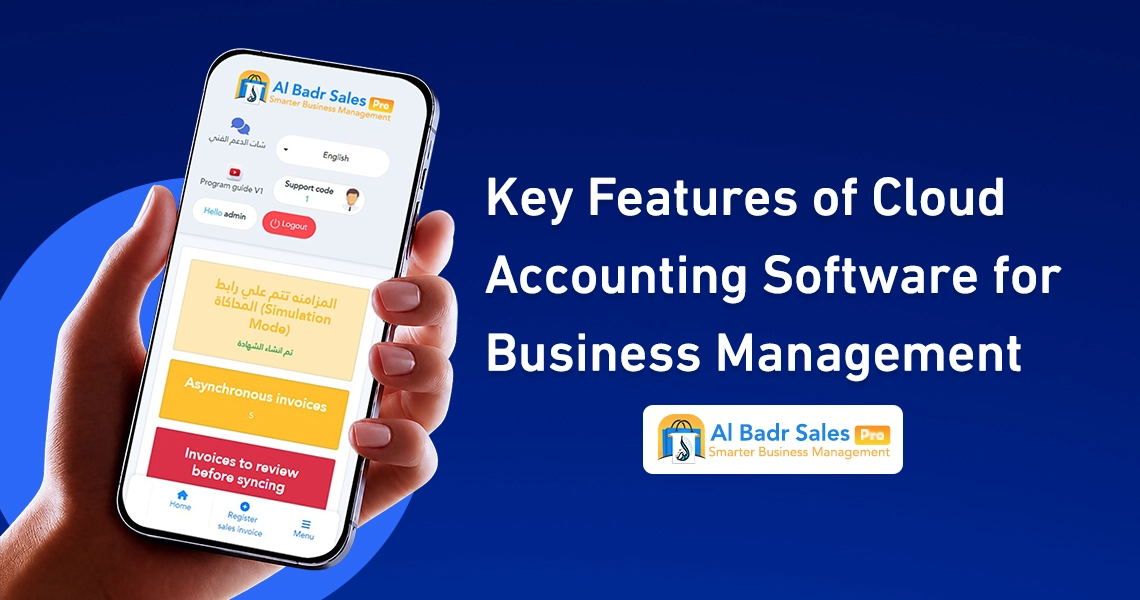
Inventory management serves as the primary engine for any business selling physical goods. A single stockkeeping error can lead to unsellable inventory accumulation or unexpected stockouts of fast-moving goods. This is where the power of cloud accounting software becomes invaluable.
Real-Time Quantity Updates Post-Sale and Purchase
Cloud accounting software ensures real-time oversight of physical stock. When you purchase 100 units and accept them into the warehouse, the inventory count instantly increases to 100. As items sell at the cash register, the system automatically decrements the total count to 99, 98, and so forth, giving you an accurate view of on-shelf stock levels at any given time via cloud-based accounting software.
Multi-Warehouse Management
If you maintain a primary distribution center and regional storage facilities supporting retail branches, cloud accounting software enables you to create an unlimited number of virtual warehouses within the platform. You can monitor individual warehouse stock levels, execute inter-warehouse transfers, and run detailed stock audit reports for each facility independently.
Barcode Stock Auditing
Annual or periodic physical stock counting used to be an operational nightmare that forced stores to close for days. With cloud accounting software, teams can use handheld barcode scanners to scan physical items, instantly pull actual quantities, compare them against book stock recorded in the system, and resolve inventory variances on the spot.
Monitoring Slow-Moving and Deficit Items
Dead stock represents tied-up working capital that prevents you from purchasing new inventory, while stockouts result in lost customer sales. Modern cloud accounting software provides automated reorder point notifications to prompt replenishment before items run out entirely, alongside dedicated slow-moving inventory reports to accelerate turnover through promotional discounts using online accounting software.
Cloud Accounting Software vs. Desktop Accounting Software: Which Is Better?
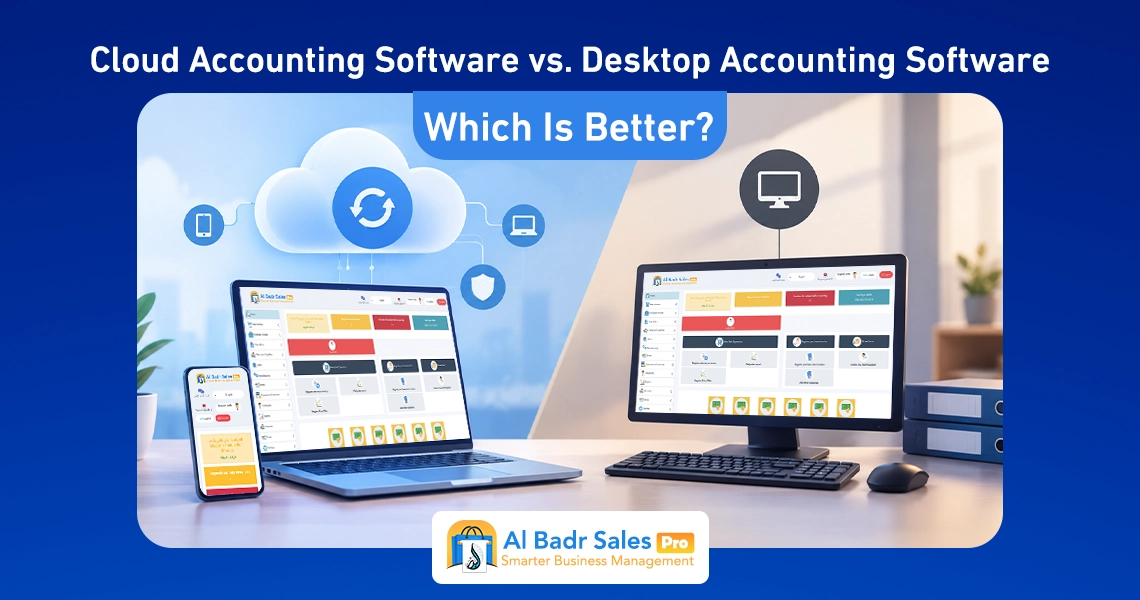
When choosing a new platform for your enterprise, you may deliberate between cloud-based systems and legacy desktop software installed on local PCs. For an in-depth analysis, you can review our full article comparing cloud vs desktop accounting software.
Accessibility
- Cloud Accounting Software: Allows you to oversee store performance, review financial accounts, and issue invoices directly from your smartphone or computer anywhere, at any time.
- Desktop Software: Restricts your access to a single physical computer located inside the shop; once the store is closed, you lose access to financial data.
System Updates
- Cloud Accounting Software: Receives automatic, periodic, and free online software updates from the developer, ensuring you always benefit from the latest features and updated tax regulations.
- Desktop Software: Requires on-site visits from a maintenance engineer to perform manual updates, which often incurs substantial additional costs.
Data Backups
- Cloud Accounting Software: Executes continuous automated data backups to secure cloud servers, protecting records from loss.
- Desktop Software: Relies on manual backups to USB flash drives or external hard drives; if the computer breaks down or contracts a virus, all financial records risk permanent loss.
Operating Costs
- Cloud Accounting Software: Offers affordable monthly or annual subscription plans suitable for all business sizes without requiring expensive server hardware or maintenance overhead.
- Desktop Software: Requires a high initial setup investment to purchase software licenses and specialized computer hardware, alongside recurring maintenance fees for repairs.
Business Expansion and Branch Addition
- Cloud Accounting Software: Enables you to add new operational branches or point-of-sale terminals in seconds with complete ease.
- Desktop Software: Requires complex local networking setups, internal server linking, and additional software license purchases for every new branch.
How to Choose the Best Cloud Accounting Software for Your Business
While many options exist on the market, choosing the right platform depends on how well the system aligns with your daily operational workflow and user simplicity.
Ease of Use
The most critical criteria when selecting cloud accounting software is intuitive usability. Cashiers, store owners, and warehouse workers must be able to operate the interface and print invoices easily without requiring complex training courses or extensive accounting backgrounds.
Comprehensive Inventory and Sales Management
Ensure that your chosen cloud accounting software provides an end-to-end operational solution combining fast POS checkout, barcode scanner and thermal printer support, multi-warehouse handling, and precise item movement tracking.
Actionable Reporting
Select a cloud accounting software platform that generates simple, structured financial reports focusing on core metrics: total sales, net profit margins, top-selling inventory, and key customer purchasing patterns through cloud-based accounting software.
Multi-User and Multi-Branch Support
Your cloud accounting software must support multiple employee accounts with role-based permissions. For example, cashiers should only access sales checkout and invoice printing screens, branch managers should handle local reporting, and the business owner maintains full visibility over financial operations.
Reliable Technical Support
Access to a responsive technical support team capable of answering inquiries promptly in plain language is an essential component to ensure continuous operations and prevent sales downtime.
Free Trial Access
A software company confident in its solution offers a free trial period. This allows you to evaluate point-of-sale screens, invoice generation, and inventory auditing workflows firsthand to verify that the cloud accounting software meets your business objectives prior to purchase.
Who Needs Cloud Accounting Software?
Due to its flexibility and adaptability, deploying a modern system serves as an ideal solution across various business sectors regardless of scale.
Retail Stores and Shops
Ideal for supermarkets, grocery stores, clothing boutiques, shoe stores, fragrance outlets, pharmacies, restaurants, and cafes that require rapid checkout speeds and immediate receipt generation using cloud accounting software.
Small and Medium Enterprises (SMEs)
Provides startups and small businesses with a fully integrated financial and accounting system at a highly cost-effective price point, protecting their emerging operations from financial mismanagement.
Multi-Branch Enterprises
Helps large commercial chains operating multiple retail locations and distribution warehouses unify financial and inventory management under a single online accounting software platform accessible online anywhere.
Wholesalers and Retailers
Meets wholesale and retail merchant requirements by supporting tier-based pricing structures (wholesale vs. retail pricing), alongside managing customer credit lines and major vendor payment schedules through cloud-based accounting software.
Inventory-Heavy Businesses
Any commercial operation relying on physical warehouses, tangible goods, or distribution fleets finds cloud accounting software to be an indispensable operational partner for tracking stock movements and preventing inventory loss.
When Is Cloud Accounting Software the Right Choice for You?
If you want to streamline daily sales operations, establish total control over physical inventory, issue compliant invoices rapidly, and monitor real-time business performance from your smartphone without complex accounting overhead, migrating to cloud accounting software is your most important strategic move toward business growth.
The Al-Badr Sales Pro system offers an exceptional user experience combining remarkable simplicity with comprehensive professional tools to run your daily operations safely and efficiently.
FAQ About Cloud Accounting Software
What is cloud accounting software?
It is a complete financial and administrative management platform operating entirely over the internet. A cloud accounting software allows you to record sales, issue invoices, control inventory, and review real-time financial reports from any device at any time.
Is cloud-based accounting software secure?
Yes, all business data is stored on encrypted, secure central servers backed up automatically, ensuring complete safety for your financial records even if your local physical device breaks down.
Does cloud accounting software require installation?
No, cloud accounting software requires no complex installation processes or heavy software downloads. You can log in immediately through any web browser or mobile application on your smartphone or computer.
Can I use cloud accounting software on a mobile phone?
Extremely well. Interface layouts are optimized for responsive display on mobile screens, enabling you to issue invoices, check profit margins, and review daily operational reports directly from your smartphone using online accounting software.
Does it handle inventory and sales management simultaneously?
Yes, cloud accounting software automatically deducts sold products from inventory while adding new stock arrivals. It manages multi-warehouse environments, supports barcode stocktaking, and alerts you to stock deficits or slow-moving items.
Is cloud accounting software suitable for small businesses?
Yes, it is the most cost-effective choice for small and medium enterprises due to its ease of use, low subscription fees, and lack of expensive local server hardware requirements.
What is the difference between cloud accounting software and desktop software?
Cloud accounting software allows you to manage your business from anywhere via the internet with automatic updates and high security, whereas desktop software locks you to a single physical computer inside the store and requires expensive manual maintenance.