


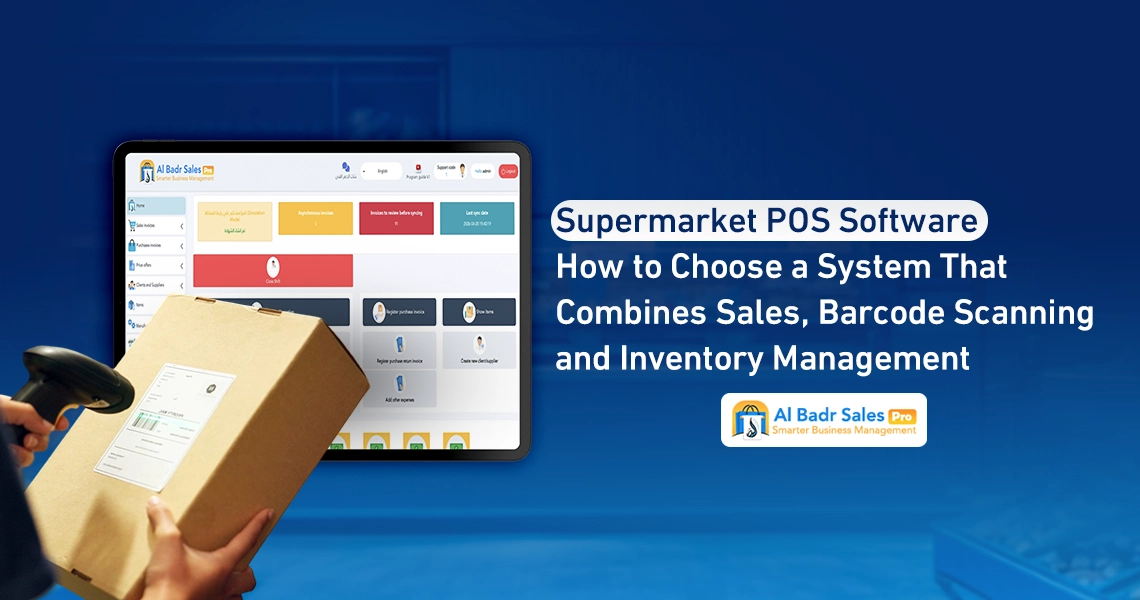
Managing provisions and commercial markets requires high speed and precision to control sales movement and avoid customer crowding at checkout counters.
Implementing Supermarket POS Software provides the technical solution combining invoice issuance, barcode scanning, and automated balance updates, through a streamlined methodology understood by cashiers, small merchants, shop floor workers, and enterprise managers alike with complete clarity.
Why Does a Supermarket Need a POS System Tailored to Its Operations?
The nature of food and consumer goods trade differs from businesses selling limited item counts. Utilizing Supermarket POS Software ensures organized daily operations, protecting the store against price discrepancies and delayed response times during peak hours.
Challenges of Large Item Counts and High Sales Velocity
Provisions management teams face daily field challenges directly impacting revenue and profits. Deploying Supermarket POS Software resolves all these hurdles by transforming complex manual processes into rapid automated steps ensuring discipline and protecting store funds. The most prominent challenges include:
- The store containing thousands of items and products sharing similar names while varying in sizes and prices.
- Massive customer influxes in close succession, necessitating invoice completion in mere seconds to prevent congestion.
- Periodic shifts in wholesale purchasing and direct selling prices from suppliers requiring swift updates within the system.
- Staff difficulty memorizing prices for all items, elevating the probability of human error during cash entries.
- Potential stockouts of essential shelf commodities without staff awareness, causing direct sales losses.
- Multi-tier sales units for single commodities spanning pieces, bundles, and cartons, causing inventory balance confusion.
- Accumulation of expired products inside warehouses behind fresh stock due to neglected inventory rotation.
- Difficulty reconciling physical cash drawer amounts with actual recorded sales at shift-end.
- Multiple payment methods spanning cash, bank cards, and direct transfers, requiring precise reporting for each medium.
The Difference Between Grocery Store Needs and Larger Supermarkets
Small grocery shops may suffice with basic screens and handheld barcode readers to finish workflows, whereas large supermarkets and commercial centers require an advanced Grocery Store POS System connecting electronic scales, multi-faceted fixed barcode scanners, supporting multi-point sales terminals, and linking multiple sub-warehouses to central management dashboards to ensure smooth, continuous operational flow.
Core Features in Supermarket POS Software
Securing a smooth checkout experience warrants choosing Supermarket POS Software focused on operational utilities needed daily by floor staff and cashiers to boost work efficiency and minimize wait times.
Quick Search and Barcode Scanning
Optical code scanning speed serves as the vital lifeline of a point-of-sale terminal. Passing a product in front of the reader displays its name and price on screen instantly. Additionally, Supermarket POS Software supplies a rapid Supermarket Sales Software search engine letting you type the first two letters of a product name to locate it if labels are damaged or missing from packaging.
Ease of Quantity Adjustment and Checkout Finalization
Sellers deal with buyers carrying dozens of pieces of the same product. Supermarket POS Software lets operators adjust piece counts with a single click or type numbers directly without scanning every individual package separately, displaying remaining change to customers clearly upon cash entry to print receipts and close invoices in record time.
Organizing Items, Units, and Prices
Controlling warehouse stock starts during item encoding and structured categorization. Supermarket POS Software provides comfortable screens to define items and configure diverse pricing tiers.
Selling Individual Pieces, Packs, and Cartons
Consumer purchasing habits vary; some buyers purchase single units while others buy complete cartons. Smart systems let you define products across multiple brackets, deducting cartons from piece inventories automatically while calculating bracket-specific pricing automatically to prevent cashier guesswork.
For instance, if a carton contains twenty-four juice cans, and a customer buys one carton and two cans, the system computes carton and unit pricing based on selected brackets, deducting twenty-six cans from total inventory with a single click.
Handling Multiple Barcodes and Purchase Price Shifts
Goods sometimes arrive from factories bearing different barcode labels for identical items. Activating Supermarket POS Software lets you link multiple barcode numbers to a single item, with flexibility to adjust purchase and selling prices upon receiving new shipments so costs update instantly within profit reports without disrupting active sales.
Managing Weighted Products in POS Systems
Produce, fruit, cheese, and meat sections form a core part of any supermarket, demanding software options reading weight and pricing data with absolute precision.
Verifying Scale Support and Weighing Barcodes
The system must support reading codes generated by electronic scales, where scales print labels containing product codes, weights, and total prices. Passing labels before cashiers allows Supermarket POS Software to parse components, separating weight from price to add weighted items with precise data into invoices.
Testing Price and Quantity Calculations Before Deployment
Operational safety mandates test-printing scale labels for items weighing half a kilogram, for example, and scanning them on screens to observe how Supermarket POS Software parses recorded data, verifying calculated prices match weighted values precisely to prevent field accounting errors.
Linking Sales Invoices to Inventory and Purchases
The relationship between counters and warehouses differentiates organized trade from chaos. Utilizing Supermarket POS Software secures real-time updates for available sales quantities.
Updating Balances During Sales and Receipts
The moment cashiers click invoice finalization buttons, Supermarket POS Software deducts sold products from databases instantly. When receiving new purchase invoices from suppliers, the system adds incoming quantities to available stock, keeping virtual balances mirroring physical store reality.
Reviewing Shortages and Preparing Supplier Orders
Store owners establish minimum stock thresholds for every item. When balances drop to these limits, Supermarket POS Software dispatches alerts highlighting items requiring reordering, letting you generate shortage lists and route them to approved suppliers before shelves empty completely before customers.
Monitoring Expiry Dates, Wastage, and Returns
Food and consumer goods face damage and expiration risks. Handling these assets smartly minimizes financial loss and protects consumer health.
Verifying Expiry Date and Batch Support When Needed
Supermarket POS Software lets you enter expiration dates for every incoming goods shipment, reminding staff to display older shipments first and generating reports flagging near-expiration items to run promotional markdowns and clear stock before spoilage.
Documenting Wastage and Returns and Their Inventory Impact
When customers return specific items, systems restore them to warehouses and refund cash registers, whereas broken or damaged products are logged on wastage screens. Supermarket POS Software deducts them from balances and records their value as accounted operational losses to preserve account transparency.
Managing Promotions and Discounts Without Pricing Errors
Commercial competition enforces continuous promotional discounts and campaigns to attract visitors. Supplying Supermarket POS Software guarantees automated, precise execution of these promotions without relying on cashier memory.
Testing Item and Invoice Discounts
The system permits programming diverse offers, such as buy-two-get-one-free, or percentage discounts upon reaching specific invoice thresholds. Testing these offers within Supermarket POS Software ensures configured discounts apply automatically without triggering uncalculated losses.
Restricting Price Override and Discount Permissions
Safeguarding store profits mandates blocking manual price modification options for cashiers and floor staff, restricting permissions strictly to supermarket managers. Supermarket POS Software prevents any tampering with approved item values on screen.
Organizing Cashier Shifts and Reconciling Cash Drawers
Handing cash registers over and taking them back among staff represents the sensitive focal point safeguarding cash and preventing financial manipulation.
Logging Shift Opening Balances and Collections
Cashiers start work opening new shifts and recording small starting cash amounts left in drawers as float funds. Throughout shifts, Supermarket POS Software records every cash or network invoice independently within shift financial reports.
Reconciling Cash and Electronic Payments
At shift-end, staff close accounts and count physical drawer money. Supermarket POS Software reconciles cash, network cards, and transfers against system logs, displaying variances as deficits or overages tied directly to employee accounts.
Choosing Hardware and Offline Operating Plans
Field technology environments demand sturdy hardware and contingency plans ensuring sales continuation even during network outages.
Printer, Barcode, and Scale Compatibility
Ensure you select screens, thermal printers, and barcode readers compatible with supermarket operating systems to guarantee driver stability and rapid response during invoicing and receipt printing.
Testing Operational Continuity During Network Outages
Supermarket POS Software features local offline operational capabilities without requiring continuous internet connectivity, saving invoices locally on primary terminals. Upon network restoration, data uploads automatically to cloud servers without halting sales before customers.
How to Test Al-Badr on Actual Supermarket Operations
Confirming system compatibility with your store warrants running comprehensive field trials across software screens before confirming official purchases.
Testing Multi-Item Invoices, Payments, and Returns
Open trial editions and enter diverse goods, some sold by piece and others by weight, issuing cash and network invoices before executing product returns to observe how Supermarket POS Software links cash drawers, warehouses, and sales seamlessly.
This trial lets you witness display speeds, confirm ease of staff usage, and secure peace of mind that screens remain clear and serve supermarket field requirements par excellence.
Reviewing Ease of Use, Reports, and Package Costs
Generate daily sales reports, inventory costs, and net profits to confirm font clarity and accounting figures, then select financial packages matching screen and branch counts to begin work steadily and confidently.
Proper store preparation and choosing software systems combining sales, barcodes, and inventory on single screens represents true investment securing rapid service and profit growth.
Technical integration protects funds, simplifies staff workflows, eliminates congestion and pricing errors, and relying on proven software grants comprehensive visibility to manage provisions and commercial centers successfully with continuous stability.
FAQ About Supermarket POS Software
Can the software integrate with electronic scales?
Yes, the system supports full compatibility with electronic scales of various types, reading printed barcode labels and separating weight data from total prices automatically within sales screens to guarantee speed and precision.
Does it support selling items by piece and carton?
Yes, the system lets you define multiple units and diverse pricing levels per product, deducting cartons or packs from live balances through automated, calculated workflows preserving inventory accuracy and preventing accounting confusion.
How do I track wastage and expired products?
The system provides specialized screens to log expiration dates and generate periodic alerts for near-expiry products, alongside dedicated wastage sections to record broken and damaged items, deducting them from inventory while documenting direct financial reasons.
Can multiple cashiers operate simultaneously?
Yes, the system governs multiple point-of-sale terminals within a single store concurrently, offering independent shift screens for each employee and reconciling drawer accounts individually to prevent overlap and protect cash register rights.
What happens during internet outages?
The software continues operating with full flexibility, issuing local invoices offline without halting supermarket sales. Once connectivity returns, the system synchronizes all sales and data automatically with central cloud dashboards.
Best POS Software in Saudi Arabia
Developing business operations and protecting store revenues requires possessing digital systems combining power, simplicity, and competitive pricing. Al-Badr Sales Pro emerges as the Best POS Software in Saudi Arabia, Egypt, and the Arab world, owing to specialized solutions tailored for supermarkets, grocery stores, large retail outlets, and diverse commercial sectors.
Al-Badr Sales Pro enables tax invoice management, barcode stocktaking, scale reading, profit tracking, and expiry date monitoring via simple screens understood by cashiers, small merchants, floor staff, and enterprise managers without complexity. Integrated services and technical options include:
- Fast and compliant invoice issuance
- Inbound and outbound stock movement tracking
- Offline operational resilience during network outages
- Full compatibility with scales, receipt printers, and barcode readers
- Direct live financial reporting
- Exceptional technical support guaranteeing secure trade success and continuous stability around the clock.