



Businesses operating multiple branches or storage facilities need to monitor merchandise movement whenever goods shift between locations. This ensures accurate quantities arrive safely, preventing inventory shortages or surpluses.
Consequently, recording Inventory Transfers Between Warehouses and auditing stock balances post-transfer maintains clear visibility over stock levels across every branch, streamlining inventory control and optimizing buying and selling workflows.
What Is Stock Movement Between Warehouses?
Grasping the accounting and operational mechanics behind inter-location commodity transfers lays proper groundwork for organizing storage facilities and preventing daily ledger discrepancies.
Difference Between Inventory Transfers, Purchases, and Sales
Operational workflows across commercial enterprises differ significantly. Purchases represent incoming stock acquired from external suppliers against cash disbursements, whereas sales designate outgoing goods fulfilling customer orders against collected revenue. Conversely, Inventory Transfers Between Warehouses denote internal shifts of commodities from proprietary storage units to subsidiary branches without altering total enterprise assets.
Distinguishing between these operations within Stock Transfer Tracking safeguards financial reports against recording phantom profits or duplicate purchasing costs, preserving overall balance sheet accuracy.
When Commercial Activities Need Inter-Warehouse Transfers?
Field requirements for transferring items emerge when merchants operate central warehouses for bulk storage alongside multiple direct retail branches. When a specific item exhausts retail shelves due to surging consumer demand, managers request quick replenishment from central stocks.
Transfers also activate when relocating slow-moving stock from quiet branches to bustling locations exhibiting high sales velocity. Documenting these adjustments maintains orderly Warehouse Management and guarantees uninterrupted product availability for shoppers.
Importance of Logging Transfers for Balance Accuracy
Physically transporting cartons and merchandise verbally or via paper logs without logging movements inside accounting software immediately triggers severe numerical errors. Systems continue reporting dispatching branches holding inventory that no longer physically resides there, while receiving branches appear zeroed out despite overflowing shelves.
Committing to log every movement within Stock Transfer Tracking guarantees book balances match physical counts, preventing embarrassing cashier errors during sales attempts.
Read Also: Top 10 Ways to Increase Restaurant Sales
What Data Do You Need Before Transferring Goods Between Stores?
Pre-planning and preparing core information prior to opening transfer screens eliminates human errors and accelerates execution smoothly.
Identifying Source and Destination Warehouses
The first step in managing Inventory Transfers Between Warehouses requires verifying the precise names of dispatching warehouses and receiving branches. Across enterprises managing five or ten branches, names or numbers may resemble one another. Selecting the correct destinations ensures Stock Transfer Tracking routes data accurately, preventing deductions from incorrect branch balances while enabling warehouse staff to monitor incoming and outgoing shipments clearly.
Specifying Items and Quantities to Move
Prepare clear lists for Inventory Transfers Between Warehouses, incorporating product titles or barcode numbers alongside exact unit counts per item or carton. Scrutinizing units of measurement during transfers shields operations from critical errors, such as dispatching ten cartons while recording ten individual units in software ledgers.
Such disciplined quantification preserves Warehouse Management integrity and delivers precise accounting data to leadership.
Verifying Available Balances Prior to Execution
Accurate Inventory Transfers Between Warehouses require checking available quantities before confirming dispatch orders. Transferring fifty units from a warehouse housing only thirty units remains impossible. Warehouse keepers must review available screen balances and verify physical shelf stock. Pre-verifying balances prevents negative quantities from appearing in reports, stabilizes Stock Transfer Tracking, and exposes previous stock discrepancies requiring reconciliation before shipping.
Reviewing Accountability for Dispatch and Receipt
Designating staff members responsible for staging and handing goods to drivers, alongside personnel tasked with counting and receiving items at destination branches, establishes robust governance and accountability.
When dispatching warehouse keepers sign departure permits and receiving managers sign receipt notes, tracing responsibility during transit loss becomes straightforward. This reinforces discipline across Warehouse Management and shields merchant capital from negligence or manipulation.
Learn More: Important Steps Before Installing a POS System in Your Store
How to Transfer Items Between Warehouses Using Al Badr Sales Pro
The software supplies structured sequences and straightforward interfaces enabling any employee to execute internal transfers seamlessly without complex accounting expertise.
Accessing the Inter-Warehouse Transfer Section
Responsible employees open main control dashboards, navigate directly to inventory or product menus, and select transfer icons to manage Inventory Transfers Between Warehouses. These uncluttered screens provide rapid access to daily tasks, opening organized windows containing the required fields to document Stock Transfer Tracking through a few simple steps that take only minutes.
Selecting Source and Destination Warehouses
Transfer screens feature two dropdown menus: the first designates source warehouses supplying stock, while the second specifies receiving destinations. Upon selecting both locations, software links operations automatically, preparing databases to update balances across both environments. This structural organization protects Stock Transfer Tracking paths from crossing, ensuring accurate ledger documentation per branch.
Specifying Items and Quantities for Relocation
Employees manage Inventory Transfers Between Warehouses by adding required products through barcode scanners for rapid entry or searching for items by title or identification code. Once items populate the tables, transfer quantities are entered alongside optional annotations such as driver names or transport vehicle numbers. Validating these inputs records every operational detail of Stock Transfer Tracking for future auditing.
Executing Transfers and Reviewing Stock Balances
After confirming input accuracy, users click save or execute buttons to finalize operations. Software instantly deducts quantities from dispatching warehouses and credits receiving branch balances, while enabling formal transfer document printing to accompany shipments in transit. Procedures conclude with brief balance reviews confirming accurate Stock Transfer Tracking reflections across screens.
How to Transfer Multiple Items Between Warehouses Using Excel
When moving large volumes comprising dozens or hundreds of diverse items, bulk import features save staff immense time and effort.
When Bulk Transfers Surpass Manual Item Entry
Manual entry suits moving five or ten items across two branches. Conversely, opening new branches equipped with hundreds of products instantly, or executing seasonal physical stock audits, renders manual entry time-consuming and prone to human error. Leveraging Excel spreadsheets becomes the smart solution to accelerate Stock Transfer Tracking and finalize tasks within minutes.
Preparing Item Data, Quantities, and Warehouses
To execute bulk transfers successfully, staff organize structured spreadsheets incorporating core system columns: item codes or barcodes, transfer quantities, and clearly defined source and destination warehouses. Adhering to system templates ensures smooth file ingestion without software rejections, facilitating professional Stock Transfer Tracking for massive quantities.
Reviewing Excel Files Before Executing Transfers
Prior to uploading files, rapid audits verify tables contain no blank cells, duplicate codes, or erroneous text formatting. Confirming requested quantities do not exceed available physical stock within dispatching warehouses is equally crucial. Preventative audits stop import halts and protect data integrity within Stock Transfer Tracking databases.
Verifying Stock Movement Post-Transfer
Upon file uploads and transfer approvals, success alerts confirm items populate transfer ledgers. Warehouse keepers access transfer display pages to verify item inclusion with correct quantities, matching total unit counts against recorded spreadsheet totals to validate seamless Stock Transfer Tracking without accidental omissions.
Discover More: What are cashier programs? How does it affect the success of a business?
How to Review Goods Movement and Inventory Balances Post-Transfer
Post-execution oversight guarantees physical shelf realities match computer screen figures.
Reviewing Item Operation Reports Over Time
Software enables inspecting historical logs for any product across specific timeframes, detailing purchases, sales, outbound transfers, inbound shipments, timestamps, and dates. Auditing records grants complete transparency within Stock Transfer Tracking, identifying item locations and exact warehouse exit moments.
Confirming Quantity Shifts Across Both Warehouses
Following transfers, net deductions in source warehouses must equal net additions in receiving branches. For example, if location one held 70 units and location two held 20 units, transferring 15 units yields 55 and 35 units respectively, barring intermediary transactions. This mathematical equilibrium validates correct Stock Transfer Tracking execution without lost units.
Comparing Registered Balances Against Physical Counts
When transport vehicles reach receiving branches, staff unwrap cartons, count physical units, and reconcile items against printed transfer permits. This field verification confirms physical quantities match Stock Transfer Tracking figures, preventing unacknowledged shortages from loading errors or transit losses.
Handling Balance Discrepancies Post-Transfer
Should receiving staff discover physical counts fall below or exceed transfer permit figures, avoid ignoring discrepancies or editing figures arbitrarily. Instead, contact dispatching warehouses immediately to audit loading logs. Upon verifying input errors, issue supplementary transfer or return permits to reconcile gaps, preserving sound accounting frameworks via rigorous Stock Transfer Tracking.
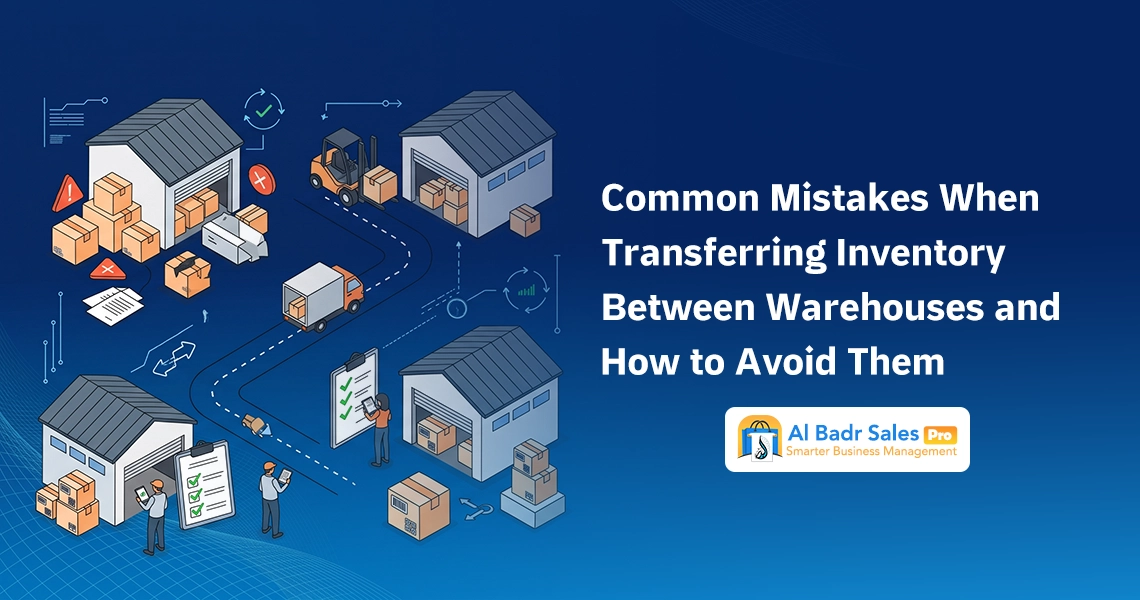
Common Mistakes When Transferring Inventory Between Warehouses and How to Avoid Them
1- Selecting Incorrect Warehouses During Transfer Logging
Rushing and failing to focus when picking branch names from dropdown menus can cause errors during Inventory Transfers Between Warehouses, such as recording goods heading to eastern branches while shipments actually arrive at western locations. This mistake disrupts Stock Transfer Tracking across three environments simultaneously. Prevent it by double-checking destination warehouse names against written dispatch orders before saving.
2- Transporting Quantities Diverging from Logged Counts
Warehouse workers occasionally load twelve units onto vehicles while staff record ten units in software. Discrepancies generate unjustified shortages in source stocks and unrecorded surpluses in receiving branches. Enforcing precise counting and invoice reconciliation before vehicle departure safeguards Stock Transfer Tracking accuracy and eliminates friction.
3- Neglecting Post-Transfer Balance Audits
Dispatching goods without confirming receipt from destination parties leaves transactions hanging, increasing the risk of loss or oversight during Inventory Transfers Between Warehouses. Activating monitoring protocols that require receiving branches to audit balances and confirm receipt immediately upon arrival closes Stock Transfer Tracking loops successfully and grants business owners peace of mind.
4- Duplicating or Omitting Transfer Records
Employees may log transfer permits twice due to network drops or distractions, or omit entries entirely during customer rushes. Prevent operational errors by applying preventive safeguards, protecting Warehouse Management discipline, and sealing gaps across daily Stock Transfer Tracking logs:
- Assigning specific employees exclusive permissions to execute inventory transfers.
- Adopting automated sequential numbering for transfer permits to prevent duplication.
- Prohibiting merchandise exits without printed, authorized transfer permits.
- Executing rapid weekly reconciliations matching exit and receipt permits across branches.
Explore More: The best account management program for your business
Leveraging Inventory Reports to Optimize Branch Distribution
Identifying Branches Suffering Item Deficits
Monitoring low stock reports per branch reveals items nearing stockout thresholds early. Leveraging clear Stock Transfer Tracking visibility allows proactively shifting extra quantities from central warehouses before shelves empty completely, guaranteeing continuous sales without missing customers.
Utilizing Sales Reports to Gauge Branch Requirements
Reviewing daily sales reports clarifies consumer behavior across neighborhoods, revealing branches selling massive volumes of specific items compared to peers. Channeling primary Stock Transfer Tracking shares toward high-performing branches satisfies growing demand and maximizes enterprise net profits.
Redistributing Slow-Moving Products to High-Demand Locations
When stagnant stock lingers in certain branches without local customer interest, avoid impulsive price slashing. Review Stock Transfer Tracking across alternative branches; identical items often sell rapidly elsewhere. Relocating merchandise to high-demand venues revitalizes sluggish stock into profitable cash liquidity without loss.
Evaluating Transfer Outcomes Prior to Procuring New Stock
Before contacting suppliers to purchase new merchandise and disburse fresh capital, review aggregate balances across all branches and warehouses. Required stock often sits distributed across alternative branches. Exploiting internal transfers and disciplined Stock Transfer Tracking preserves heavy cash liquidity and stops accumulation inside warehouses.
Read More: Electronic invoice: a comprehensive guide
FAQ About Stock Movement
What Is the Difference Between Inventory Transfer and Inventory Adjustment?
Inventory transfers denote shifting goods between warehouses or company branches while aggregate quantities remain unchanged, altering physical locations exclusively. Inventory adjustments modify recorded system quantities to reconcile discrepancies discovered during physical stock audits when shortages or surpluses emerge.
Does Al Badr Pro Support Transfers Across Multiple Warehouses?
Yes, Al Badr Pro enables recording commodity transfers between warehouses and branches while specifying items, quantities, source warehouses, and destination locations. This workflow tracks transit and updates balances per registered transfers, maintaining clear Stock Transfer Tracking per branch.
Can Multiple Items Be Transferred Using Excel?
This depends on import capabilities within deployed software versions. If spreadsheet import for transfer permits is supported, users prepare files containing item codes, quantities, and warehouse details, uploading them to bypass manual single-item entry while auditing data prior to approval.
How Do I Verify Quantities Reach Receiving Warehouses?
Upon arrival, inspect received quantities against dispatch permits issued by source warehouses, then audit item movements and receiving warehouse balances in software to confirm correct data entry, resolving discrepancies prior to final operational approval.
What Actions Follow Discrepancies Post-Transfer?
Initiate reviews by comparing transfer permits against physical items received at destination warehouses, verifying no entry or processing errors occurred. Upon identifying discrepancy roots, record corrective movements—such as supplementary transfers, returns, or adjustments—while documenting modification reasons to preserve balance accuracy.
Organize Your Warehouses and Manage Your Branches Professionally with Al Badr Sales Pro
Managing multiple branches and monitoring the movement of goods between them is no longer handled through paper logs and phone calls that are easily forgotten or manipulated.
As your business expands, the need grows for a smart oversight tool that connects all your warehouses instantaneously. Here, Al Badr Sales Pro proves its worth as the most powerful warehouse and sales management system in the Arab market, engineered to transform complex stock transfers into a fast, reliable step that protects your rights and prevents any unjustified inventory shortages.