


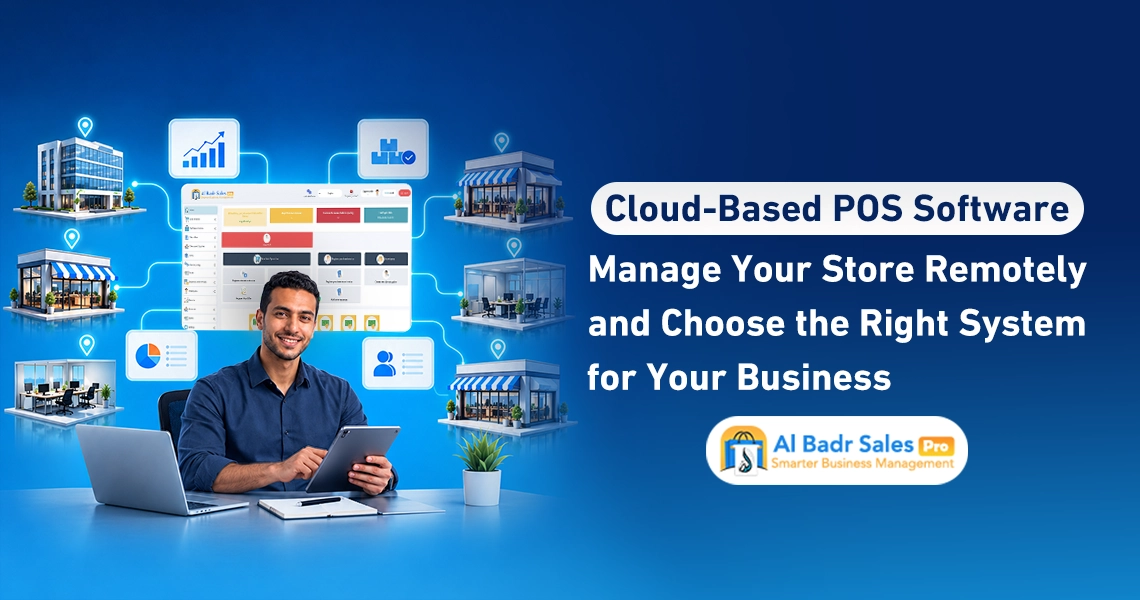
Managing your commercial activity requires a software program that helps you monitor sales and inventory from anywhere and at any time. This is where Cloud-Based Sales Software comes in, linking point-of-sale terminals with management in an easy-to-use system, enabling you to track funds, goods, and enterprise operations effortlessly whether you are a shop owner or corporate manager.
What Is Cloud-Based Sales Software?
Cloud systems represent the modern generation of administrative software relying on secure online servers to store store data and accounts instead of trapping records inside a single local store computer. Deploying Cloud-Based Sales Software lets you open control panels, check cash drawer movements, and inspect warehouses with a single click from any screen without requiring daily physical presence inside the store.
How to Access the Software and Data
Control panels are accessed via secure usernames and passwords through web browsers or digital applications, where Cloud-Based Sales Software connects with central online databases to retrieve sales figures and invoices via rapid automated workflows. This allows business owners to monitor financial movements and daily updates from personal smartphones the moment they occur at checkout counters.
The Difference Between Cloud Systems and Local Systems
Traditional local systems require installing software exclusively on store computers and storing data within local hard drives, restricting sales visibility to on-site visits and exposing records to loss if hardware fails. Conversely, Cloud-Based Sales Software secures full data protection on protected servers alongside accessibility to reports and collections at all times across diverse screens and mobile phones.
When Is Cloud-Based Sales Software Appropriate for Your Business?
Choosing preferred software options depends on your management style and expansion ambitions. Upgrading to Cloud-Based Sales Software is the correct decision when seeking to reclaim personal time and develop financial oversight mechanisms over your commercial enterprise.
Needs of Traveling Store Owners
Merchants spending time traveling between suppliers, inspecting shipments at ports, or visiting trade expos face significant difficulties remaining stationed at checkout points to monitor cashiers. Providing Cloud-Based Sales Software resolves this dilemma by offering remote store monitoring, letting owners check cash drawer logs, confirm shift closures, and review daily profits from any city or country effortlessly.
Management Needs Across Multiple Locations
Managing enterprises operating a primary store, sub-warehouse, or multiple sales outlets demands a unified platform centralizing all financial numbers and metrics. Relying on Cloud-Based Sales Software grants a consolidated dashboard displaying sales per location independently alongside available cash liquidity inside safes, helping distribute merchandise and direct sales without operational fragmentation or accounting confusion.
Remote Sales Monitoring Without Relying Solely on Totals
Smart trade tracking mandates detailed analysis of daily invoices to uncover financial specifics and prevent leakage or manipulation inside stores.
Reviewing Invoices, Discounts, and Returns
Viewing gross sales totals at day-end can conceal numerous operational errors. Operating via Cloud-Based Sales Software gives you the ability to audit issued invoices individually, examine cashier-granted discounts, and review accepted or rejected shift returns to ensure unjustified discounts do not erode net profit margins.
Assessing User Performance and POS Terminals
The system displays sales volumes generated individually by each cashier or salesperson during active shifts. Utilizing Cloud-Based Sales Software simplifies staff evaluations based on completed sales and identifies peak store traffic times to organize shifts and secure adequate staffing during rush hours.
Managing Inventory, Customers, and Suppliers Remotely
Successful financial and operational management includes caring for shelf inventory and tracking outstanding receivables and payables due from customers and suppliers.
Reviewing Balances and Item Movement
Online systems display remaining product quantities inside warehouses. Implementing Cloud-Based Sales Software lets you track near-exhausted items to prepare purchase orders, alongside identifying slow-moving stagnant stock to clear them via promotional markdowns and free up shelf space for high-demand items.
Tracking Collections, Debts, and Receivables
Controlling credit sales requires meticulous debt ledger tracking. Operating via Online Sales Software lets you review individual customer account statements, verify debt due dates, and check remaining balances owed to suppliers to schedule disbursements based on available store liquidity without straining project budgets.
Utilizing Sales Software Across Computers and Mobile Devices
Screen flexibility delivers a comfortable administrative experience matching your daily circumstances and field presence.
The Difference Between Browser Access and Mobile Apps
The system allows opening main dashboards via standard web browsers across desktop and laptop computers, whereas dedicated mobile apps provide faster browsing experiences and instant notifications for every sale or collection processed at counters, letting you manage your trade however you prefer.
Testing Report Simplicity and Operations Across Devices
Comfortable interface designs ensure clear accounting figure readings. Relying on Cloud-Based Sales Software lets you view charts and profit-and-loss reports with identical precision and clarity whether using large office computer screens or smartphones while on the move.
Securing Accounts and Defining Access Permissions
Safeguarding financial data and commercial information requires defining roles and assigned tasks per user within the system.
Separating User Accounts and Restricting Permissions
Applying financial security calls for preventing staff and sales personnel from viewing net profits or supplier purchase costs. Relying on Cloud-Based Sales Software lets you grant cashiers invoice-issuing permissions exclusively, while retaining comprehensive oversight over financial reports and collections for yourself and managers.
Verifying Login Security Mechanisms and Activity Audit Trails
Activity logging and technical tracking protect against account manipulation. Field tracking and security tools comprise several key features, and leveraging these capabilities delivers secure operational environments while guaranteeing total transparency among enterprise staff:
- Logging every sale, modification, or cancellation clearly under executing employee names.
- Stamping execution timestamps for financial transactions down to the second within daily logs.
- Enforcing strong, dedicated passwords for every cashier and store worker.
- Suspending employee accounts instantly from outside branches upon service termination.
- Implementing high-grade encryption to protect data against external hacking or leaks.
Backups, Data Ownership, and Restoration
Preserving digital assets and accounting information represents the true security backing your investments and market continuity.
Questions to Ask Service Providers
Before subscribing and signing, verify server security, inquire about scheduled backup timetables, check whether online backups run periodically, and confirm emergency protocols ensuring complete data restoration during technical glitches.
Exporting Data During Software Changes or Subscription Expiry
Owning your data is a fundamental right. Operating via Cloud-Based Sales Software offers options to extract and export item files, pricing, and customer/supplier account statements to Excel files with a single touch, letting you retain private copies on personal devices or utilize them during scaling and upgrades.
What Happens During Internet Outages or Service Interruptions?
Field environments encounter unexpected network glitches. Securing sales workflows requires technical solutions ensuring operations continue without customer transaction disruptions.
Verifying Offline Operating Modes
Modern cloud software features intelligence where Cloud-Based Sales Software provides local offline operating modes, letting cashiers sell, issue invoices, and print receipts with complete flexibility even during network outages, temporarily saving transactions in screen memory.
Establishing Contingency Plans for Sales Continuity
Upon internet connectivity restoration, the system synchronizes temporarily stored data and invoices automatically, uploading them to cloud servers to keep financial records and reports updated and accurate without requiring manual re-entry.
Comparing Cloud Software Costs Versus Local Systems
Evaluating financial investments requires examining direct and indirect costs incurred by running financial systems in-store.
Subscriptions, Updates, Support, and Hardware Setup
Local software demands expensive custom-server computers and periodic maintenance costs, whereas Cloud-Based Sales Software offers flexible subscription options including free software updates and continuous technical support without paying exorbitant sums to configure complex in-store servers.
Costs of Adding Users and Scaling Business Activities
When deciding to open new POS terminals or add new staff, cloud systems let you upgrade and incorporate screens and users at specific, studied prices, saving complex network setup costs and letting commercial enterprises grow with high financial flexibility.
How to Test Al-Badr Cloud Software Before Subscribing?
Direct control screen trials grant complete confidence, confirming ease of use and system alignment with store operational requirements.
Testing Remote Monitoring Across Various Devices
By opening free trial accounts, you can settle test invoices from office computers, then open accounts from personal smartphones while at home to observe how the system uploads data instantly and displays direct notices comfortably and smoothly.
Trials confirm screen responsiveness, font clarity, accounting figure precision, and staff capabilities to utilize Cloud-Based Sales Software easily without complexity.
Reviewing Permissions, Data Exports, and Service Terms
Field trials let you inspect permission screens, test Excel file exports, and review service terms to guarantee acquiring all features meeting your trade requirements and securing peak returns on investment.
Monitoring store sales, inventory, and cash drawers from anywhere helps manage trade easily, saving time and effort. Using Cloud-Based Sales Software lets you inspect activity data continuously, minimize processing errors, and understand sales and inventory standings clearly to make superior decisions and scale your trade.
Get your free trial version now
FAQ About Cloud-Based Sales Software
Can I monitor the software from mobile phones?
Yes, you can track sales, view reports, and inspect commercial activity from mobile phones at any time and from anywhere via web browsers or dedicated mobile apps, depending on software options, keeping tabs on operations outside stores.
Does cloud software operate without internet connectivity?
Yes, software supports offline operation via local operating modes, letting you continue selling and issuing invoices during network disconnects. Upon internet return, data synchronizes with servers per software workflows to resume sales management.
Do I need to install software on every device?
No, you can access software via web browsers on computers or phones without local installations; login credentials are all you need to access accounts and tools per your permissions.
How do I obtain copies of my commercial data?
You can export business data, such as items, pricing, invoices, and account statements, to Excel files and retain them on your devices to review accounts or prepare reports whenever needed.
What happens to data upon subscription expiration?
Access to data post-expiration follows company policies and terms of service. Verifying data retention periods and restoration capabilities post-renewal is recommended, alongside exporting regular backups.
Best Cloud-Based Sales Software
If you seek the best Cloud-Based Sales Software, Al-Badr Sales Pro provides easy methods to manage shops and track sales remotely. You can check invoices, inventory, and cash movements without staying on-site continuously. The software also provides tools for tax invoices, customer/supplier accounts, barcode stocktaking, and branch/warehouse integration within unified systems, featuring simple interfaces assisting cashiers, owners, and staff without technical expertise.
Al-Badr Sales Pro supports offline operations, diverse cash register hardware compatibility, continuous updates, and technical support. Manage operations easily, organize sales and inventory, and make superior decisions to govern your trade.