


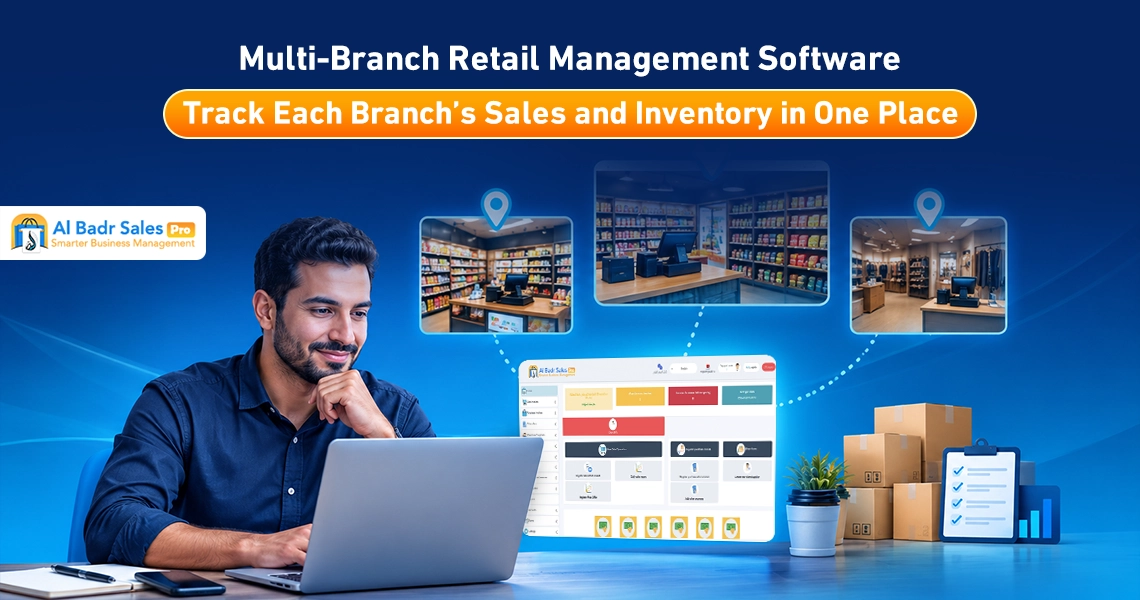
Expanding and establishing new branches is the primary commercial dream for every entrepreneur seeking to increase profits. Achieving full field control over these branches requires a technical solution that centralizes all operations.
Utilizing Multi-Branch Retail Management Software provides seamless tracking of sales, inventory, and cash drawer movements through a clear, straightforward methodology easily understood by cashiers, small merchants, floor staff, enterprise managers, and business owners alike without any difficulty.
When Do You Need Multi-Branch Retail Management Software?
Transitioning from managing a single shop to overseeing multiple sales outlets places merchants before major financial and organizational challenges that require abandoning isolated operational methods. Adopting Multi-Branch Retail Management Software represents an essential step to safeguard your trade against fragmentation and lost profits across diverse operating locations.
Signs of Difficulty Managing Branches Through Separate Systems
Clear field indicators emerge within commercial enterprises confirming that operating each branch through independent software or separate ledger files has become inefficient and generates financial losses. Consolidating this data within central dashboard screens delivers radical solutions to these issues, granting you direct, comprehensive control over all point-of-sale terminals from a single interface. The most prominent signs include:
- Management’s inability to determine total revenues and sales across all branches at day-end without prolonged telephone communications and generating multiple reports.
- Repetitive stockouts of specific items in a given branch while identical goods sit stagnant and fill shelves within another location without cross-branch visibility.
- Price discrepancies for identical commodities across branches due to the absence of direct automated coordination and manual data updates.
- Difficulty executing periodic warehouse stocktakes and identifying inventory deficits within each location individually.
- Spending excessive time transferring goods between branches without documented dispatch and receipt paperwork to prevent loss.
- Frequent daily calls between shop staff inquiring about size or color availability within neighboring store locations.
- Difficulty tracking credit debts for customers purchasing on account from multiple branches belonging to the same enterprise.
- Recurrent errors in calculating net profits per location due to uncalculated operating costs and expenses.
- Difficulty controlling cashier and staff permissions within each branch, elevating risks of financial manipulation or unauthorized discounts.
- Persistent exhaustion experienced by business owners due to required daily field travel between branches to inspect sales and cash movements.
Data Management Requirements for Centralized Oversight
Executive management requires instantaneous visibility into performance indicators across every branch without awaiting monthly statements. Such data encompasses daily total sales volumes, cash liquidity sitting inside registers, electronic network payments, sold inventory costs, primary stock balances, alongside tracking operational expenses per branch independently.
Securing this data within Multi-Branch Retail Management Software empowers you to execute purchasing and expansion decisions through a well-studied scientific methodology.
The Difference Between Branches, Warehouses, and POS Terminals Within the Software
Comprehending organizational hierarchies inside modern software ensures initial store configurations align precisely with your field reality and workforce allocation.
Defining the Appropriate Hierarchy for Your Business
A branch refers to the independent commercial entity containing a sales counter and staff, receiving consumers directly. Conversely, a warehouse represents facilities dedicated to storing goods and replenishing shops without direct retail sales to the public. Point of sale terminals denote screens or cash registers operated by staff within branches to issue invoices.
Multi-Branch Retail Management Software establishes this cascading structure with complete flexibility, allowing you to create a primary branch linked to a large central warehouse and ten point-of-sale registers, or construct small branches containing individual registers and integrated sub-warehouses.
Impact of Structure on Reporting and Costs
Defining this arrangement clearly translates into financial analytical precision. Multi-Branch Retail Management Software enables sales report generation per POS terminal within active shifts, alongside inventory valuation reports per sub-warehouse.
This assists in calculating profitability per location based on dedicated expenses and wage outlays without mixing accounts, while determining periodic subscription values clearly based on active branch and POS counts.
Standardizing Item Data Across Branches
Automated coordination between stores requires a unified product database to eliminate confusion and streamline sales activity tracking across the organization.
Utilizing Unified Item Codes and Classifications
Proper setups rely on entering products using standardized barcodes and consistent titles within central dashboards. When defining a new item—such as a carton of orange juice—under a specific barcode, the item deploys automatically across all branches retaining identical data. Utilizing Multi-Branch Retail Management Software prevents duplicate item entries under varying names per branch, simplifying consolidated enterprise-wide reporting.
Managing Shared Versus Branch-Specific Pricing
Commercial policies may dictate uniform retail pricing across all branches to preserve brand identity, whereas varying local market contexts—such as elevated rental rates or higher freight expenses—may force price adjustments within specific branches. Multi-Branch Retail Management Software offers the flexibility to standardize pricing with a single click or assign independent price lists per branch tailored to local economic conditions.
Tracking Individual Branch Inventories Independently
Automated multi-warehouse management shields you against sudden stockouts and preserves capital velocity within every operating location.
Monitoring Available Balances and Shortages
The system displays consolidated shelf displays, allowing you to query specific items and discover that branch one holds twenty pieces while branch two retains only five. Relying on Multi-Branch Retail Management Software triggers separate shortage alerts per branch the moment stock drops to safety thresholds, enabling fresh merchandise replenishment before shelves empty completely before buyers.
Comparing Item Movement Across Locations
Consumer preferences vary by store location; a specific item may achieve heavy sales within coastal branches while remaining stagnant in urban locations. Utilizing Branch Integration Software lets you compare sales velocities per product across diverse locales, providing accurate visibility to direct incoming purchasing toward high-demand venues and avoiding stagnant dead stock accumulation.
Organizing Cross-Branch Inventory Transfers
Goods transfers between branches represent the field operation most vulnerable to inventory loss or manipulation unless governed by strict documented oversight workflows.
Documenting Dispatches, Receipts, and Responsibilities
When branch one requires stock from central warehouses, automated inventory transfer requisitions generate, outlining items, quantities, and issuing employee names.
Multi-Branch Retail Management Software deducts quantities from dispatching branches and holds them in a pending status until receiving branch managers or cashiers scan barcodes and confirm receipt digitally. This clarifies worker accountability and prevents shipment losses en route.
Handling Quantity Discrepancies During Transfers
Should breakage or damage occur during inter-branch transit, Branch Integration Software permits logging deficits inside receipt screens with documented rationales. The system registers missing quantities against wastage accounts or responsible driver liabilities, adjusting physical branch inventory balances transparently without distorting field accounts.
Comparing Branch Sales and Profitability
Evaluating the efficiency of every sales outlet guides retention, optimization, or closure decisions for underperforming branches.
Comparing Sales, Discounts, and Returns
Financial performance report generation enables fair comparisons across branches, displaying visual charts and metrics for Remote Sales Monitoring per location. Multi-Branch Retail Management Software highlights invoice volumes, applied discount values, and accepted or rejected returns per branch, uncovering top-tier net revenue generators.
Calculating Profitability After Accounting for Branch Expenses
Evaluating branch success requires subtracting direct branch-specific operating expenses from total invoice receipts. Operating via Multi-Branch Retail Management Software allows logging individual store rents, utility bills, and staff payrolls independently, letting the system deduct these costs from branch sales profits to output true net profit reports per location with absolute clarity.
Establishing Staff and Branch Manager Permissions
Data security and financial account protection across multi-site infrastructures necessitate restricting access levels and defining employee responsibilities precisely.
Restricting Access by Branch and Job Role
The system allows configuring staff permissions so branch one cashiers view their specific sales screens exclusively without accessing other branch data or central safes. Meanwhile, Multi-Branch Retail Management Software grants branch managers broader privileges to oversee local inventories, while retaining comprehensive oversight strictly under business owners and enterprise executives.
Auditing Price Modifications and Invoice Cancellations
Technical safeguards block manual price overrides, steep discounts, or issued invoice cancellations unless authorized by dedicated administrator passwords. Multi-Branch Retail Management Software logs all modifications and canceled transactions within user activity audit trails, recording operator names, timestamps, branch locations, and dates to eliminate financial manipulation and enforce workplace discipline.
Managing Cash Safes, Collections, and Customer Accounts
Controlling direct financial cash flows across locations provides enterprises with the strength and liquidity required to honor supplier commitments.
Separating Branch Collections While Tracking Totals
Independent cash safes open per branch within the system to log cash and network sales collected during daily shifts. Multi-Branch Retail Management Software enables financial transfer order generation to move cash from branch safes into central company bank accounts or main treasuries, displaying total available liquidity across all branches instantly.
Defining Multi-Branch Customer Account Workflows
Merchants frequently serve clients purchasing on credit across multiple enterprise branches. Implementing Multi-Branch Retail Management Software links customer account statements across all branches, allowing buyers to purchase on account from branch one and settle remaining installments at branch two. The system updates aggregate debt, issues receipt vouchers instantly, and adjusts customer statements seamlessly across all locations.
Ensuring Service Continuity and Branch Data Synchronization
Reliable cloud infrastructures guarantee interface stability and prevent cash register downtime during peak shopping periods.
Verifying Connectivity Requirements and Synchronization Protocols
The system operates across high-speed servers ensuring instantaneous synchronization of financial and inventory transactions between branches and headquarters. Should temporary internet outages strike a store, Multi-Branch Retail Management Software continues processing local offline invoices without interruption. Upon network restoration, all operations upload automatically to central databases.
Reviewing Backups and Data Exports
Periodic automated cloud backups preserve registered sales data against loss or corruption, supporting financial and accounting report exports to Excel formats whenever required by business owners and certified accountants.
How to Test Multi-Branch Integration in Al-Badr
Direct system trials provide complete reassurance regarding software fluidity and field compatibility with your trade volume.
Testing Two Branches, Inventory Transfers, and Varied Permissions
During trial periods, you can establish two virtual branches on the system, enter sample items, create sales invoices in branch one, execute inventory transfers to branch two, and configure varied cashier permissions to observe how Multi-Branch Retail Management Software links these movements smoothly and accurately.
This field trial lets you witness automated balance updates across both branches, confirming comprehensive report clarity and ease of screen navigation for staff and managers prior to official financial commitments.
Calculating Expansion Costs for Branches and Users
Trials grant access to diverse pricing plans, calculating specific costs for adding new branches and screens based on future field expansions, letting you launch with balanced budgets securing peak return on investment without hidden costs.
Full control over store branches, remote sales tracking, inventory oversight from a single location, and item/pricing standardization represent core steps transforming your business into a successful, scalable enterprise.
Relying on smart software for retail outlet management spares wasted time spent traveling across physical locations, shields funds against leaks and manipulation, and selecting flexible, user-friendly cloud systems grants comprehensive oversight for successful business administration throughout the year.
FAQ About Multi-Branch Retail Management Software
Can I monitor all branches from a single account?
Yes, the system enables direct automated login from mobile devices or desktop workstations via primary manager accounts to monitor live sales, inventory movement, and cash drawer liquidity across all branches simultaneously.
Can I assign different prices per branch?
Yes, the system offers complete flexibility to standardize prices across all retail outlets with a single click, or designate independent price lists and pricing strategies per branch tailored to local site conditions and operating expenses.
How are inter-branch goods transfers recorded?
Operations execute via electronic inventory transfer requisitions that deduct quantities immediately from dispatching branches in pending statuses until scanned and confirmed received at destination branches, ensuring transparency and preventing missing goods.
Can branch staff view other branch data?
No, permission screens configure precisely to restrict employees and cashiers strictly to sales and inventory data for their assigned branch, while comprehensive oversight and financial reporting across all branches remain restricted to system administrators.
How is the cost of adding a new branch calculated?
Total costs depend on cloud subscription package tiers adopted within your business, where fixed, studied fees apply per new branch or POS terminal requested for integration with main systems.
Multi-Branch Retail Management Software
Developing business operations and managing multiple sales outlets efficiently requires adopting cloud digital systems combining power, simplicity, and technical stability. Al-Badr Sales Pro stands out as the best Multi-Branch Retail Management Software across the Kingdom of Saudi Arabia and the Arab world, owing to advanced tools linking shops and warehouses to monitor operations remotely with ease.
Al-Badr Sales Pro enables live sales tracking, inter-branch inventory transfers, item standardization, and customized staff permission controls via interactive screens understood by cashiers, small merchants, floor staff, enterprise managers, and business owners without complexity or technical prerequisites.