


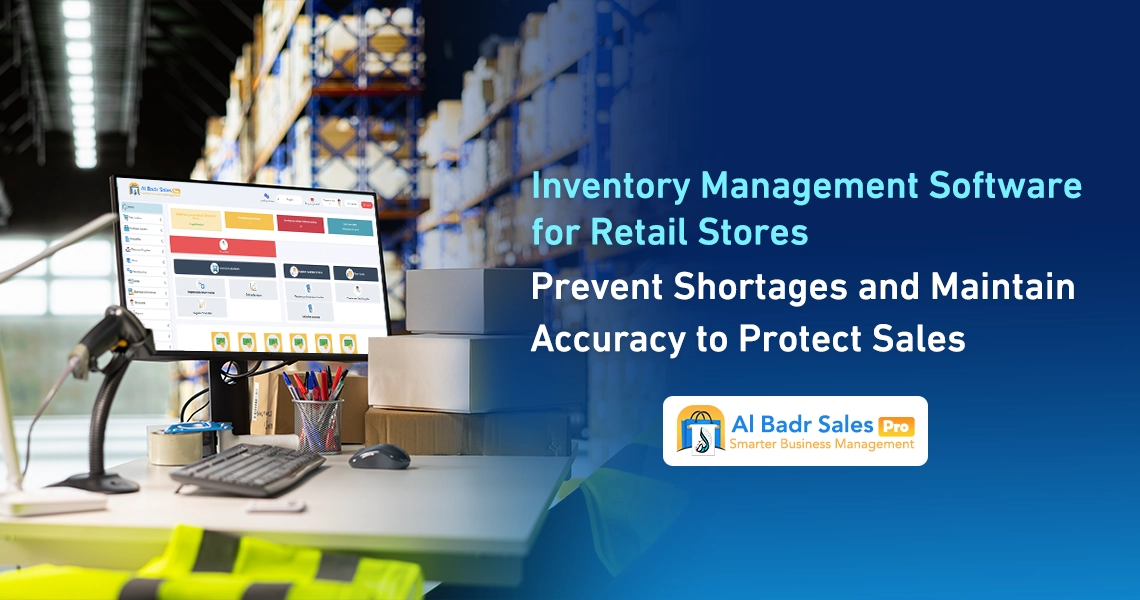
Ensuring your store’s success and continuous sales momentum requires close monitoring of every single item inside the warehouse. Implementing Inventory Management Software for Retail Stores provides comprehensive visibility over commodity movements, protecting you against lost profits or the surprise of stockouts right in front of customers.
This makes sales transactions smooth and straightforward, easily understood by cashiers, small merchants, shop floor workers, and enterprise managers alike.
When Does Your Store Need Inventory Management Software for Retail Stores?
A retail store needs an electronic system when daily transactions begin to multiply and traditional methods become incapable of controlling inventory flow.
Inventory Management Software for Retail Stores helps you document incoming and outgoing stock with absolute precision without relying on memory or paper ledgers. Consequently, it grants you complete control over all commercial details, preventing financial leaks or inventory loss resulting from negligence or oversight during daily operations.
Signs That Manual Stock Monitoring Is No Falling Short
Frequent end-of-day accounting errors, discovering missing inventory unexpectedly when customers request items, and mismatched figures between paper ledgers and physical shelf counts are prime indicators that manual tracking is obsolete and causing continuous financial losses.
Adopting Inventory Management Software for Retail Stores resolves this dilemma by documenting every sale or purchase transaction the moment it occurs, delivering instant notifications for every in-store action to eliminate disorganization and guarantee complete transparency between staff and management.
How Deficient and Stagnant Items Impact Your Sales
Running out of fast-moving commodities drives customers straight to competitors, causing immediate revenue loss and erasing your store’s name from buyer memory. Conversely, sluggish inventory accumulation ties up working capital on shelves and reduces the financial liquidity needed to settle supplier liabilities and labor payrolls.
The practical solution lies in utilizing Inventory Management Software for Retail Stores to calibrate order quantities, avoid stagnation or sudden stockouts, analyze historical sales trends, and clearly define invested capital within every product category.
How to Choose Inventory Management Software Tailored to Your Store
Selecting appropriate software requires evaluating your current trade volume and future expansion targets. Acquiring Inventory Management Software for Retail Stores featuring a clean user interface guarantees ease of use and rapid invoice execution without encountering complex programming hurdles.
The new platform enables rapid responses to market demands and seamless adaptation during high-traffic shopping seasons without spending hours training new staff on complicated POS screens.
Small Store Requirements Versus Multi-Department Outlets
Small shops need straightforward screens that log sales and deduct quantities instantly without complex workflows.
Conversely, massive stores and multi-department enterprises require network connectivity across multiple warehouses, provided by Inventory Management Software for Retail Stores to streamline stock transfers between branches and monitor comprehensive stock balances. This includes designating main warehouses and sub-depots while managing inventory transfer permits between locations with a single click.
Essential Features Versus Unnecessary Add-Ons
Focus on selecting systems centered around core utilities such as inventory stocktaking, low-stock alerts, receipt printing, and profit reporting, while avoiding extra costs for complex features unsuited for your current commercial scale.
This keeps operating expenses balanced. Prioritizing tools utilized daily by cashiers and floor staff ensures system stability, rapid operational speed, and prevents staff distraction over technical features that add no active value to field commerce.
Organizing Item Data Before Initiating Inventory Management
Proper initialization relies on encoding items and structuring them neatly within the system before launching sales activities. Inventory Management Software for Retail Stores supplies comfortable data entry screens enabling you to record item names, purchase costs, selling prices, and suppliers effortlessly.
This initial sorting simplifies locating any product during sales processing and prevents duplicate entries of identical items under multiple names within the database.
Registering Barcodes, Units, and Categories
Assigning optical barcodes to every item while dividing products into sub-groups and primary departments accelerates item retrieval. Using Inventory Management Software for Retail Stores lets you define multi-tier units such as pieces, cartons, dozens, or boxes, allowing automated deductions based on the specific sales unit selected in the invoice.
Purchase and selling prices adjust automatically per unit to preserve your established profit margins across all store categories.
Managing Sizes, Colors, and Similar Items
Apparel and footwear stores require dividing a single product into multiple sizes and colors under the exact same name to ensure accuracy. Inventory Management Software for Retail Stores provides total flexibility in handling these variations, assigning unique barcodes to each size and color independently to balance accounts.
This allows floor staff to check remaining quantities of specific sizes or colors immediately upon entering product names without walking to warehouses for manual searches.
Linking Sales and Purchases to Inventory Movements
Integration between the sales counter and the warehouse protects retail outlets from manipulation and accounting discrepancies. Inventory Management Software for Retail Stores updates stock balances automatically the moment any sales invoice is issued or a new supplier shipment is received.
This creates a secure document cycle linking cash drawer activity with shelf movements inside the digital ecosystem without manual intervention prone to human error.
Updating Quantities During Sales and Stock Receipts
When a cashier scans an item across the barcode reader, the system deducts the sold piece from available database inventory instantly. When entering new purchase invoices, Inventory Management Software for Retail Stores adds incoming quantities directly to live stock without extra manual entry, while adjusting average purchase costs and updating approved selling prices to mirror shifting market rates.
The Impact of Returns and Damaged Goods on Actual Inventory
Customer returns require re-entering returned items into saleable stock, whereas logging damaged or expired items mandates deducting them from inventory alongside precise explanatory notes. Managing these procedures via Inventory Management Software for Retail Stores ensures your virtual figures match physical field reality, shielding you from calculating illusory profits on damaged or lost operational merchandise.
Discovering Inventory Shortages and Determining Reorder Timing
Protecting your store against empty shelves requires smart notification alerts warning you well before items run out. Deploying Inventory Management Software for Retail Stores ensures you receive notices for near-depleted items to request fresh shipments without disrupting customers. The system lets you build pending purchase lists and dispatch them to approved suppliers the moment shortages arise across departments.
Setting Minimum Stock Thresholds for Each Item
Safety stock thresholds let you define the lowest permissible shelf quantity for each item based on consumption velocity. Once balances hit this mark, Inventory Management Software for Retail Stores displays color-coded warnings reminding merchants to contact suppliers and prepare purchase orders. This maintains product flow and continuous displays for visitors without a single day of interruption.
Factoring in Sales Velocity and Supplier Lead Times
Fast-moving commodities require higher safety margins than slow-selling items to prevent sudden stockouts. Imported goods also demand longer delivery windows compared to local inventory. Relying on Inventory Management Software for Retail Stores lets you account for these time gaps, organizing purchasing schedules precisely so you order the right quantities at the correct moment without inflating overhead expenses.
Utilizing Barcode Stocktaking Software to Accelerate Reviews
Manual store stocktaking consumes long days, forcing store closures, halting sales, and disappointing customers. Conversely, adopting Barcode Stocktaking Software cuts time and effort, letting workers scan shelf commodities and transmit data directly to the system with a single touch. This transforms annual or monthly stocktakes from heavy burdens into simple, streamlined steps completed within a few hours.
Steps to Prepare Your Store for Stocktaking
Preparation starts by organizing shelves, attaching price tags, and fixing optical barcodes to all displayed and stored items, followed by sweeping handheld scanners across merchandise sequentially. Inventory Management Software for Retail Stores aggregates these scans and compares them against database records in moments, generating detailed reports highlighting discrepancies between system figures and physical ground counts.
Choosing Between Comprehensive and Periodic Stocktaking
Comprehensive stocktakes require reviewing all store contents at financial year-end and locking invoices, whereas periodic stocktakes let you review specific departments or categories weekly. Utilizing Inventory Management Software for Retail Stores enables periodic audits while keeping doors open for ongoing sales. This ensures errors are caught immediately without halting cash drawer operations.
Resolving Inventory Discrepancies Between Software and Physical Store Counts
Encountering variances between software quantities and physical shelf counts is expected in commerce due to human error or shrinkage. Inventory Management Software for Retail Stores provides lightweight adjustment screens to resolve these surpluses or shortages in a systematic, documented manner that keeps financial ledgers secure and protected against tampering.
Investigating Variance Causes Before Adjusting Quantities
Records must be audited to investigate whether discrepancies stem from purchase invoice entry errors, unrecorded returns, or undocumented theft and wastage. Inventory Management Software for Retail Stores simplifies reviewing prior and returned item movements to identify root causes, determining whether errors stem from technical data entry or field leakage requiring administrative staff action.
Documenting Adjustments and Assigning Authorization Permissions
Once root causes are identified, inventory adjustments are executed to align stock balances with physical counts. Restricting this permission strictly to enterprise managers or head merchants is recommended.
Inventory Management Software for Retail Stores logs employee names, dates, and direct modification reasons to guarantee complete security and transparency, preventing unauthorized staff from altering figures without official system sign-off.
Inventory Reports to Support Better Purchasing Decisions
Reports serve as the true compass steering your investment decisions toward profitable suppliers and commodities. Implementing Inventory Management Software for Retail Stores delivers clear statistical analytics displaying each product’s in-store performance, granting business owners the capacity for sound planning and elimination of items consuming space and capital without yielding required returns.
Identifying Top-Selling and Slow-Moving Items
Pinpointing top-revenue products guides you to increase order volumes and leverage volume discounts from primary suppliers to expand profits. Meanwhile, Inventory Management Software for Retail Stores exposes stagnant inventory, allowing price markdowns or promotional campaigns to clear stock and free up space for guaranteed new items, maintaining store vitality and fresh merchandise displays.
Interpreting Inventory Valuation Without Confusing It with Profits
Valuation reports calculate the physical worth of warehouse goods at purchase cost or current retail pricing. Operating via Inventory Management Software for Retail Stores provides accurate insights into tied-up store capital without mixing it with daily revenues or net profits. This helps accountants and managers evaluate the enterprise’s true financial standing and avoid uncalculated spending decisions.
Calculating Inventory Management Software Costs and Setup Requirements
Equipping a store with a digital system requires a balanced budget covering annual subscriptions and direct auxiliary hardware. Selecting Inventory Management Software for Retail Stores offers flexible options guaranteeing software and equipment acquisition at sensible pricing without straining startup capital, enabling budget distribution aligned with field commerce financial climates.
Subscription Fees, Barcode Scanners, and Data Migration
Budgets cover software fees alongside barcode scanners, thermal receipt printers, and historical Excel data migration costs. Inventory Management Software for Retail Stores provides free, flexible import tools saving manual data entry expenses, letting you upload thousands of items and prices with a single touch to begin operations immediately and eliminate manual entry labor costs.
The Impact of User and Warehouse Counts on Pricing
Pricing scales according to field usage volume. Stores requiring a single user and sub-depot experience economic pricing lower than enterprises demanding multi-branch and multi-screen connectivity. Inventory Management Software for Retail Stores scales gradually alongside your business growth, letting you start with basic editions and upgrade to fully integrated professional suites as new branches open or departments expand.
How to Test Inventory Tracking in Al-Badr Before Subscribing
Testing software before direct purchase grants complete confidence and comfort in decision-making. Al-Badr Sales Pro provides a trial period allowing you to test all screens and features, ensuring compatibility with your field operations and confirming that cashiers and floor workers find daily system handling effortless without continuous external assistance.
Testing Purchase, Sales, and Return Workflows on Sample Items
You can enter sample products with dummy names, process sales from the cashier screen, and execute purchase or sales returns to observe how Inventory Management Software for Retail Stores updates balances and outputs reports with precision and ease. This verifies that printed invoices contain all approved business details, conditions, and terms.
Reviewing Reports, Permissions, and Package Features
Direct trials let you audit permission screens, verify employee visibility controls, and print sample reports to confirm readability and clear accounting figures, ensuring your selected package includes all necessary features without future extra fees for core operational tools.
FAQ About Inventory Management Software for Retail Stores
Can inventory software be used without a barcode scanner?
Yes, you can search for items by name or manual code easily, though utilizing scanners accelerates direct checkout and eliminates human error when selecting similar products.
Can items be imported from Excel?
Yes, the system allows uploading Excel files containing item names, prices, and barcodes into the database with a single touch, eliminating time-consuming manual typing.
How do I handle software inventory balance discrepancies versus physical counts?
An inventory adjustment is executed through the system to align virtual balances with physical realities, alongside logging the modification reason inside audit trails to preserve transparency and audit responsible staff.
Is inventory software suitable for small shops?
Yes, the system is engineered to serve grocery shops and small retail stores just as effectively as large corporations, offering simple, intuitive screens understood by everyone without technical complexity.
What is the difference between inventory software and sales software?
Inventory software focuses on tracking commodity movements, inbound/outbound stock, and stocktaking, whereas sales software focuses on invoice generation and receipt printing. Al-Badr smart systems combine both capabilities inside a single integrated platform.
Best Inventory Management Software for Retail Stores
Developing your trade and organizing daily store operations requires adopting an integrated software system boasting strong reputation and technical stability. Al-Badr Sales Pro stands as the Best Inventory Management Software for Retail Stores across the Arab world, owing to smart solutions tailored for supermarkets, apparel boutiques, auto parts stores, and electrical hardware shops.
Al-Badr Sales Pro delivers total control over warehouses, sales, accounts, and purchases via simple interactive screens understood by cashiers, small merchants, floor staff, and enterprise managers alike. It provides advanced tools for barcode stocktaking, shortage detection, item movement tracking, and tangible reductions in daily operating costs.
Integrated platform benefits and options encompass:
- Sales management and rapid tax/electronic invoice generation
- Stock movement tracking (inbound/outbound) and direct multi-branch warehouse linkage
- Barcode label printing and management across various dimensions
- Cross-platform operation on desktop workstations or smartphone mobile apps
- Direct live financial and statistical reporting
- Continuous technical support ensuring sustained business success securely around the clock.
Controlling inventory and protecting stores against shortages and damage form the solid foundation for commercial success and market expansion. Adopting modern software built for field operations spares you effort and trouble, guaranteeing precise tracking from supplier delivery to customer checkout and invoice issuance.
Selecting stable, user-friendly systems ensures smooth sales continuity and grants comprehensive visibility to make balanced purchasing decisions that grow your trade and preserve daily profits reliably.