



Speed and accuracy are the foundation of success in any commercial activity. Relying on traditional, outdated methods wastes your time and causes accounting errors. To manage your store professionally and win customer satisfaction, you need technology that simplifies your daily operations.
This is precisely what Al-Badr Sales Pro offers through barcode usage, giving you complete peace of mind and protecting your profits with intelligence and ease.
What Is the Importance of Barcode Usage in Shops and Stores?
In the past, a merchant or cashier memorized product prices or wrote them on small paper labels attached to each item. As the number of items and product variations increased, this old method caused major confusion and disrupted daily work operations inside shops and businesses.
Reducing Product Entry and Accounting Errors
Human error is always possible, especially during peak hours and heavy workloads. When an employee manually types a product name or code into the computer, making a single mistake in one digit results in recording incorrect sales.
This highlights the major necessity of barcode usage. Human error vanishes completely because digital scanning never makes mistakes, ensuring every single item is recorded under its exact name.
Speeding Up Customer Service and Preventing Annoying Queues
Nothing frustrates a customer more than standing in long cashier lines waiting for their receipt. Relying on manual searches for merchandise wastes excessive time when calculating every order. Conversely, implementing barcode usage completes an invoice in just a few seconds, delivering a rapid, comfortable shopping experience that keeps customers coming back.
The strategic integration of a barcode reader/scanner directly accelerates checkout throughput. Leveraging a barcode reader/scanner is the primary driver for speeding up the sales process, keeping customer lines moving without administrative delays.
Organizing Daily Sales Operations and Controlling the Safe
Unorganized work leads to cash register deficits at the end of the day without a clear cause. Depending on modern technological features turns sales operations into a precise clockwork system: every action is documented, and every item leaving the shop is accounted for and logged.
Consequently, matching actual cash in the register drawer with financial reports generated by the store computer becomes simple.
How Does Al-Badr Pro Support Barcode Usage at the Point of Sale?
Al-Badr Sales Pro is not merely standard accounting software; it was designed and built to serve as your strongest technical field partner. It provides seamless, full compatibility with all modern cashier devices and POS hardware to simplify your business operations.
Ultra-Fast Product Reading with a Single Touch
The moment a product’s linear barcode passes before the device, Al-Badr Sales Pro recognizes the item instantly and adds it to the checkout screen. This smooth coordination in barcode usage guarantees zero system freezing or cashier lag, allowing staff to scan dozens of varied items in record time with minimal effort.
Seamless hardware pairing with a barcode reader/scanner optimizes front-counter productivity. Deploying an enterprise barcode reader/scanner remains vital for speeding up the sales process across high-traffic retail counters.
Fetching Prices Automatically and Instantly on Screen
With Al-Badr Sales Pro, cashiers do not need to memorize item prices or look them up in price books. The software calls up the approved product price as soon as its digital code is read. This automatic linkage ensures fixed pricing and prevents unauthorized price alterations or sales that deviate from the pricing policies established for barcode usage.
Linking Products to Inventory and Updating Stock Balances Instantly
Operational activities within the software are fully interconnected. When a cashier scans an item code and saves an invoice, the system automatically deducts that item from the connected branch warehouse. This live integration guards against accounting discrepancies, ensuring warehouse stock numbers accurately reflect real-world shelf availability.
Barcode Usage to Reduce Pricing Errors
Pricing discrepancies between shelf tags and cashier screens represent one of the most frustrating challenges for store owners, harming a business’s reputation and customer trust.
Eliminating Reliance on Overworked Cashier Memory
In large retail stores housing thousands of SKUs, relying on employee memory for prices is both unfair and risky. Human forgetfulness can lead to selling expensive products at cheap rates, causing direct financial losses. Committing to barcode usage eliminates this dependence entirely, making the system the safe guardian of your pricing architecture.
Displaying Official Database Prices Without Overcharging or Undercharging
When a product is scanned, the official database price appears, including applicable taxes or active discounts. This digital discipline protects profit margins and prevents staff from charging arbitrary prices. It reflects the professionalism of your company or retail business through disciplined barcode usage.
Utilizing a reliable barcode reader/scanner ensures that scanned price tags match backend database records. Incorporating a dynamic barcode reader/scanner plays a core role in speeding up the sales process while safeguarding register accuracy.
Minimizing Customer Disputes and Arguments at Checkout
Disputes often arise when a customer claims, “I found this item on the shelf at a lower price than what you are charging me now!” These friction points disappear when adopting an automated system. Customers see clear printed invoices generated from linear code readings, instilling complete peace of mind and trust.
The Role of the Barcode Reader/Scanner in Speeding Up the Sales Process
A reading device acts as the cashier’s operational hand, serving as the fastest tool to transform physical goods into recorded computer data in the blink of an eye.
Scanning Products Instead of Time-Consuming Manual Searches
Instead of typing product names into search bars and sifting through long lists of similar items, a barcode reader/scanner completes the task in less than a second. This smart optical scanning removes exhausting operational steps, making sales enjoyable and simple for staff.
Transitioning to a barcode reader/scanner eliminates keystroke delays at checkout counters. Relying on a barcode reader/scanner is essential for speeding up the sales process in busy store environments.
Reducing Invoicing Time and Wait Times at Cashier Terminals
Accelerating checkout operations directly depends on reducing invoice generation and printing times. Utilizing optical hardware with Al-Badr Sales Pro helps serve customers at astonishing speeds.
Invoices containing ten items are finalized in seconds, ensuring smooth customer flow during peak hours thanks to a barcode reader/scanner engineered for speeding up the sales process.
Serving More Customers and Increasing Daily Profits
When transaction times decrease, stores host and serve significantly more shoppers throughout daily working hours. This operational edge increases overall staff productivity, boosts daily sales volume, and raises net project profits, demonstrating the real value of a barcode reader/scanner in speeding up the sales process.
Using Barcode in Inventory Management
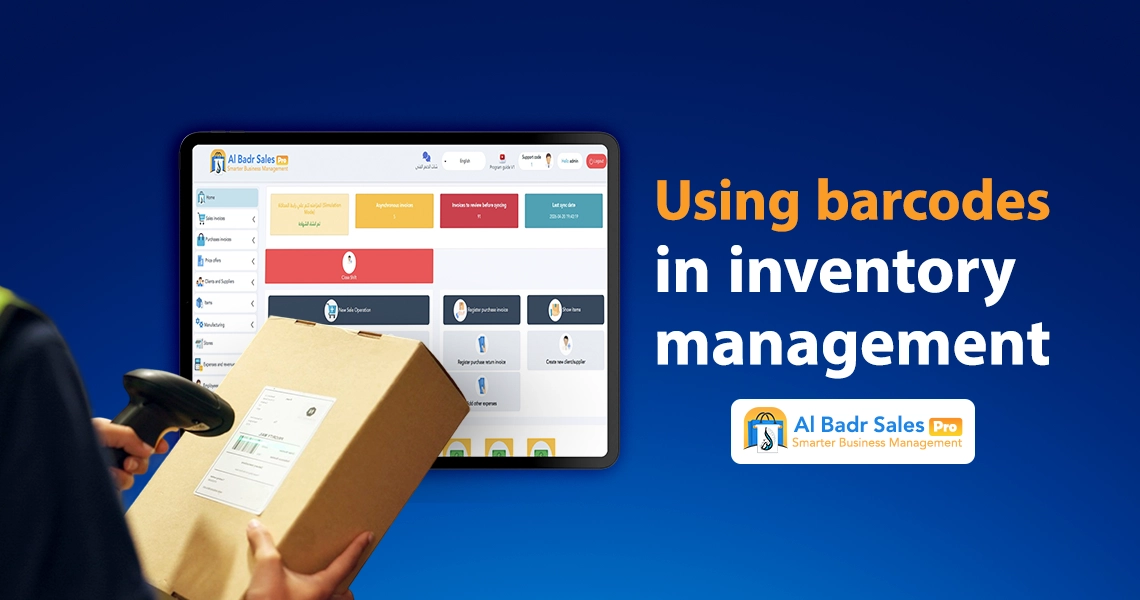
The benefits of digital codes extend far beyond checkout screens; they serve as the foundational tool for organizing, controlling, and protecting stockrooms and warehouses against tampering or inventory loss.
Tracking Product Movement Accurately from Receiving to Sale
The software records the complete life cycle of an item. Once its code is scanned upon supplier receiving, the product enters inventory. Scanning during store transfers updates location records, and scanning at checkout logs its sale. Detailed tracking based on barcode usage gives merchants continuous visibility over stock movement and financial assets anytime, anywhere.
Simplifying Periodic and Annual Warehouse Audits Without Complexity
Traditional manual stocktaking is a nightmare for merchants, requiring multi-day store closures, manual paper tallying, and repetitive counting errors. Under a modern system, stock audits become simple and efficient. Item codes are scanned directly, allowing the software to compute available quantities and reconcile variances automatically.
Using a wireless barcode reader/scanner during stocktaking speeds up shelf counts. Combining a barcode reader/scanner with central software is vital for speeding up the sales process and maintaining accurate ledger records.
Updating Stock Quantities Post-Sale and Preventing Deficits
The system performs continuous, automated inventory updates with every saved invoice, immediately reducing stock levels to match physical sales. Real-time updates safeguard your business against internal theft or human oversight, keeping management informed about capital invested in shelf inventory through barcode usage.
How Does Barcode Usage Help in Stock Audits Within Al-Badr Pro?
Al-Badr Sales Pro features an advanced warehouse auditing module built specifically to meet the operational demands of large and medium-sized enterprises, saving administrative time and manual effort.
Reading Items Quickly Without Data Entry Mistakes
During inventory counts, workers pass handheld scanners over products on shelves or inside boxes. The software recognizes items instantly and logs their presence, eliminating manual entry of names or long part numbers. This workflow removes item misidentification during audits through effective barcode usage.
Comparing Actual and Registered Stock Quantities Automatically
Once staff finish scanning store merchandise, Al-Badr Sales Pro performs an immediate comparison between physical counts and quantities saved in computer records. This feature replaces days of complex manual accounting for management team members.
Detecting Inventory Discrepancies and Identifying Causes Accurately
The software generates clear discrepancy reports detailing items with inventory shortages or overages, alongside their exact monetary value. This decisive reporting powered by barcode usage helps you pinpoint financial leaks immediately and apply corrective measures to protect business assets.
Barcode Usage with Multi-Variant Products
In commercial sectors like apparel, pharmaceuticals, and spare parts, products often look identical externally while differing in size, color, or expiration dates.
Distinguishing Similar-Looking Items with Unique Properties
If a shirt model is stocked in three colors and four sizes, searching by product name causes confusion at checkout. Al-Badr Sales Pro categorizes each color and size independently, ensuring barcode usage identifies the exact item in hand without ambiguity.
Equipping counters with a barcode reader/scanner eliminates variant substitution errors. An efficient barcode reader/scanner remains fundamental for speeding up the sales process across multi-SKU retail lines.
Preventing Wrong-Item Sales and Protecting Accounting Accuracy
A common error in traditional stores occurs when an employee sells a red item but deducts a white item from inventory due to name similarities. Misattributions destroy warehouse inventory accuracy. Digital techniques eliminate this issue entirely; unique linear codes prevent product cross-deductions.
Organizing System Products and Displaying Clear Specifications
Scanning an item displays its precise name and specifications (such as size, capacity, or country of origin) on the cashier screen. This organization helps staff verify merchandise before handoff, giving your enterprise a professional image through structured barcode usage.
Common Mistakes When Barcode Usage Is Absent
Managing business operations using traditional manual methods or paper ledgers creates ongoing operational problems that cost significant profits and customer trust.
Entering Incorrect Items on Invoices and Disrupting Inventory Data
Without digital codes, cashiers must pick item names from drop-down search menus where selection errors are common. Choosing similar items by mistake posts inaccurate entries to accounting records and creates mysterious inventory deficits discovered during annual audits, all stemming from neglecting barcode usage.
Recording Incorrect Prices and Losing Store Profit Margins
Human oversight can cause staff to sell items at outdated prices, omit mandatory taxes, or guess prices to move busy lines along. Unregulated practices erode real profit margins and disrupt monthly financial budgets across your enterprise.
Slow Sales Operations and Congested Store Checkout Lines
Manual searches and typing long product numbers consume valuable time per invoice. Slow checkout speeds accumulate waiting shoppers at registers, driving some to abandon purchases due to long wait times. This illustrates the negative impact of missing technology like a barcode reader/scanner designed for speeding up the sales process.
Practical Steps to Activate Barcode Usage in Al-Badr Pro
Transitioning to modern digital management and activating advanced software within your store is straightforward, requiring only a few simple setup steps.
Registering Items Correctly and Completely in the Database
The initial step involves accessing the product management screen in Al-Badr Sales Pro to enter item names, purchase and selling prices, and reorder limits. Accurate data entry establishes a strong foundation for operational and accounting workflows reliant on barcode usage.
Linking Every Product to Its Barcode or Generating New Codes
If merchandise features manufacturer barcodes, scan them using a barcode reader/scanner to save them directly to item profiles. For uncoded products, Al-Badr Sales Pro lets you generate and print custom barcode labels with a single touch for easy shelf tagging.
Generating custom labels for a barcode reader/scanner optimizes internal store tracking. Integrating a proper barcode reader/scanner accelerates setup while speeding up the sales process.
Training Cashiers and Staff on Proper Operational Workflows
After configuring products and connecting hardware, conduct a brief training session for cashiers and store clerks on scanning merchandise, managing screens, and saving or printing receipts. Simple Al-Badr Sales Pro interfaces help staff understand procedures quickly, speeding up the sales process with accuracy from day one.
Why Is Barcode Usage an Essential Feature in Al-Badr Pro?
The distinction of Al-Badr Sales Pro lies in its ability to merge modern technical features with a robust accounting core that offers operational security and ease.
Faster Execution of Daily Transactions and Sales
The software delivers the operational speed required to lead your market effectively. System screens react immediately to optical scans, issuing compliant electronic invoices in seconds to eliminate checkout delays and highlight the core role of a barcode reader/scanner in speeding up the sales process.
Higher Accuracy in Accounts, Profits, and Taxes Without Deficits
The system closes backdoors to human error or oversight. Numbers, prices, and quantities pull directly from the database based on unique item codes, ensuring 100% accurate calculations for taxes, net sales, and annual profits through barcode usage.
Better Customer Experiences Ensuring Long-Term Loyalty
Modern shoppers prefer commercial stores that respect their time and provide fast, professional service. Relying on Al-Badr Sales Pro provides buyers with clear invoices, rapid payment processing, and polished customer care that builds trust and supports steady business expansion.
Click here now to contact our technical team at Al-Badr Company, request your free consultation, and start your trial period for the system today
FAQ About Barcode Usage
Does Al-Badr Pro support barcode readers and scanners?
Yes, fully and automatically. Al-Badr Sales Pro supports direct integration with all wired and wireless barcode reader/scanner models and modern POS terminals, enabling instant item scanning and receipt entry without complex technical setups.
Does barcode usage reduce pricing errors and account deficits?
A barcode reader/scanner eliminates pricing errors completely. The system calls up approved database prices the moment a code is scanned, preventing reliance on cashier memory or arbitrary pricing to ensure 100% accounting precision.
Can barcode usage be applied during warehouse stock auditing?
Yes, Al-Badr Sales Pro includes features that allow you to use a barcode reader/scanner to audit stock on shelves and in warehouses quickly. The software compares physical counts against database records to generate immediate surplus or deficit reports at the click of a button, aiding in speeding up the sales process and securing asset control.
The Best Sales Software – Al-Badr Pro for Managing and Securing Your Business
Al-Badr Sales Pro delivers a point-of-sale and cashier system designed to connect your company’s branches and warehouses with exceptional speed and accuracy.
Our platform is fully compliant with ZATCA electronic invoicing and VAT requirements, offering comprehensive support for barcode usage, warehouse auditing, and cashier terminal management within an intuitive cloud platform.
Explore budget-friendly subscription plans tailored to your commercial activity to ensure operational peace of mind and sustainable success for your business.