


Since electronic invoicing became mandatory in Saudi Arabia under Vision 2030, all commercial establishments are obligated to implement this framework in alignment with guidelines issued by the Zakat, Tax and Customs Authority. This architecture converts traditional paper records into secure digital transactions protected by electronic signatures, enhancing financial transparency and commercial operational performance.
For small and large enterprises alike, completing a successful E-invoice setup is critical to maintain full legal compliance and avoid regulatory penalties resulting from non-compliance. But how can business owners complete their billing configuration inside commercial POS software rapidly and accurately? In this guide, we present a simplified walkthrough to complete your E-invoice setup in under 10 minutes using Al-Badr Sales Software.
What Do You Need Before Getting Started? Commercial Data and Registration Records
Before initiating your E-invoice setup inside Al-Badr Sales Software, ensure you have gathered all core corporate identifiers required to process digital transactions accurately, including:
- Tax Identification Number (TIN): If registered with authority portals, you must enter your official tax ID. This number enables the generation of tax-compliant digital invoices aligned with local commercial legislation.
- Commercial Registration (CR) Number: Entering your official CR identifier confirms the legal legitimacy of your commercial enterprise in Saudi Arabia.
- Establishment Name: The trade name must match official corporate records registered under your commercial license.
- Physical Address: Documenting exact physical address details is required for formal transactional authentication.
- Corporate Logo: Adding an official brand mark is optional, but it enhances commercial identity on customer-facing documentation.
Having this information ready prepares you to execute the next phase of your E-invoice setup.
Accessing System Settings
With essential commercial identifiers prepared, the next phase of your E-invoice setup involves entering administrative panels to configure transactional options within Al-Badr Sales Software.
- System Login: Launch Al-Badr Sales Software and sign in using administrative access credentials.
- Accessing Settings: Navigate from the primary control dashboard to system preferences, where all transactional parameters are managed.
- Selecting Billing Options: Within system preferences, navigate directly to billing management to enter and customize electronic transactional details.
Adding Commercial and Tax Details
The next step in your E-invoice setup requires entering establishment records and tax parameters into system fields:
- Enter Trade Name: Input the exact business title registered under official commercial records.
- Add Tax Identification Number: Enter your registered tax number to generate compliant digital documents meeting national tax requirements.
- Input Commercial Registration: Enter your CR record number to confirm legal compliance.
- Specify Physical Address: Input complete address details for head offices or branch locations conducting sales transactions.
- Upload Corporate Logo: Attach high-resolution brand visuals to display on printed or digital receipts.
- Value Added Tax Rates: Configure applicable tax percentages, such as the standard 15% rate or specific exempt categories, matching your commercial sector.
Linking Software with Authority Portals
After entering establishment records, proceed to link Al-Badr Sales Software directly with official tax compliance infrastructure to satisfy ZATCA requirements:
- Access Integration Settings: Locate the platform integration menu within billing preferences.
- Input Credentials: Enter your assigned API key and secret security token obtained from tax authority portals. This allows automated transaction transmission while ensuring compliance with technical standards.
- Confirm Connection: Click “Connect” after entering API keys to authorize communication. The system synchronizes Al-Badr Sales Software with compliance portals to enable real-time transactional authentication.
Customizing the Invoice Layout to Match Your Requirements
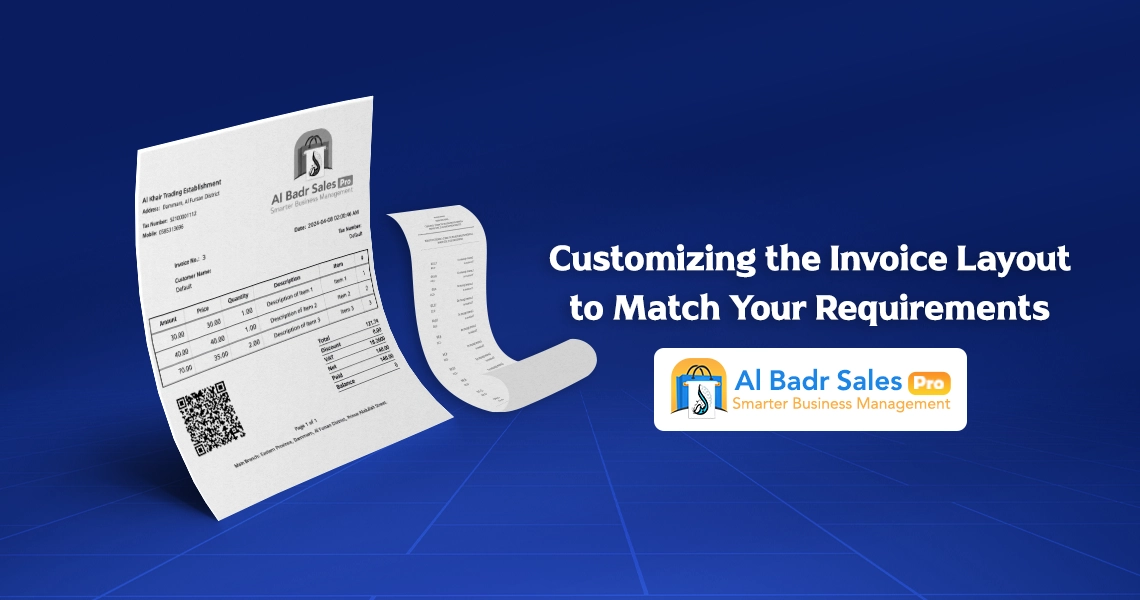
Once system integration is active, customize document presentation options to match your commercial needs through your E-invoice setup:
- Template Selection: Select appropriate document layouts, such as standard A4 tax formats or compact POS register thermal receipts.
- Data Field Selection: Enable essential transactional fields, including serial invoice numbers, tax identifiers, client profiles, itemized tax subtotals, and custom commercial notes.
- Visual Styling: Customize typography and header visual alignments to create professional documentation matching corporate identity standards.
- Save Preferences: Apply and lock formatting changes before generating live customer invoices.
Testing Digital Invoices and Confirming Transmission
Prior to issuing live digital invoices to clients, verify system performance through a test phase:
- Generate Test Invoices: Create a draft sales document containing representative product entries, monetary totals, and calculated tax values.
- Transmit Documentation: Send test records to official compliance portals to confirm communication stability.
- Review Results: Verify that test transactions are approved without validation errors. If system alerts occur, adjust configuration settings based on system recommendations.
Comprehensive Guide to E-Invoicing Configuration in Al-Badr Sales Software
Achieving smooth transactional workflows begins by selecting an administrative platform designed around official tax compliance mandates. Al-Badr Sales Software simplifies Billing system configuration and your E-invoice setup, making setup intuitive even for non-technical users.
The initial phase requires recording accurate commercial details, such as:
- Registered business name
- Tax Identification Number
- National address records
- Contact details
These entries form the structural foundation of every digital receipt, where errors can prevent full compliance with ZATCA requirements. System settings calculate tax amounts automatically, whether applying standard rates or category exemptions, based on business rules.
The secondary phase enables mandatory layout elements, including:
- Cryptographic QR code modules
- Sequential invoice numbering
- Issuance timestamps
- Detailed seller and buyer profiles
Configuring these parameters once enables automated operation without manual intervention. Executing a structured E-invoice setup minimizes human calculation errors while organizing commercial sales records.
How Al-Badr Speeds Up E-Invoice Generation?
A major administrative challenge facing merchants is time spent manually formatting and verifying sales records. Completing a proper E-invoice setup inside Al-Badr converts time-consuming invoicing tasks into rapid, multi-second actions.
Al-Badr Sales Software utilizes automated processing features to:
- Retrieve product metrics and prices automatically
- Calculate tax percentages instantly
- Generate compliant digital files accepted by tax authorities
This eliminates repetitive data entry and prevents manual calculation errors. Furthermore, system databases archive all transactional records digitally for instant access during financial reviews or tax audits.
Crucially, the software maintains continuous alignment with updated ZATCA requirements, automatically updating compliance mechanisms whenever official regulations change without requiring complete re-configuration.
Why Is E-Invoicing Setup a Smart Business Strategy?
Configuring your E-invoice setup inside Al-Badr Sales Software takes under 10 minutes, providing long-term administrative stability across daily retail operations. Utilizing an integrated electronic billing framework delivers multiple operational benefits:
- Accelerates counter checkout speed
- Increases customer trust
- Minimizes penalty risks and compliance fines
- Enhances financial accounting efficiency
Operational Best Practices to Prevent Setup Errors
- Verify that commercial records, including tax identifiers and CR numbers, are accurate before starting your E-invoice setup.
- If technical questions arise during configuration, contact technical support at Al-Badr for immediate assistance.
- Conduct regular staff training on software operation to prevent transactional mistakes on daily sales registers.
- Execute thorough system test runs before issuing live tax documents to customers.
- Ensure point-of-sale systems maintain active integrations with official compliance portals to satisfy ZATCA requirements.
- Maintain encrypted digital archives of historical transactional records to secure financial data.
- Review invoice line items and tax calculations before sending finalized documentation to buyers.
- Schedule routine database backups to protect commercial sales records against unexpected hardware failures.
- Monitor automated financial reports generated by digital invoices to maintain accounting precision.
- Update sales software regularly to access new functional tools and maintain alignment with statutory changes.
FAQ About E-Invoicing Setup
What is an electronic invoice?
An electronic invoice is a structured digital transaction document created, signed, and stored electronically according to official standards, replacing traditional paper receipts in commercial workflows.
Why must Saudi enterprises implement e-invoicing?
Digital invoicing is mandatory under official regulations issued by tax authorities in Saudi Arabia to build financial transparency, reduce fraudulent commercial practices, and simplify tax auditing procedures.
Can I use free POS tools to execute my E-invoice setup?
While basic free software may issue simple digital receipts, they often lack full integration capabilities required to satisfy official compliance portals and ZATCA requirements. Utilizing professional sales platforms like Al-Badr ensures complete compliance.
Can invoice templates be customized to fit specific business needs?
Yes, Al-Badr Sales Software enables custom document layouts, allowing merchants to adjust required fields, including tax IDs, business titles, and tax percentages, while modifying visual styling, typography, and logo placements.
How long does an E-invoice setup take using Al-Badr?
Completing an E-invoice setup inside Al-Badr Sales Software takes under 10 minutes when essential commercial records, tax numbers, and business details are prepared in advance.
Does Al-Badr Sales Software support integration with official tax portals?
Yes, Al-Badr Sales Software supports full integration with official electronic invoicing compliance portals, ensuring alignment with statutory commercial regulations.
Is technical assistance available if configuration issues occur?
Yes, Al-Badr provides dedicated technical support teams to resolve setup inquiries and maintain stable software performance across commercial registers.
Executing a proper E-invoice setup is an essential requirement for modern commercial operations in Saudi Arabia, serving both as a regulatory necessity and as an effective tool for improving operational efficiency.
By leveraging Al-Badr Sales Software, business owners can complete their Billing system configuration in minutes, ensuring complete compliance with ZATCA requirements and establishing a reliable foundation for enterprise growth.