


If you are considering implementing a point-of-sale solution in your shop, you are taking a crucial step toward enhancing operational efficiency. A point-of-sale platform is far more than a simple transaction processor; it is a robust solution that tracks sales metrics, manages inventory levels, and elevates customer satisfaction.
However, starting out requires thorough preparation to ensure the technology operates efficiently and satisfies your long-term business objectives.
In this guide, we explore the core benefits of digitalizing shop management and review seven fundamental phases required before completing your POS system installation to ensure peak operational performance.
Do You Need a POS System Installation in Your Store?
Before proceeding with a POS system installation, ask yourself a basic question: Are daily retail transactions running smoothly, or are staff facing constant operational friction?
If management relies on manual accounting, experiences recurring billing errors, or struggles to calculate daily revenue, these are clear signs that your business requires electronic point-of-sale software.
Executing a POS system installation is no longer restricted to large enterprise venues; it has become essential for small and medium retail establishments.
Electronic systems help organize sales processing, track stock movement, and eliminate reliance on staff memory. Furthermore, it serves as a core phase in Setting up the shop electronically to satisfy modern market requirements and speed up checkout counters.
Simply put, if you aim to reduce transaction errors, accelerate checkout speed, and gain absolute operational visibility, completing a POS system installation is a vital operational necessity.
Selecting the Ideal Point-of-Sale Solution for Your Store: Step-by-Step Success
Choosing compatible software represents the most critical phase among all Steps to start using a sales system, as making an incorrect choice can cost time and financial resources.
The primary step involves evaluating your business niche—whether operating a retail outlet, restaurant, pharmacy, or multi-branch enterprise—since operational requirements differ across sectors.
Afterward, verify that the solution supports core administrative features, including:
- Streamlined product and price management
- Fast, accurate invoice generation
- Real-time stock movement tracking
- Comprehensive sales analytics reporting
When planning a POS system installation, select scalable software capable of supporting future business expansion and multi-branch growth. Additionally, prioritize user-friendly interfaces, as overly complex layouts slow down checkout speed and increase staff error rates.
Finally, verify the availability of responsive technical support, as unresolved technical issues can stall checkout counters and negatively impact customer experience.
How to Ensure Efficient Point-of-Sale Operations?
A successful POS system installation depends not only on hardware mounting, but also on daily management and configuration practices. Ensuring operational efficiency begins with proper initial setup, including accurate inventory input, price adjustments, tax rate configuration, and user permission assignments.
The second critical factor involves practical employee training. Insufficient training leads to operational errors even when using advanced technology. Effective training minimizes cashier mistakes and empowers staff to handle customer transactions quickly and confidently.
Furthermore, review automated sales reports consistently to detect operational or inventory discrepancies early. Never skip periodic software updates, as development releases routinely contain performance optimizations and security enhancements.
Focusing on these details transforms point-of-sale technology from a basic transaction logger into an intelligent system that supports decision-making and organizes business workflows.
What Are the Essential Steps Before POS System Installation in Your Store?
1- Analyzing business needs: Transaction volume and staff count
Before initiating a POS system installation, conduct a thorough operational assessment. Software functionality varies across commercial models, meaning that a small boutique and a multi-branch enterprise require different operational features.
Transaction volume If your business handles high daily transaction volumes—such as supermarkets or e-commerce platforms—you require an advanced software framework capable of processing simultaneous transactions smoothly. Conversely, smaller venues can operate effectively using streamlined checkout tools.
Staff count When managing large employee teams, evaluate whether individual user accounts and access permissions are required. Select software that accommodates your active user count while supporting future expansion, ensuring you can add additional registers or user profiles as your business grows.
2- Selecting suitable hardware: Cashier terminals, receipt printers, and barcode scanners
The second phase of a POS system installation involves selecting compatible commercial hardware tailored to your daily operational environment.
- Cashier terminals: Representing the core foundation, terminals must offer durability and processing speed. High-traffic retail venues require heavy-duty hardware built to withstand continuous daily use.
- Receipt printers: Choose fast, reliable receipt printers compatible with standard paper rolls and your preferred invoice layouts.
- Barcode scanners: Integrating reliable barcode scanners accelerates checkout speed and prevents manual entry errors. Select scanners that match your inventory packaging, whether processing small merchandise or large items.
While hardware selection must align with budget parameters, prioritizing equipment quality prevents hardware downtime and operational disruptions.
3- Choosing the right software based on budget and operational needs
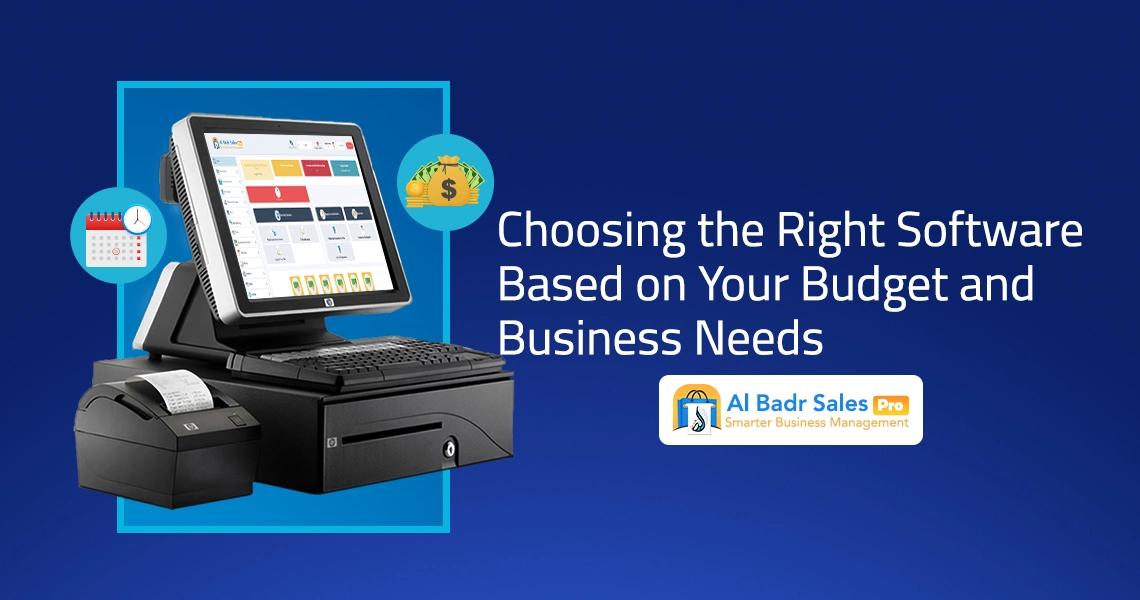
Selecting software represents the third step in a POS system installation. Because software functions as the operational engine, it must align perfectly with business workflows.
Aligning software with operational needs Standard retail stores require intuitive software to manage daily transactions, monitor stock, and generate sales summaries. Enterprise venues offering multi-tiered services require specialized tools integrating sales, inventory tracking, staff management, and detailed financial reporting.
Budget-aligned software options Software pricing varies across market options. While point-of-sale platforms support diverse hardware models, establish a clear budget threshold to determine whether a basic cost-effective tool or an enterprise suite best serves your facility.
Financial and tax compliance Verify that chosen software complies with local tax regulations and accounting standards applicable to your region, ensuring seamless financial record-keeping.
4- Preparing reliable internet connections and electrical supply
Maintaining stable internet connectivity and reliable electrical power ensures uninterrupted software performance, serving as the fourth phase in a POS system installation.
- Internet connectivity: Secure high-speed, reliable internet access. Cloud-based platforms rely on continuous connections to synchronize real-time sales data, inventory adjustments, and administrative reports. Weak connections can severely hamper checkout performance.
- Electrical infrastructure: Ensure stable power sources across checkout counters. Install backup power solutions—such as uninterruptible power supplies (UPS) or generators—to maintain counter operations during power outages.
Pre-installation checks Test network connectivity at planned checkout counter locations prior to hardware mounting, and verify backup power readiness to avoid unexpected operational downtime.
5- Training staff prior to official deployment
Before completing a POS system installation and launching live operations, conduct thorough employee training. Comprehensive training ensures accurate system usage, teaching staff how to process transactions, adjust stock levels, print invoices, and resolve minor operational issues.
Train staff on operating cashier terminals, barcode scanners, and receipt printers effectively. To prevent operational bottlenecks:
- Conduct practical training sessions for counter staff prior to live launching.
- Provide clear operational reference guides detailing routine workflows and troubleshooting procedures.
6- Executing pilot testing before official launch
Following setup completion, perform comprehensive system testing before going live. Conducting a pilot test verifies that hardware and software components operate correctly.
- Transaction testing: Execute complete test purchases from scan to payment processing, verifying that sales log accurately and receipts print correctly.
- Inventory synchronization testing: Confirm that test sales update inventory quantities in real time.
- Report generation testing: Verify that administrative sales, tax, and inventory reports generate accurate financial data.
Resolve potential technical errors during pilot testing to ensure seamless performance on launch day.
7- Daily operational monitoring during the first week
The final phase following a POS system installation involves daily operational monitoring during the initial launch week. This initial period is critical for identifying and correcting operational setup errors.
Maintain open communication with counter staff to address operational questions immediately. Review system reports daily to confirm performance stability and adjust software settings based on employee feedback to achieve optimal operational efficiency.
FAQ About POS System Installation
What is a POS system and how does it function?
A point-of-sale system is a commercial technology solution used by merchants to process financial transactions, record sales data, track inventory levels, print invoices, and generate daily performance reports to improve retail efficiency.
How do I choose the best point-of-sale system for my store?
Selection depends on business scale and operational complexity. Small outlets benefit from streamlined checkout software, whereas multi-branch operations require comprehensive management platforms supporting inventory control, sales analytics, and customer management.
Can point-of-sale software integrate with accounting and inventory systems?
Yes, modern platforms support complete integration with accounting, inventory, and reporting software, unifying business operations from counter sales to warehouse management.
Does Al-Badr Store provide technical support following POS system installation?
Yes, Al-Badr Store offers continuous technical support after completing a POS system installation, providing expert assistance to maintain uninterrupted retail operations.
What are the main features of point-of-sale software from Al-Badr Store?
Al-Badr Store software provides intuitive interfaces, broad hardware compatibility, seamless accounting integrations, real-time sales reporting, and automated inventory management to optimize shop performance.
Premier Point-of-Sale Software: Why Al-Badr Store is Your Ideal Choice
When planning a POS system installation, choosing software that satisfies your exact operational requirements is essential. Al-Badr Store provides advanced point-of-sale solutions designed to combine operational efficiency, flexibility, and ease of use.
We recognize that commercial requirements differ across business models. Whether operating a single boutique or managing a multi-branch enterprise, Al-Badr Store delivers tailored software solutions that simplify every phase of Setting up the shop electronically.
Key advantages of choosing point-of-sale solutions from Al-Badr Store include:
- Intuitive user interface: Simplified screens designed for rapid transaction processing.
- Broad hardware compatibility: Smooth integration with cashier terminals, receipt printers, and barcode scanners.
- Comprehensive software integration: Direct compatibility with accounting modules, inventory control tools, and financial reporting dashboards.
- Continuous technical support: Direct technical assistance to maintain stable counter operations.
Executing a POS system installation in your store extends beyond mounting hardware; it requires structured planning, proper setup, employee training, and continuous operational review. By following the recommended Steps to start using a sales system, you ensure a smooth transition toward automated retail management.