


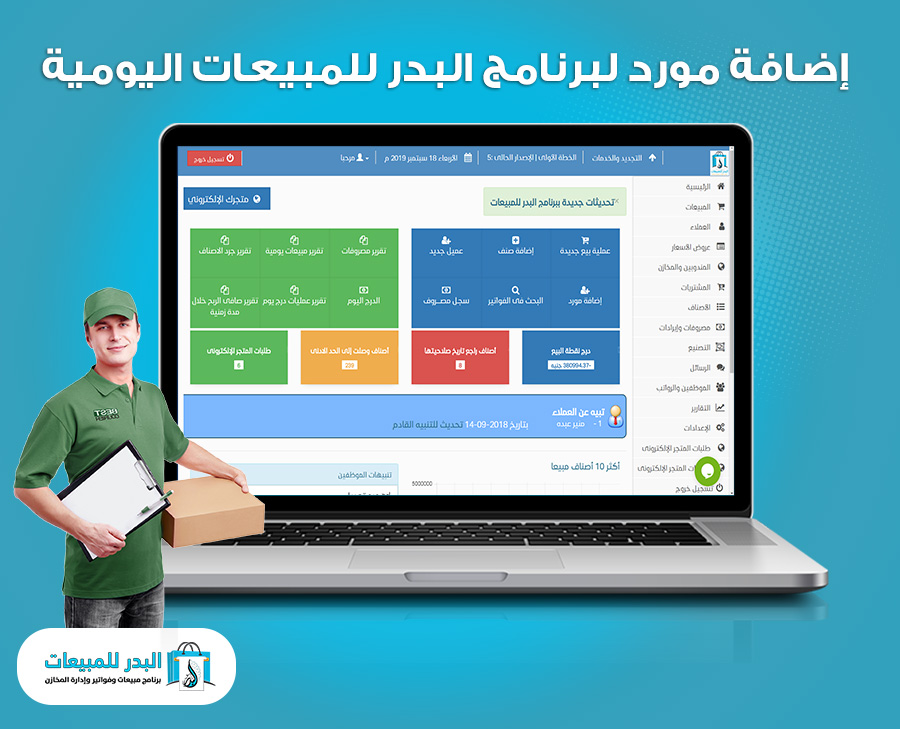
Adding a supplier in Al-Badr Daily Sales Program, managing retail stores, and completing all financial transactions between them are essential steps when using Al-Badr Daily Sales Program and managing retail businesses.
In this video, we will learn together how to add a supplier to the Al-Badr Daily Sales Program database, manage retail stores, and understand how to complete financial transactions between the supplier and the store.
Adding a Supplier in Al-Badr Daily Sales Program, Managing Stores, and Completing All Financial Transactions
How to Add a Supplier in Al-Badr Sales Program
To do this:
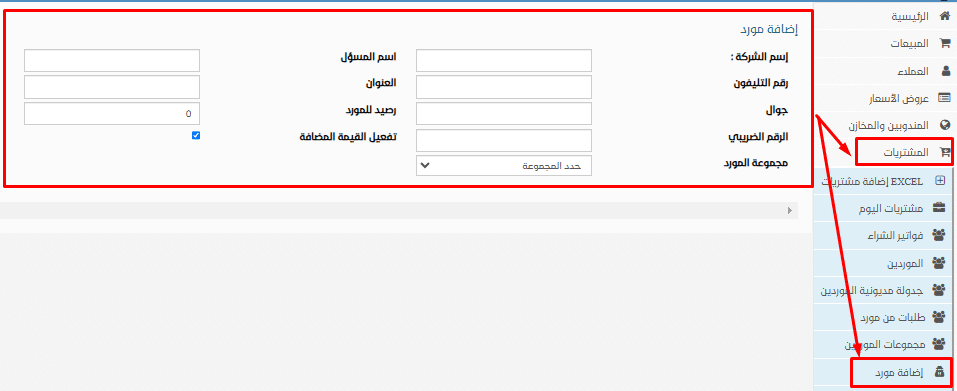
Simply go to the side menu and select (Purchases – Add Supplier).
A new page will open, asking you to enter the supplier’s details, including (Company Name – Responsible Person – Phone Number – Address – Mobile – Supplier Balance – Tax Number). After entering the information, click “Save” to store the data in the program database.
After clicking “Save,” you can click “Add New” to add another supplier.
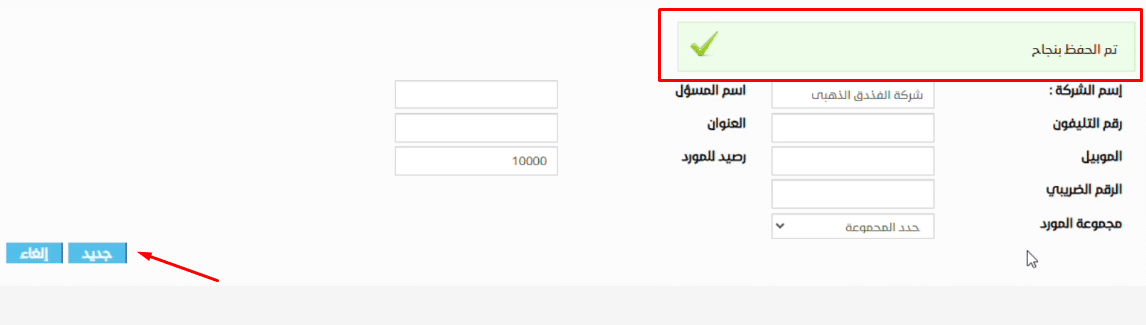
Here, we should note an important point regarding the supplier balance: the negative value here is opposite to how it appears for customers. For customers, it represents the organization’s debt to the customer.
Here, it represents the supplier’s debt to the organization. Similarly, the positive value, which indicates the customer’s debt to the organization for customers, here represents the organization’s debt to the supplier. The concept is reversed between customers and suppliers, so it is important to note the difference.
How to Register a Supplier Group and Add New Suppliers to It
Simply, from the main menu, select “Purchases,”
then select “Supplier Groups.”
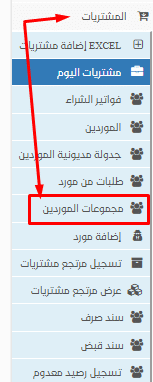
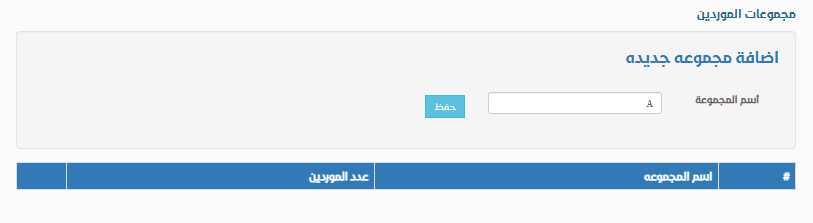
A page will appear to enter the group name. After that, click “Save,” and it will appear at the bottom as shown:
Viewing the Supplier List in Al-Badr Sales Program
To view suppliers, go to the side menu, then to “Suppliers.” Clicking on it will open a new page displaying all the suppliers added to the program database, as shown in the following image:
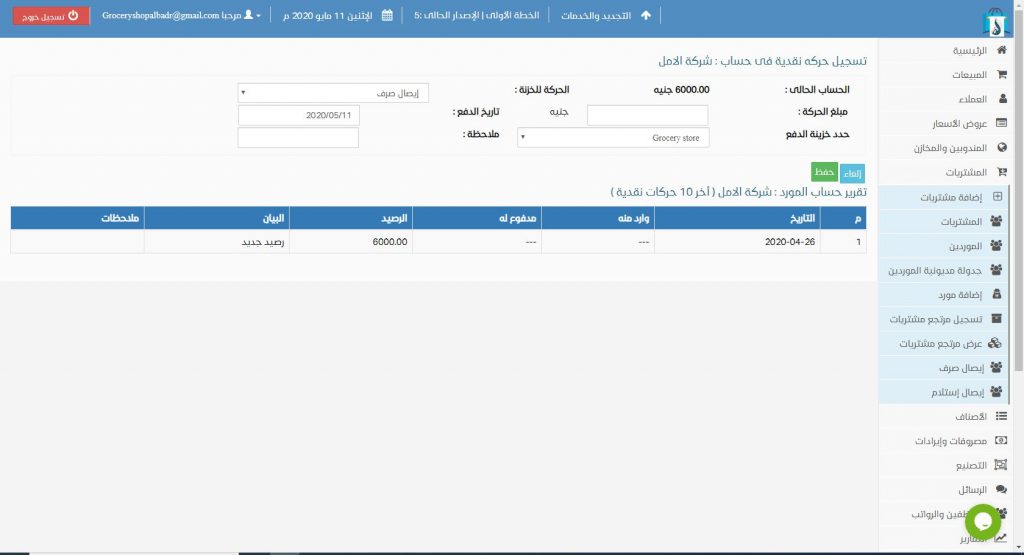
Here, you will find the same data as when adding customers, but it pertains to suppliers. From here, you can make cash transfers between the supplier and the organization, just as we did previously with customers.
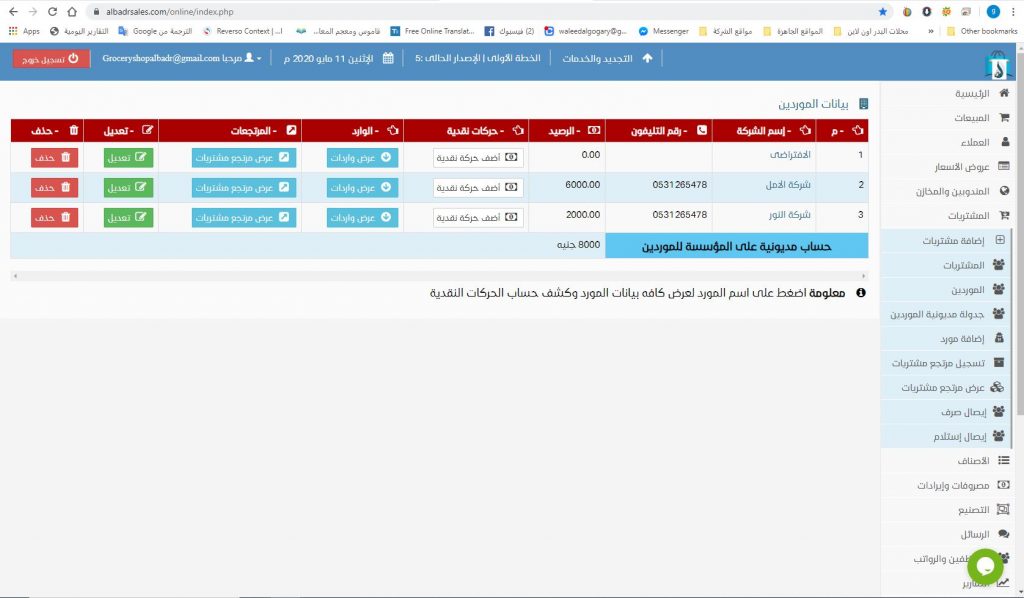
You can also view all purchases and returns, and you can edit or delete supplier information from the program database.
Al-Badr Daily Sales Program for managing stores and commercial activities is a well-known and specialized program for managing store operations and accounts. It provides users with full control over store activities, including the ability to perform sales operations, record transactions, track profits, monitor withdrawn quantities from the store or warehouse, identify the salesperson, and track gross and net profits as well as customers.
It also allows viewing daily sales, understanding the same data and more, using barcode devices and printers of all types, barcode scales, and the ability to record revenues and expenses, adding them to or deducting them from the daily profit. Detailed reports on sales, users, warehouses, and suppliers are also available.
Instructional videos for the program here