


Al-Badr Sales Pro allows you to Change Country and Currency based on the location where you operate your business. This feature ensures the system adapts to users worldwide, making it suitable for international retail and commercial operations.
How to Change Country and Currency in Al-Badr Sales Pro?
How to Change the Currency?
- Go to Settings
- Select Program Settings
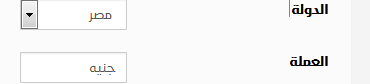
- Choose Country
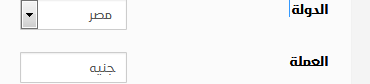
- Once you select the country, the currency will automatically update
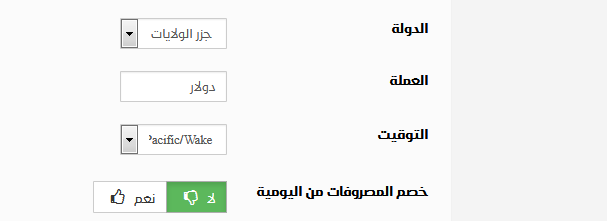
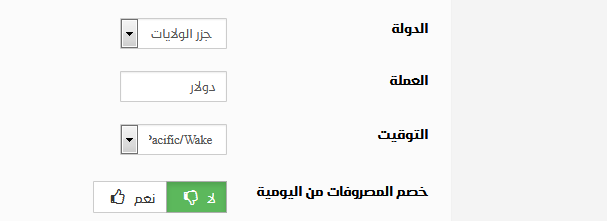
This automatic currency adjustment helps businesses avoid manual errors and ensures invoices and reports reflect the correct local currency.
How Al-Badr POS Software Supports Your Business
Invoice Management
Al-Badr Sales Pro makes it easy to record sales and purchase invoices while allowing full control over invoice size, format, and layout.
Business Marketing
The software helps you promote your products online and reach new customers more easily.
Cloud Services
Access Al-Badr Sales Pro Software anytime, anywhere via the internet, giving you full control over your business operations remotely.
Inventory Management
Manage multiple warehouses, assign multiple POS points to each warehouse, transfer stock between locations, and perform accurate inventory counts.
Multi-User Management
Add and manage employees, assign user roles, and control permissions for sales and data entry.
Technical Support
Receive continuous technical support and regular system updates to meet your growing business needs.
Advanced Reporting
Generate detailed reports covering sales activity, purchases, warehouse movements, profits, and losses.
Customer and Supplier Management
Easily record customer data, manage customer accounts, register supplier accounts, add payments, and print account statements.
You can start with a free trial version of the software
Training tutorials are also available to help you learn how to use the system step by step