



There is no doubt that user permissions management is one of the most critical elements of system administration in sales programs such as Al-Badr Sales Software. As business operations become more complex, it becomes essential to define who can access which data and what actions each user is allowed to perform within the system.
Controlling permissions and adding new users helps ensure data security, protects information from manipulation or accidental errors, and clearly defines responsibilities among team members based on their roles within the organization.
In addition, proper user management improves workflow efficiency by reducing the chances of misuse or unintended mistakes. It also enables accurate performance tracking and evaluation, which supports better decision-making and smoother business operations.
In this article, we will explain how to add a new user in Al-Badr Sales Software and how to apply permission controls to maintain both security and efficiency.
How to Add a New User in Monthly or Annual Subscription Plans
Adding a new user under the monthly or yearly subscription packages of Al-Badr Sales Software is an important step to allow your team to fully benefit from the system’s features. The process is simple and can be completed through the following steps:
-
Visit the Official Website
Start by visiting the official Al-Badr Sales Software website to review the available monthly and annual subscription plans and compare the features offered in each package.
-
Contact the Sales Team
After selecting the most suitable plan, reach out to the sales department using the contact methods listed on the website. The sales team will assist you in adding a new user and identifying your needs based on the required number of users.
How to Add a New User in Lifetime Purchase Plans
If you are using a lifetime license, you can add a new user directly from inside the system by following these steps:
-
Log in to the program.
-
From the side menu, select “Settings.”
-
Click on “Users.”
-
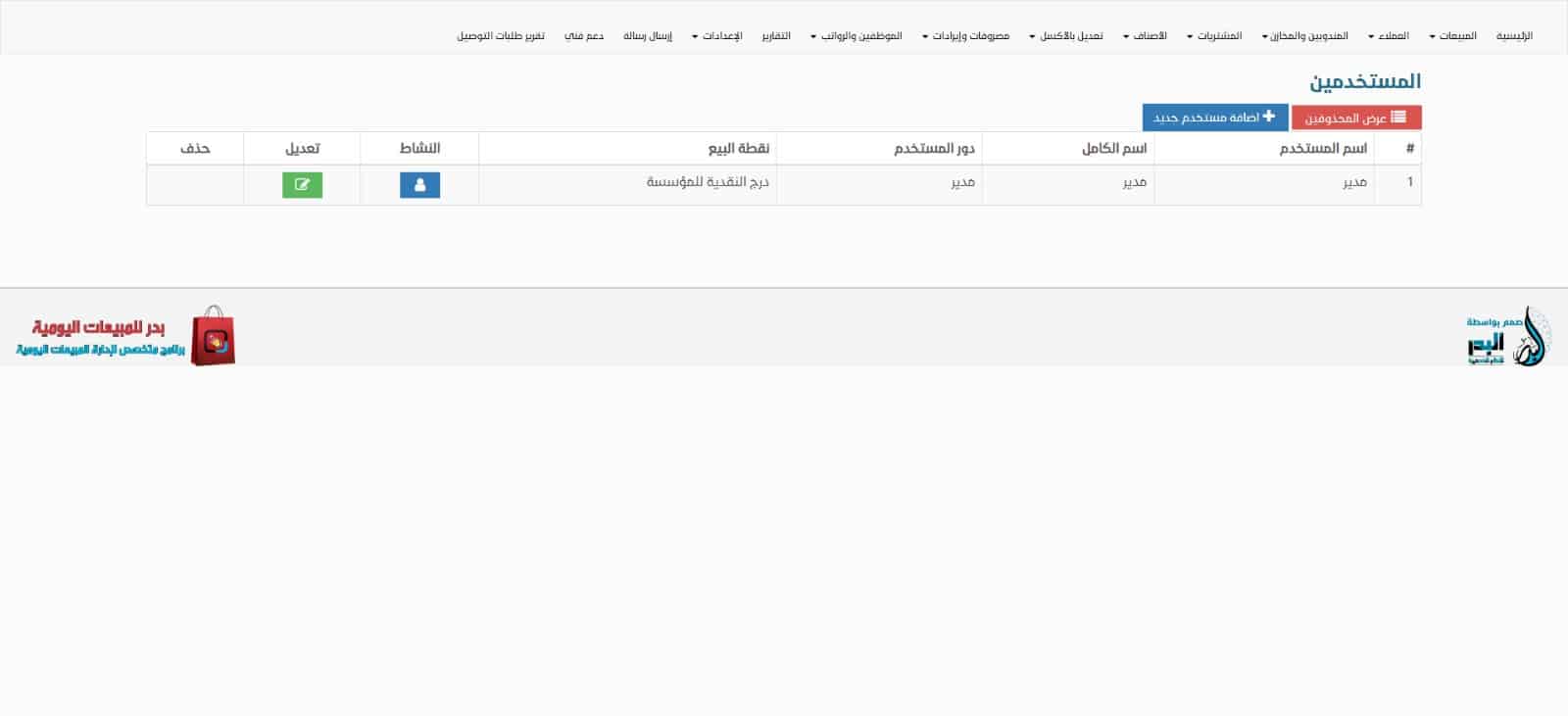
Press the “Add New User” button.
-
Enter the required user information and assign the appropriate permissions.
-
Save the data to complete the process.
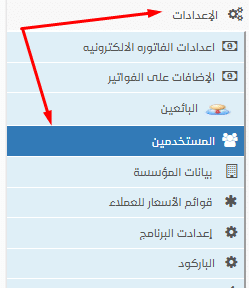
-
From there, we press the “Add New User” button.
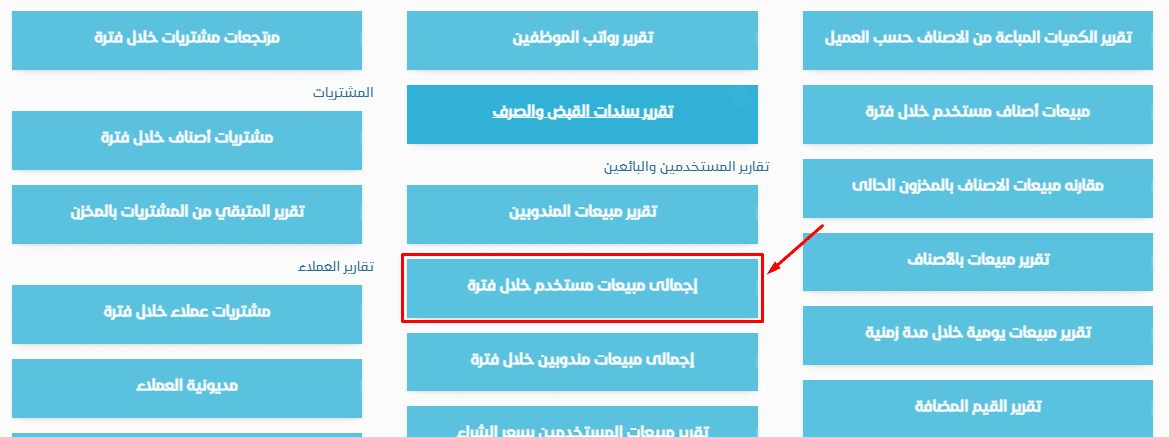
Viewing Total Sales Report for a User Over a Period
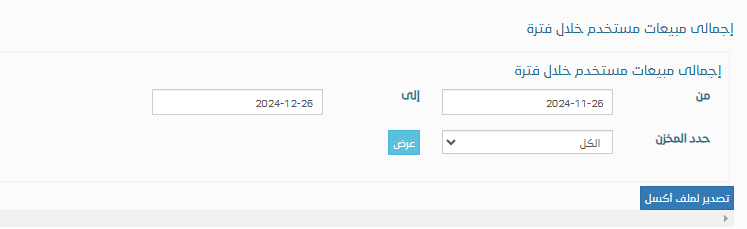
To review the Total Sales by User report for a specific time period:
It will appear as follows:
Al-Badr Daily Sales Program
Al-Badr Daily Sales Software provides a wide range of tools that help you efficiently manage your business operations, including:
-
Recording customer data and account balances.
-
Supporting multiple pricing levels for the same product (retail, wholesale, custom pricing).
-
Accessing the system anytime and anywhere through the internet.
-
Managing multiple warehouses, sales points, stock transfers, and inventory counts.
-
Managing users and employees with customized permissions.
-
Simplifying sales and purchase invoice creation with flexible invoice layouts.
-
Enabling online product marketing and easier customer reach.
What Does the Software Provide for My Business?
Invoice Management
Easily record sales and purchase invoices while controlling invoice size and design.
Business Marketing
Promote your products online and attract new customers more efficiently.
Cloud Services
Access and manage your business from anywhere at any time via the internet.
Inventory Management
Support for multiple warehouses, multiple POS per warehouse, stock transfers, and inventory auditing.
Multi-User Management
Add multiple employees and assign specific permissions for registration and sales activities.
Technical Support
Continuous technical support and regular updates to meet your evolving business needs.
Reports
Comprehensive reports for sales, purchases, inventory movement, profits, and losses.
Customer & Supplier Management
Register customer and supplier accounts, add financial payments, and generate account statements.
In Summary
Al-Badr Daily Sales Software allows you to add multiple users to reduce the workload on business owners and managers. Each user can have a unique username and password with clearly defined permissions, ensuring organized teamwork, improved security, and higher operational efficiency.
Try the software online for free here
Access the tutorial lessons here